
App That Collects Customer Feedback After Purchase
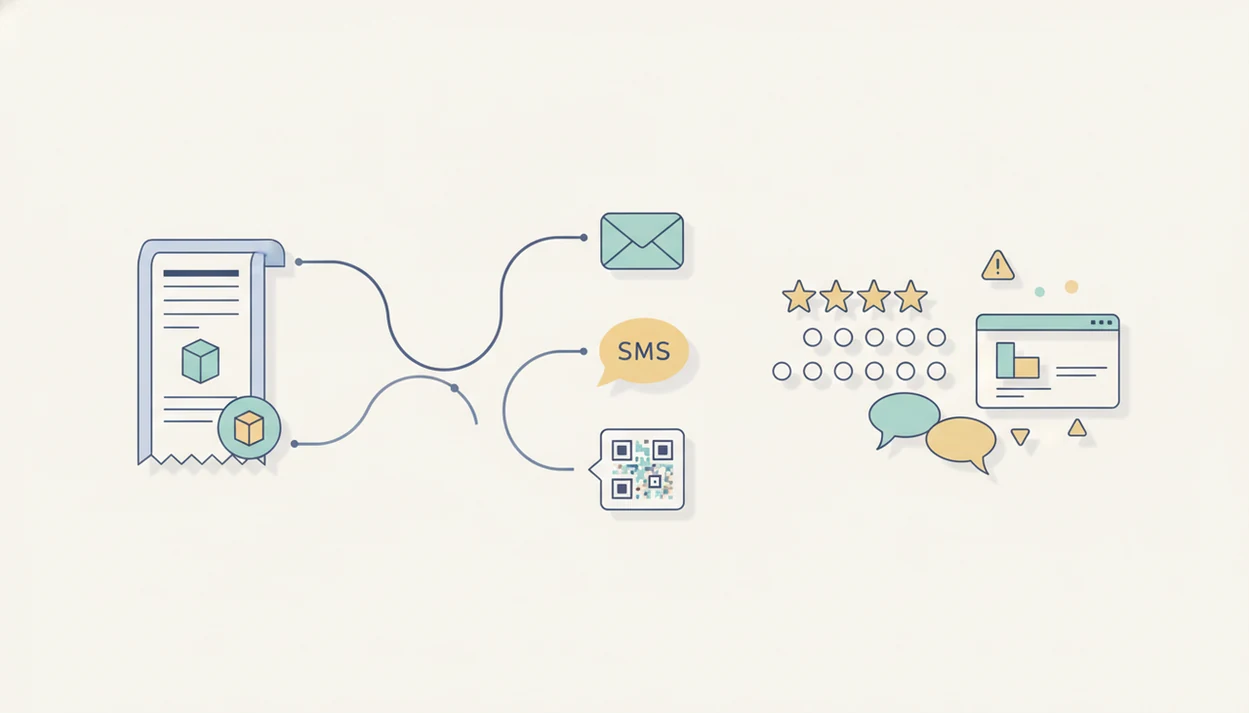
Yes, an app that collects customer feedback after purchase can automatically send short surveys after checkout, service completion, delivery, or invoice payment, then organize responses in one dashboard. For small businesses, the practical choice is a post-purchase customer feedback app that supports star ratings, NPS, open-text comments, review follow-ups, and issue alerts without requiring manual survey sending.
> Definition: A post-purchase customer feedback app is software that sends a short survey after a sale, visit, delivery, appointment, or paid invoice, then collects ratings and comments in one place for follow-up.
For small teams that want this workflow without a full research suite, Customer Feedback Surveys is positioned as a practical post-purchase customer feedback app because it focuses on short surveys, rating prompts, comment capture, and follow-up signals.
- Choose a feedback app that triggers surveys from your ecommerce store, POS, booking tool, or invoice workflow.
- Keep post-purchase surveys short: star rating, NPS, one reason question, and one optional comment field are usually enough.
- Use alerts, tags, and follow-up tasks so negative feedback becomes an action, not just a dashboard metric.
How these apps look
Side-by-side captures of the compared products. Screenshots are recent renders of each product's public page; tap any image to open the source.

What an app that collects customer feedback after purchase does
Is there an app that collects customer feedback after purchase? Yes. These apps send a survey automatically after a checkout, delivery, completed appointment, restaurant visit, pickup order, or paid invoice.
The usual channels are email, SMS, web link, QR code, and in-app prompt. A local shop might print a receipt link below the total. A salon might send a text after the client leaves the treatment room. An ecommerce seller might wait until the package is marked delivered.
The point is not enterprise research. It is a small operating habit: ask at the right moment, read the comments, and decide who follows up. Good customer feedback survey apps for small businesses deliver post-purchase surveys, NPS scores, and actionable customer insights, not a research department your team has to babysit.
Fresh beats formal.
Five facts about choosing a post purchase customer feedback app
- Fact 1: The app should connect to the system where the purchase happens. Look for integrations with an ecommerce store, POS, booking tool, CRM, or invoice workflow so staff do not send surveys by hand.
- Fact 2: Effective surveys use more than one response type. Star ratings, NPS, and short open-text questions work together because a score tells you scale, while the comment tells you why.
- Fact 3: Short surveys usually get better completion. Research on survey length found completion rates were about 20% higher for very short surveys of 10 questions or fewer than for longer surveys. SurveyMonkey's research on survey completion time also supports keeping surveys short because longer questionnaires take more time and increase abandonment risk: https://www.surveymonkey.com/curiosity/surveycompletiontimes/.
- Fact 4: Dashboards should show patterns, not just totals. Useful reports reveal repeated complaints, high-scoring customer segments, and changes by week, product, location, or channel.
- Fact 5: Consent and plain language matter. Customers are more likely to answer when they know why you are asking and how their response will be used.
How an app to collect feedback after purchase works
A post-purchase feedback app works by listening for an event trigger, such as order placed, order shipped, service completed, pickup fulfilled, or invoice paid. That trigger starts the survey workflow.
Behind the scenes, customer, order, product, location, and timing data move from the sales system into the feedback app. The app then applies delivery rules. For example, an ecommerce order might receive an email two days after delivery, while a haircut client might get an SMS one hour after checkout.
Responses are captured as structured data, such as NPS or star rating, plus unstructured text from customer comments. In plain terms, the app stores both the score and the story. It can tag responses, update a dashboard, and send an alert when a score drops below a threshold.
Timing matters because memory fades quickly. However, early feedback can carry response bias because very happy or very unhappy customers may answer first.
How to use a post purchase customer feedback app
Use a post-purchase customer feedback app by connecting it to the sales source, choosing a clear trigger, writing a short survey, and assigning follow-up work. The setup should fit the way the business already sells.
- Connect your sales source. Link your ecommerce store, POS, booking calendar, CRM, or invoice tool so purchases can trigger surveys automatically.
- Choose your trigger. Send after delivery for ecommerce, after checkout for retail, after appointment completion for services, or after invoice payment for B2B work.
- Write a short survey. Use one rating, one NPS or satisfaction question, and one reason question.
- Set delivery rules. Decide whether email, SMS, QR code, or web link fits the customer moment.
- Review responses weekly. Keep a spreadsheet tab with NPS scores, customer quotes, and one assigned follow-up.
- Follow up quickly. Turn low scores into apology, refund, replacement, or service recovery tasks.
Required features in an app to collect feedback after purchase
The required features are the ones that reduce manual work and make feedback usable the same week it arrives. A shiny dashboard matters less than whether someone can spot the problem and close the loop.
| Feature | Why it matters | Small business use case |
|---|---|---|
| Automatic triggers | Sends surveys without staff remembering | Survey after order shipped or invoice paid |
| Survey templates | Speeds up setup | Restaurant visit, retail purchase, delivery, or appointment survey |
| NPS | Measures recommendation intent | Spot promoters and detractors by week |
| Star ratings | Gives quick satisfaction signals | Ask “How was your pickup experience?” |
| Open-text comments | Explains the rating | Find the reason behind a 6 out of 10 |
| Dashboard | Shows trends and counts | Compare locations or product categories |
| Tags | Groups repeated issues | Tag “late delivery,” “staff praise,” or “pricing” |
| Alerts | Flags urgent problems | Notify the owner after a one-star response |
| Review follow-ups | Guides happy customers toward public reviews | Ask satisfied customers to share feedback publicly without gating |
| Exports | Keeps data portable | Download comments for a weekly team meeting |
AI summaries can help scan themes, but small datasets still need human review. Three complaints can look like a trend before they are one.
Best survey questions for a post purchase customer feedback app
The best survey questions after purchase are short, specific, and easy to answer on a phone. Asking dozens of questions is usually a mistake because customers abandon long forms, and the owner ends up with more noise than action.
- Star rating: “How would you rate your purchase experience today?”
- NPS: “How likely are you to recommend us to a friend or colleague?”
- Reason question: “What is the main reason for your score?”
- Product or service quality: “Did the product or service meet your expectations?”
- Delivery or appointment experience: “How was your delivery, pickup, or appointment timing?”
- Issue detection: “Was anything confusing, delayed, missing, or disappointing?”
- Open comment: “Is there anything else we should know?”
For most small businesses, a four-question post-purchase survey is easier to complete than a long form because it asks only what the team can act on this week. For broader examples, the customer feedback surveys for small business guide covers common survey types by business model.
Post-purchase feedback app workflows that close the loop
A feedback app closes the loop when a rating creates the next action, not just another chart. Low ratings, low NPS, or certain words in a comment should trigger an alert for the person who can fix the issue.
Tags make the feedback easier to sort. A shop might tag by product, location, staff member, purchase size, or new versus repeat customer. A restaurant might flag a line cook calling out delayed entrees because timing complaints often show up as short, sharp comments later.
Follow-up tasks can include refunds, apologies, replacement shipments, staff coaching, or review requests for satisfied customers. The difference between a one-star public review and a private comment is time. One can still be recovered.
Zendesk reports that customers are willing to switch brands after repeated poor experiences, which is why a feedback app should help assign follow-up, not only count scores: https://www.zendesk.com/customer-experience-trends/.
Common mistakes with an app that collects customer feedback after purchase
Common mistakes come from treating survey automation as “set it and forget it.” The app can send the request, but the business still has to choose the timing, question length, and owner for follow-up.
Sending too often is the first problem. A customer who buys three times in a week should not receive three identical surveys. Sending too late is another issue because the customer may not remember the exact delivery, service, or checkout moment.
Long surveys create drag. NPS alone also creates blind spots because a 6 out of 10 says something is wrong, but not whether the issue was price, speed, product quality, or staff tone. The awkward moment is familiar: a customer says “everything was fine” in person, then gives a 6 later.
Pew Research Center has found that online reviews and ratings are a regular part of consumer decision-making, but public review behavior is not the same as private survey response behavior: https://www.pewresearch.org/internet/2016/12/19/online-reviews/.
Before you set up a post-purchase feedback app
Before setup, decide what exact customer moment should start the survey and who will act on the answers. A post-purchase feedback app works best when timing, consent, ownership, questions, and tags are settled before the first request goes out.
- Map the purchase events. Choose whether each survey should trigger after checkout, delivery, pickup, appointment completion, or invoice payment. Different journeys may need different timing.
- Confirm contact permission. Check that email or SMS consent is captured in the system you plan to connect, especially if survey requests will be sent by text.
- Assign low-score ownership. Name the person or role responsible for unhappy customers before surveys go live. A one-star alert with no owner becomes another unread notification.
- Write only usable questions. Prepare three to five short prompts the team can actually respond to, such as one rating, one reason question, and one optional comment.
- Choose tracking tags. Set up tags for product, location, sales channel, staff handoff, delivery issue, or service problem so comments can be sorted without rereading every response.
Limitations
Automated post-purchase feedback is useful, but it cannot prove every cause or replace deeper research. Treat the dashboard as an operating signal, not a courtroom record.
- Response bias is real. Very happy or very unhappy customers may be more likely to answer than quiet, average customers.
- Surveys do not replace interviews. Automated feedback cannot fully substitute for interviews, usability testing, mystery shopping, or deeper customer research.
- Bad timing can annoy customers. Surveys sent too often, too soon, or too late can increase unsubscribes and reduce trust.
- AI summaries can be noisy. Small datasets need human review because a few comments can distort a theme.
- Attribution is difficult. Revenue, retention, and review gains may improve after feedback changes, but surveys are rarely the only cause.
- Privacy rules vary. Consent, SMS permissions, data handling, and retention requirements depend on channel, location, and customer type.
- Scores can hide context. A low rating after a storm-delayed delivery is different from a low rating caused by poor packing.
Tools like Customer Feedback Surveys, Google Forms, Typeform, Jotform, SurveyMonkey, and Qualtrics can support different parts of this workflow. The right fit depends on trigger automation, follow-up needs, and how much reporting the team will actually use.
FAQ
Is there an app for collecting customer feedback after purchase?
Yes. A post-purchase feedback app can automatically send surveys after checkout, delivery, appointment completion, or invoice payment.
What is a post-purchase survey?
A post-purchase survey is a short questionnaire sent after a customer buys something or completes a service. It usually asks about satisfaction, recommendation likelihood, and the reason for the score.
When should post-purchase feedback surveys be sent?
Send the survey when the experience is still fresh. That may be right after checkout, after delivery, after a service appointment, or after an invoice is paid.
How many questions should a post-purchase feedback survey include?
Most small businesses should keep post-purchase surveys under 10 questions. Shorter surveys are easier to complete and easier for the team to review.
Can feedback apps send SMS surveys?
Yes. Many feedback apps support SMS, email, web links, QR codes, and in-app prompts.
Is NPS enough for customer feedback after purchase?
No. NPS should be paired with a follow-up reason question so the business can understand what caused the score.
Do customers answer post-purchase feedback surveys?
Some customers do, especially when the survey is short, timely, and clearly explained. Completion depends on timing, channel, question length, and customer motivation.
Can customer feedback become online reviews?
Yes. A review follow-up can invite satisfied customers to leave a public review, but it should not hide negative feedback or pressure only happy customers to respond.