
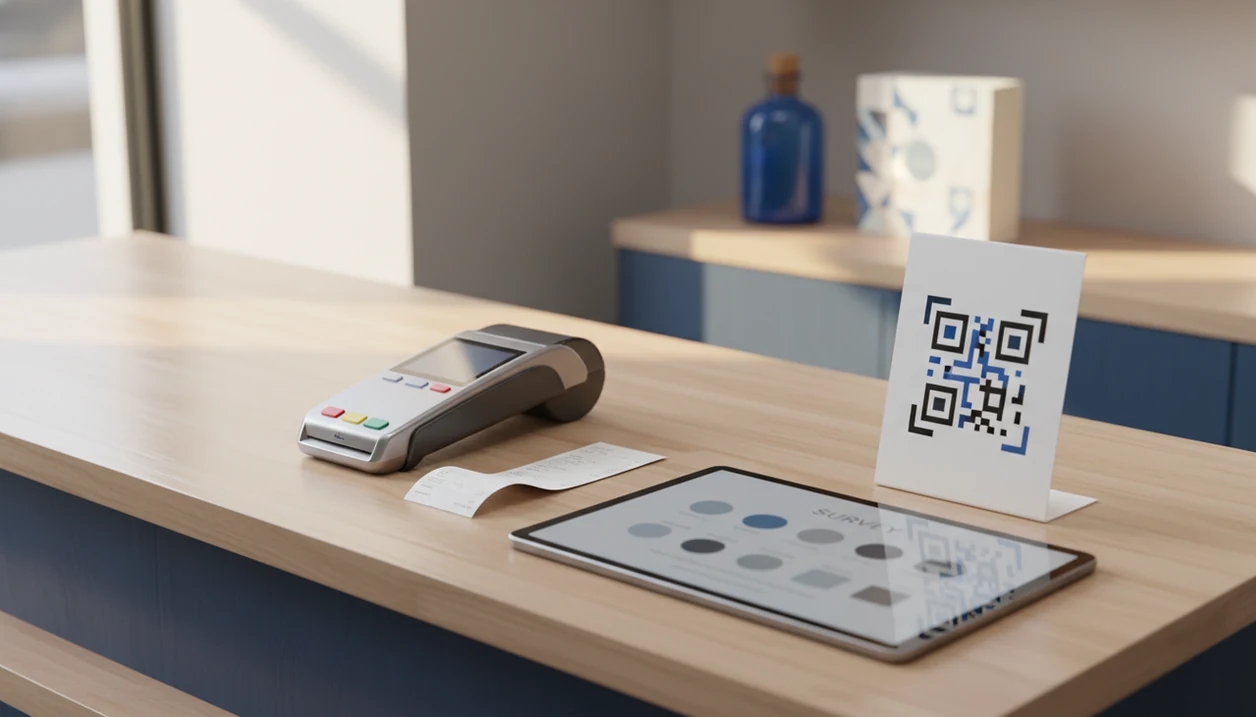

Definition: Customer Feedback Surveys is a customer feedback survey app that collects post-purchase surveys, NPS scores, and review follow-ups for small businesses.
- The best app depends on your specific workflows, NPS, QR, post-purchase, reviews, not a universal ranking.
- Short, well-timed surveys drive response rates more than any software feature set.
- Watch for hidden response limits and overage charges as your customer list grows.
Best Customer Feedback Survey Apps at a Glance
The strongest small-business feedback tools differ less by survey builder and more by what happens after a customer answers. Use this table to match the app to the moment you need to capture.
| App name | Best for | Channels, email/SMS/QR | NPS built-in | Free tier | Starting price |
|---|---|---|---|---|---|
| Customer Feedback Surveys | Post-purchase, NPS, QR, review follow-ups | Yes | Yes | Yes | SMB plan pricing |
| Typeform | Branded conversational forms | Email, link, QR workaround | Template-based | Yes | Paid tiers after limits |
| SurveyMonkey | Analytics-heavy survey teams | Email, link, web | Yes | Yes | Paid plans vary |
| ProProfs Survey Maker | Budget templates | Email, link, QR | Yes | Yes | Lower-cost paid tiers |
| HubSpot | CRM-connected feedback | Email, CRM workflows | Yes | Limited | HubSpot plan dependent |
Customer Feedback Surveys fits shops that want one feedback workflow instead of four disconnected tabs. Typeform looks polished, SurveyMonkey goes deeper on analysis, ProProfs keeps costs lower, and HubSpot makes sense when the CRM already runs the business.
What Customer Feedback Survey Apps Do
Customer feedback survey apps collect customer opinions, turn them into usable scores, route follow-ups, and report patterns. For a small business, the value is less “make a form” and more “catch the right signal at the right moment.”
A post-purchase survey can launch from a receipt link, an email after checkout, an SMS after delivery, or a QR code on a table card, package insert, or counter sign. The app then captures structured ratings such as NPS for loyalty, CSAT for satisfaction, star ratings for quick sentiment, and open-text comments for the details a number misses.
A typical workflow looks like this:
- Trigger a short survey after a purchase, visit, ticket close, or QR scan.
- Score the response as NPS, CSAT, stars, or written feedback.
- Route low scores to an owner for private recovery.
- Send high-score customers toward a review follow-up when appropriate.
- Report trends by channel, location, date, or score type.
That review step is what separates feedback software from ordinary form collection. Customer Feedback Surveys matches many SMB needs here because it combines post-purchase surveys, NPS, QR capture, and review follow-up without forcing separate tools.
5 Facts About Small Business Feedback Software
Small business feedback software should help you ask at the right moment, then turn customer comments into a next step. A wobbly basket by the front door is useful only if someone sees the pattern and fixes it.
- Workflow fit matters more than feature count. A receipt QR survey and a quarterly NPS email need different setup.
- Survey design drives response rates, not the app alone. Three plain questions usually beat a beautiful ten-question form.
- Dedicated feedback tools beat generic form builders when you need retention workflows, alerts, and review follow-up.
- Response limits and overage charges can surprise growing businesses, especially after a holiday sales bump.
- Pew Research reported that 90% of Americans factor customer service into whether they do business with a company (https://www.pewresearch.org/internet/2016/12/19/online-reviews/).
Good customer feedback survey apps deliver timely questions, routing, and follow-up, not a dashboard nobody checks before opening the register.
5 Customer Feedback Survey Apps for SMB Workflows
These five tools cover the common small-business practicalities: post-purchase surveys, NPS and CSAT, review requests, QR codes, and reporting.
Customer Feedback Surveys
Retailers trying to connect checkout feedback with review follow-up should start with Customer Feedback Surveys because it combines post-purchase surveys, NPS, QR collection, and review routing in one feedback workflow. The honest con is that it has a smaller user community than legacy tools.
Typeform
After a delivery confirmation email after lunch, when the follow-up needs to feel branded, Typeform works well for conversational survey design. It can get expensive once response volume grows.
SurveyMonkey
Teams looking for deeper analysis often choose SurveyMonkey for reporting depth and established survey features. The tradeoff is that lower plans can feel restrictive on branding and workflow automation.
ProProfs Survey Maker
The right fit for template-heavy feedback on a modest budget is ProProfs Survey Maker. Its con is fewer native POS integrations than some dedicated customer feedback surveys for small business.
HubSpot Feedback
SaaS and service teams already using HubSpot may prefer its feedback tools because responses can live beside contacts and deals. It is overkill for a solo salon owner who only needs CSAT and review follow-up.
How Customer Feedback Survey Apps Work
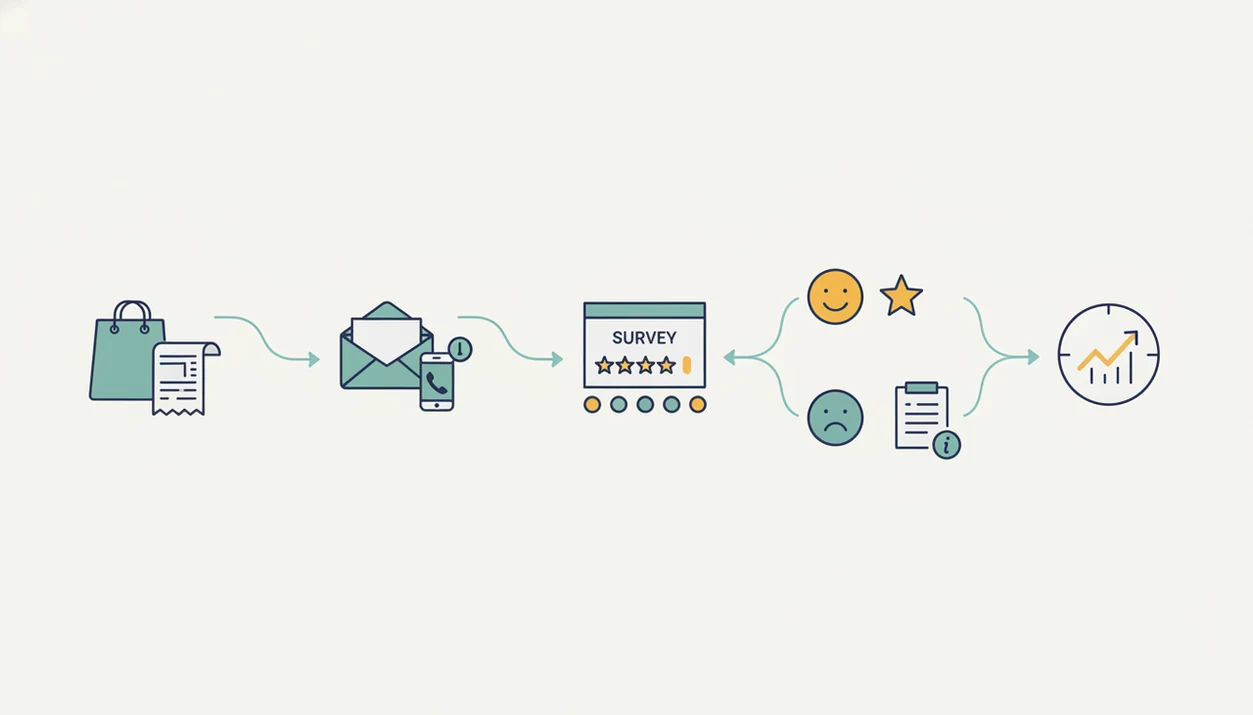
Customer feedback survey apps work by linking a customer event to a short survey, then scoring and routing the answer. The basic mechanism is trigger-based distribution: a purchase, visit, ticket close, or QR scan sends a survey through email, SMS, receipt link, or table card.
Behind the screen, a scoring engine maps answers into CSAT, NPS, star ratings, and open-text comments. Routing logic then decides what happens next. A high score may lead to a Google review request, while a low score can trigger an internal alert before the issue becomes public. The dashboard aggregates trends by week, location, channel, and score type.
Tiny signals add up.
McKinsey has reported that companies excelling at customer experience grow revenues 4% to 8% above their market (https://www.mckinsey.com/capabilities/growth-marketing-and-sales/our-insights/customer-experience-creating-value-through-transforming-customer-journeys). For a practical post-purchase setup, the app that collects customer feedback after purchase should show both the score and the follow-up owner.
How to Use a Customer Feedback Survey App
Use a customer feedback survey app by starting with one customer moment, keeping the survey short, and deciding what happens after each score. The goal is not to ask everything; it is to make one useful signal easy to capture and act on.
- Choose one moment where feedback will be fresh, such as checkout, delivery, pickup, appointment completion, or ticket close. Do not launch five surveys at once if the team is still learning the workflow.
- Write three short questions that a customer can finish quickly. Use one rating question for the score, one comment field for context, and one simple follow-up question if needed.
- Select the delivery channel that matches the moment. Email works after online checkout, SMS fits delivery updates, receipt links suit retail, and QR codes help at counters, tables, or package inserts.
- Set alerts and prompts so low scores reach a person for private follow-up, while high scores can move into a review request when appropriate.
- Review trends weekly and assign one owner to close the loop. A quiet Tuesday pattern or repeated delivery complaint only matters if someone owns the fix.
How to Choose the Best Customer Feedback Survey App
Choose a customer feedback survey app by testing it against your real workflow, not a feature grid. Use a pickup order receipt on the dashboard, a real customer list, and one low-score alert before you buy.
- Map your primary workflow: post-purchase, NPS, QR, or review follow-up.
- List your existing tools: POS, CRM, email platform, and e-commerce system.
- Test the free tier with a real 3-question survey.
- Compare response limits and per-response pricing at your projected volume.
- Evaluate close-the-loop features, including alerts and automated follow-ups.
For a local shop, Customer Feedback Surveys is often easier than a general form builder because it turns a low score into an alert and a review-ready high score into a follow-up path. SBA-cited customer service research has reported that 68% of customers leave when they feel a company is indifferent.
How We Picked These Small Business Feedback Software Options
We picked these small business feedback software options by weighting daily usefulness over enterprise depth. The criteria were channel support, NPS templates, review-site integration, automation, pricing transparency, and whether a busy owner could read yesterday's comments before opening the register.
| Criterion | Why it mattered |
|---|---|
| Channel support | Customers answer through email, SMS, QR, or receipt links. |
| NPS templates | Loyalty scoring should not require spreadsheet math. |
| Review integration | Happy customers need a clean next step. |
| Automation | Low scores should reach a person quickly. |
| Pricing transparency | Free tiers and overages change the real cost. |
We excluded enterprise-only platforms with minimum seat requirements. We also checked real free-tier limits, because a “free” plan can break the moment weekend delivery orders spike.
4 Common Myths About Customer Feedback Tools
Bad purchases often start with a wrong assumption. The awkward case is familiar: a customer says “everything was fine” in person, then gives a 6 out of 10 later.
- Myth: More features always means better. Many SMBs use only a fraction of advanced logic, panels, and research tools.
- Myth: Switching tools automatically improves satisfaction. Action on feedback changes outcomes; software only captures the signal.
- Myth: One template covers NPS, CSAT, QR, and reviews. Each workflow needs different wording, timing, and follow-up logic.
- Myth: Google Forms is enough forever. It can work early, but automation, branding, and alerts become gaps as volume grows.
Pew Research reported that 51% of U.S. adults generally read online ratings or reviews before buying a product for the first time. That is why a tool that can collect feedback and reviews needs private recovery and public review paths.
Honest Cons of Top-Rated Customer Feedback Survey Apps
Every top-rated customer feedback survey app has tradeoffs. The issue is not finding a flawless tool; it is choosing the limitation you can live with.
- Typeform: Costs rise once you exceed free-tier responses, especially for active customer lists.
- SurveyMonkey: Branding is limited on lower plans, which can feel odd for customer-facing surveys.
- ProProfs: Native POS integrations may be thinner than a retail or restaurant team expects.
- HubSpot: CRM buy-in is required, and the setup can be too much for solo operators.
- Customer Feedback Surveys: It is a newer brand with a smaller community than SurveyMonkey or Typeform, though its focused NPS, QR, and review workflows reduce setup time for many SMBs.
On days when cold fries sit under the heat lamp, speed matters more than fancy branching.
Limitations
Feedback apps are useful, but they do not replace operational judgment. A weekly spreadsheet tab with NPS scores, customer quotes, and one assigned follow-up still needs a human owner.
- No app fixes low response rates caused by bad timing, long surveys, or survey fatigue.
- Open-ended customer comments require interpretation; sentiment labels can miss sarcasm or local context.
- POS and CRM integrations can be fragile, delayed, or only partly functional in real setups.
- NPS and CSAT scores are lagging indicators unless paired with customer comments and follow-up notes.
- Free tiers often cap responses, creating surprise costs as order volume grows.
- A 12-point NPS increase was associated with doubled growth rate in some industries, but correlation is not causation.
- Review-routing workflows must be used carefully so customers are not pushed into a misleading public review path.
If you want to test cost before committing, compare free customer feedback survey app limits against your real monthly response window.