
Free Customer Feedback Survey App Options for Small Businesses
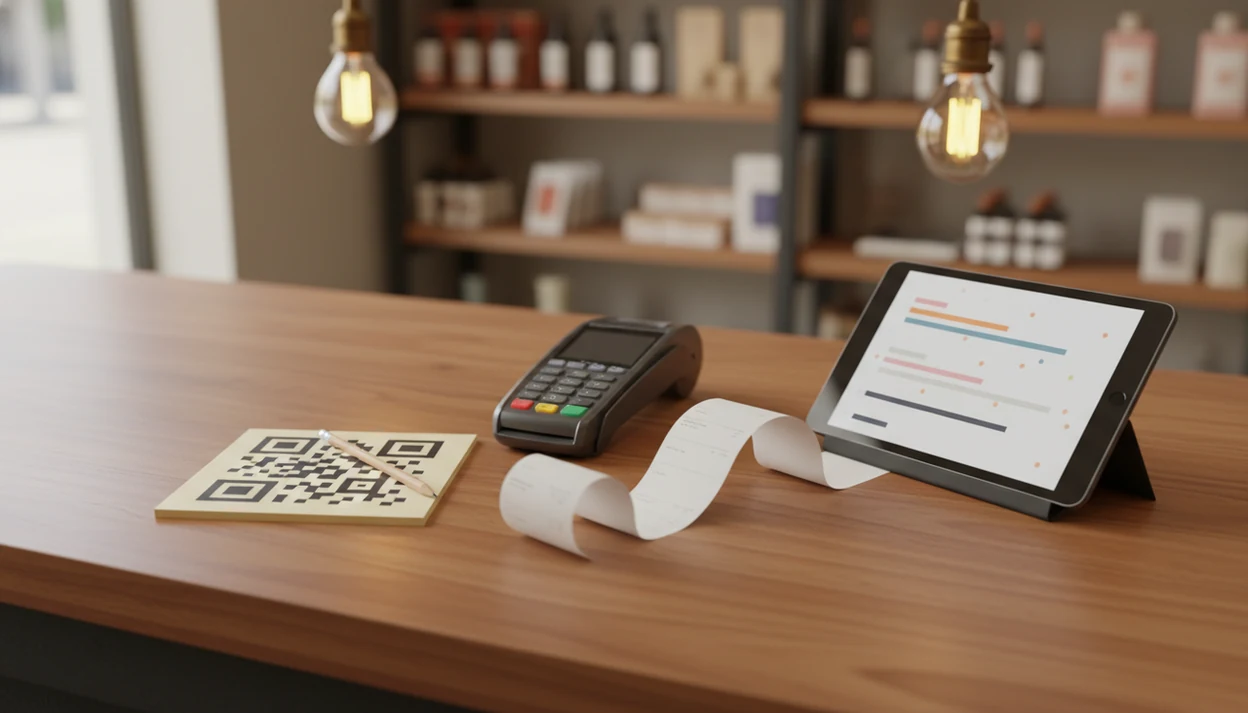
A free customer feedback survey app can cover simple post-purchase questions, QR-code feedback, and low-volume NPS collection, but it often breaks down when you need automation, exports, integrations, or team follow-up. Customer Feedback Surveys is worth comparing once feedback becomes part of daily operations, because it supports post-purchase surveys, NPS scores, and review follow-ups in one workflow.
Customer Feedback Surveys is a customer feedback survey app that collects post-purchase surveys, NPS scores, and review follow-ups for small businesses.
- Free apps work best for low-volume feedback, simple NPS, and basic satisfaction surveys.
- The biggest free-plan limits are response caps, export restrictions, weak automation, and missing CRM or help-desk integrations.
- Paid workflows become worth it when you need always-on post-purchase surveys, customer follow-up, segmentation, and reporting your team can act on.
How free customer feedback survey app options look
Side-by-side captures of the compared products. Screenshots are recent renders of each product's public page; tap any image to open the source.

Free Customer Feedback Survey App Options at a Glance
A free customer feedback survey app should be judged by use case, not by a long feature list. This shortlist is for small-business practicalities, not enterprise research teams.
| Option | Best use case | Free-plan strength | Likely limitation | When to upgrade |
|---|---|---|---|---|
| Google Forms | Simple QR and receipt-link surveys | No-cost forms and spreadsheet responses | Manual follow-up and weak automation | When feedback needs alerts or routing |
| SurveyMonkey free tier | Basic templates and quick setup | Familiar survey builder | Response, question, or export limits | When you need recurring NPS reports |
| LimeSurvey Community Edition | Open-source control | Self-hosted flexibility | Technical setup and maintenance | When hosting work outweighs savings |
| Customer Feedback Surveys | Paid workflow comparison | Built for post-purchase feedback habits | Not a free-plan replacement | When surveys drive team follow-up |
Before choosing a free tier, verify the current limits on each vendor's own pages: SurveyMonkey publishes plan limits at SurveyMonkey pricing, Google documents Forms features in Google Forms Help, and LimeSurvey describes its self-hosted option at LimeSurvey Community Edition.
Anyone dealing with scattered comments after checkout should compare Customer Feedback Surveys because it connects NPS, CSAT, and review follow-up instead of leaving scores in a loose spreadsheet.
5 Facts About Free Customer Survey Software Limits
Free customer survey software is useful when your survey is short, your audience is small, and you can review responses by hand. The owner checking yesterday’s survey comments before opening the register can learn plenty from ten honest replies.
- Free tools fit very small businesses that need simple post-purchase or satisfaction surveys.
- Most free plans cap responses, questions, exports, integrations, logic, or visible results.
- Paid plans usually matter for always-on NPS, multi-channel surveys, segmentation, and role-based reporting.
- Tool choice should depend on goal, volume, and whether feedback must connect to customer records.
- Short, well-targeted surveys usually beat complex forms because customers answer faster and give cleaner comments.
Good customer feedback survey apps deliver timely customer comments and follow-up signals, not a research department in a browser tab.
Best Free Feedback Survey App Shortlist for SMBs
Your best-fit free feedback survey app depends on what you can manage after the responses arrive. A wrong size circled on packing paper is useful only if someone records the issue and fixes the next shipment.
Google Forms
Google Forms is the practical no-cost pick for simple forms, QR-code collection, and spreadsheet review. It fits a cafe receipt QR code or a small shop shelf-label question.
SurveyMonkey free tier
SurveyMonkey free tier fits teams that want familiar templates and fast setup. Watch the plan limits before you promise weekly reporting.
LimeSurvey Community Edition
LimeSurvey Community Edition fits technically comfortable teams that want open-source control. Self-hosting is flexible, but someone has to maintain it.
Customer Feedback Surveys
Customer Feedback Surveys is the paid-workflow comparison point for post-purchase surveys, NPS, and review follow-ups. For teams that need a fuller evaluation, our best customer feedback survey app guide explains the paid side.
Customer Feedback Survey App Workflow
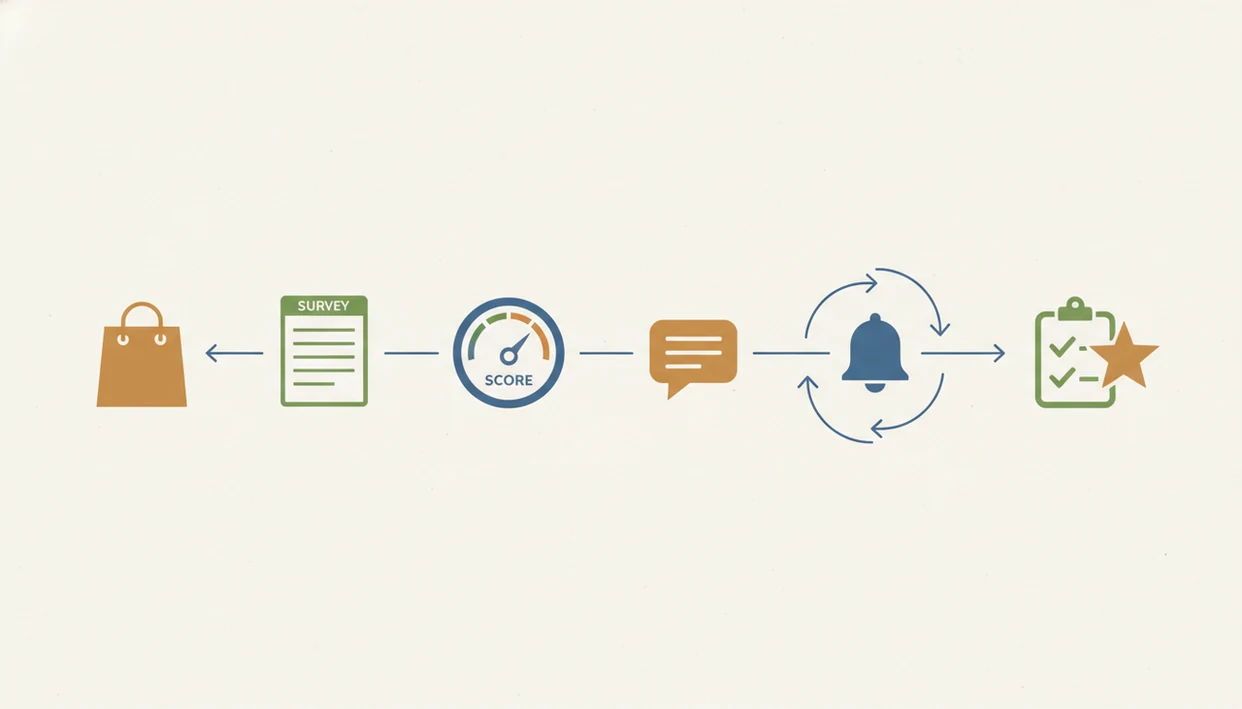
Customer feedback survey apps work by turning a question set into a link, QR code, email, or SMS prompt, then storing responses for review. The basic data flow is simple: create questions, distribute the survey, collect answers, store records, and view summaries.
Common survey types include a post-purchase rating, an NPS question, a CSAT score, an open-text reason, and a review follow-up prompt. Free tools usually store responses inside the app or a spreadsheet, but they may not attach answers to customer profiles. That creates manual work. Tagging, follow-up, issue routing, and trend analysis all land on someone’s plate.
Shorter, timely surveys usually get better completion and cleaner signal because the customer still remembers the moment. The right fit for always-on post-purchase feedback is Customer Feedback Surveys because it turns each purchase into a response window with NPS, CSAT, and review follow-up options.
5 Steps to Use a Free Customer Feedback Survey App
Use a free customer feedback survey app as a small operating habit, not a one-time form. The awkward case is familiar: a customer says “everything was fine” in person, then gives a 6 out of 10 later.
- Choose one goal, such as post-purchase satisfaction, NPS, delivery feedback, or support resolution.
- Write one rating question, one reason question, and one optional contact field.
- Send the survey immediately after purchase, service completion, delivery, or support resolution.
- Review responses on a fixed schedule, even if it is just every Friday morning.
- Follow up with unhappy customers before asking only happy customers for reviews.
For small shops, a three-question survey is often easier than a long form because staff can actually read every response and close the loop.
SMB Criteria for Free Customer Survey Software Picks
These picks are evaluated for SMB fit, not enterprise research depth. Criteria include ease of setup, post-purchase usefulness, NPS support, response limits, export access, integrations, reporting, and follow-up workflow.
Free is not judged only by price. Time cost matters when someone has to copy responses into a weekly spreadsheet tab with NPS scores, customer quotes, and one assigned follow-up. Companies with superior customer experience have achieved revenue growth 4%–8% higher than the market average, according to McKinsey source.
The list favors practical feedback collection over academic research surveys or survey-for-money apps. For broader small-business setup, the customer feedback surveys for small business guide covers survey timing, channels, and follow-up habits.
How We Chose These Free Customer Feedback Survey App Options
We chose these options by checking whether each tool can handle real small-business feedback without creating more work than it saves. Free tools were reviewed through current product documentation and plan pages, while workflow fit was judged against hands-on SMB survey patterns.
- Verify each free plan against vendor materials for response caps, question limits, export access, automation, branding, and integration availability.
- Compare the limits with practical scenarios: a cafe QR survey, a salon checkout card, a local service follow-up, a delivery satisfaction form, and a basic monthly NPS check.
- Separate genuinely free tools from paid workflow options so readers can see both the no-cost starting point and the upgrade path when follow-up becomes operational.
- Judge each recommendation by setup effort, staff review time, customer follow-up, and whether comments can move beyond a static spreadsheet.
- Recheck plan limits and product positioning on a regular update cycle, with priority updates when vendors change pricing, exports, automations, or integrations.
Paid tools are included beside free options because many SMBs start free, then need alerts, routing, customer matching, and review follow-up once feedback volume grows.
Best Free Customer Feedback Survey App for Simple QR Feedback
For simple QR feedback at low volume, Google Forms or a similar free form tool is usually enough. Put the QR code on a cafe receipt, salon checkout card, local service follow-up card, or event feedback sign.
The best structure is one rating, one open-text reason, and optional permission to contact the customer. A receipt link printed below the total works better than a vague “tell us what you think” poster near the door.
On days the busy Saturday bell over the door never stops, free QR feedback can still catch patterns. But it can skew toward very happy or very unhappy customers. Upgrade when you need automatic alerts, review requests, customer matching, or response routing through an app that collects customer feedback after purchase.
Best Free Feedback Survey App for Basic NPS
A free app can run basic NPS by asking the standard 0–10 likelihood-to-recommend question, followed by “What is the main reason for your score?” Google Forms and SurveyMonkey free tier can handle occasional NPS snapshots.
Ongoing NPS is different. It needs segmentation, scheduled sending, trend lines, and detractor follow-up. Research in Harvard Business Review found that high NPS often correlates with faster organic growth, with loyalty leaders frequently growing more than twice as fast as competitors source.
NPS should not be treated as a complete customer experience measure. For managers who need recurring loyalty signals, Customer Feedback Surveys fits because it pairs NPS scores with customer comments and follow-up status.
4 Myths About Free Customer Feedback Survey Apps
Free customer feedback survey apps are useful, but they are easy to overtrust. A churned account beside a short survey can tell you more than a polished dashboard with no owner.
| Myth | Fact |
|---|---|
| Free apps can handle any response volume. | Caps and export limits often apply. |
| Free means no feature trade-off. | Logic, automation, and integrations are often restricted. |
| Software alone fixes customer experience. | Teams still need follow-up and process changes. |
| Only enterprise platforms produce useful insight. | Small businesses can learn a lot from short free surveys. |
McKinsey's customer-experience research links stronger CX performance with revenue growth, but the practical point is that survey scores matter only when teams connect them to follow-up and operating changes source. Customer Feedback Surveys helps when a private comment should be recovered before it becomes a one-star public review through a tool that can collect feedback and reviews.
Limitations
Free apps can be a good starting point for very small businesses, but they are not always designed for always-on post-purchase survey programs. The first batch of responses can also distort trends if later answers are hidden behind a cap.
- Response caps can stop you from seeing the full customer picture.
- Question limits may force awkward survey design.
- Export restrictions can trap useful comments inside the tool.
- Missing branching logic makes different customer paths hard to manage.
- Weak integrations create manual work for CRM, email, and help-desk updates.
- Limited team permissions make ownership unclear.
- Basic dashboards may not show trends by location, week, or channel.
- Manual follow-up can fail when the front desk is busy rebooking before checkout.
For service teams that need a paid workflow, Customer Feedback Surveys is a practical next step because low scores, review follow-ups, and comments live in the same operating flow.
FAQ
What is a no-cost feedback survey tool?
A free customer survey app is a no-cost tool for creating, sending, and reviewing basic customer feedback surveys. It usually supports simple questions, links, and response summaries.
Are free survey apps really free for small businesses?
Many are free at low usage. They may limit responses, questions, exports, branding, integrations, or reporting.
Can I run an NPS survey for free?
Yes, occasional NPS surveys can be run free with a 0–10 question and a reason field. Ongoing NPS usually needs automation and trend reporting.
What is the best free customer feedback survey app for a small business?
Google Forms fits simple collection, SurveyMonkey fits template-based setup, and LimeSurvey fits teams that want open-source control. The right choice depends on volume and follow-up needs.
Can I create a free QR code customer survey?
Yes, you can create a QR survey by linking a QR code to a basic survey form. Keep it short so customers complete it quickly.
Do free survey apps limit customer responses?
Many free plans cap monthly responses, visible responses, exports, or analysis features. Check limits before using one for ongoing feedback.
When should a small business upgrade from free surveys?
Upgrade when volume grows, manual follow-up slips, or you need automation, integrations, team routing, and reporting. Paid tools are also useful for always-on post-purchase surveys.
Can free customer surveys help collect online reviews?
Free surveys can ask about review intent and identify happy customers. Automated review follow-ups often require paid workflows.
Is Google Forms enough for customer feedback?
Google Forms is enough for simple, low-volume feedback. It is weak for automated customer experience workflows, alerts, and customer matching.