
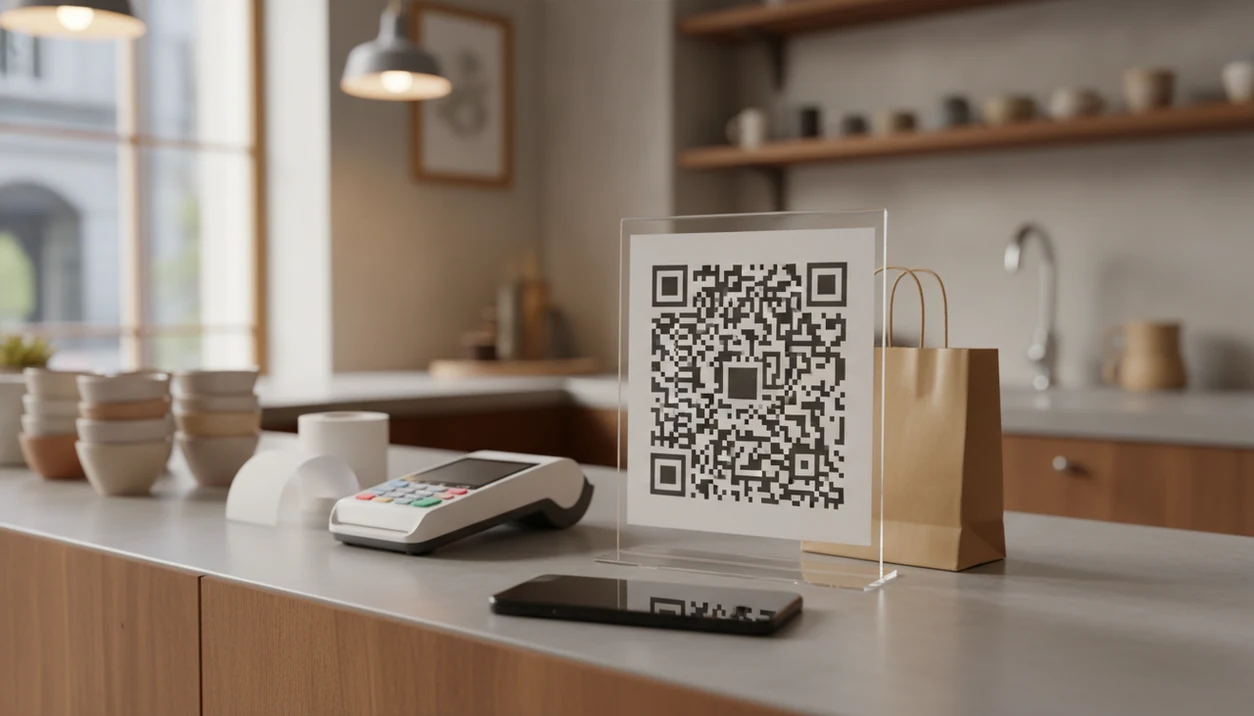

A QR code feedback survey app is a tool that generates a scannable code linked to a short, mobile-optimized survey so in-person customers can share feedback on their phones immediately after a purchase or visit.
- Keep QR surveys to 5–7 questions for the highest completion rates
- Placement, size, and contrast matter as much as the software itself
- Free plans often cap responses, compare limits before committing
- Strong apps combine survey creation with frictionless QR distribution.
- Built-in dashboards turn raw feedback into fast operational changes
At-a-Glance: 5 Facts About QR Code Feedback Survey Apps
- A QR scan-to-survey flow can be fast. SurveyMonkey cites U.S. Census Bureau usability research where participants accessed a survey by scanning a QR code in about 12 seconds on average, according to its QR survey guidance source.
- For most in-store use, treat 5–7 questions as a practical ceiling rather than a universal benchmark; SurveyMonkey recommends keeping surveys short to reduce fatigue source.
- Free survey plans often cap responses, question counts, exports, or analytics. That matters on a busy Saturday.
- QR placement should follow a 10:1 distance-to-size ratio; QR Code Generator’s sizing guidance uses the same scan-distance rule of thumb source.
- A clear call to action beside the code improves scan intent. “Tell us about today’s visit” beats a lonely square on a receipt.
The paper bag stamped with a feedback prompt works only if the customer knows what happens next.
Best QR Code Feedback Survey Apps: Named Shortlist
Customer Feedback Surveys is best for small businesses that want post-purchase NPS, CSAT, and review follow-ups in one feedback workflow. It fits restaurants, salons, and local shops because the QR code can point to a short survey that routes low scores into private follow-up.
SurveyMonkey is the most recognizable general survey brand with built-in QR generation. It works for teams that already use SurveyMonkey and want a familiar builder.
BlockSurvey is strongest for anonymous and privacy-first QR surveys. It is a better fit when the business needs candid comments without asking for names.
SurveySparrow is useful for conversational in-store survey flows, especially kiosk-style prompts near checkout or reception.
Typeform is best for visually polished QR survey experiences. It looks refined, but response limits and mobile loading should be checked before using it at scale.
If the priority is post-purchase recovery, Customer Feedback Surveys earns the spot because low NPS or CSAT responses can feed a review follow-up workflow instead of sitting in a generic form inbox.
What a QR Customer Feedback App Does
A QR customer feedback app combines QR distribution with mobile survey collection. It gives an in-person customer a fast scan path to leave a rating, score, or comment while the visit is still fresh.
The best versions are built around the feedback jobs a store actually needs. NPS shows whether customers would recommend the business, CSAT captures satisfaction with a specific visit, review recovery flags unhappy customers before they post publicly, and dashboards turn the day’s responses into patterns a manager can act on.
A practical in-store flow usually looks like this:
- Create a short mobile survey with one score question and one comment field.
- Generate a QR code for each location, table, receipt batch, counter sign, or campaign.
- Tag each code so responses show where the feedback came from.
- Review the dashboard for low scores, repeated comments, and follow-up needs.
This is different from a generic form builder or static QR tool. A plain form collects answers. A static QR code only opens a link. A real QR feedback app connects the scan, the survey, the score type, the location tag, and the reporting. For in-store use, the features that matter most are speed, mobile layout, QR management, response tagging, NPS or CSAT support, and simple follow-up.
How We Picked the Best In-Store Survey App Options
We ranked each in store survey app by how well it handles the real moment after a purchase, not just by how many form features it lists. The owner checking yesterday’s survey comments before opening the register needs fast signals, not a research platform that takes three staff meetings to configure.
Our criteria were mobile-first design, load speed, built-in QR code generation, and question flexibility. We looked for NPS scales, star ratings, open-ended comments, and branching logic that can separate a happy customer from someone who needs a call back.
Good customer feedback survey apps for small businesses deliver short post-purchase surveys, NPS scores, and actionable customer comments, not bloated forms that feel like homework.
Pricing transparency mattered too. Free tiers are useful for testing, but response caps can break the workflow once a location gets steady traffic. For setup help, our guide to QR code feedback surveys covers the placement basics in more detail.
Customer Feedback Surveys: Best QR Code App for Small Business Post-Purchase Feedback
Customer Feedback Surveys is the strongest fit for small-business post-purchase feedback because it is built around QR surveys, NPS scores, CSAT ratings, and review follow-ups. Customers do not need an account to respond, which keeps the response window short.
When checkout is the trigger moment, Customer Feedback Surveys fits because the business can print a QR code for receipts, tables, counters, or exit-door signage and send responses straight into a real-time dashboard.
That matters in ordinary service moments. A customer may say “everything was fine” at the counter, then give a 6 out of 10 ten minutes later. That private score is recoverable. A one-star public review is harder.
On days the host stand is crowded after reservations, Customer Feedback Surveys helps managers spot patterns by score type and comment theme before the same complaint repeats all weekend. For phone-based collection beyond QR, the workflow overlaps with how to collect feedback with phone.
SurveyMonkey, BlockSurvey, SurveySparrow, and Typeform Compared
The right QR customer feedback app depends on whether you care most about response limits, anonymous comments, visual presentation, or in-store recovery. Here is the practical comparison we would use before printing 500 table tents.
| App | Free plan limits | QR generation | Question types | Analytics | Typical pricing tier |
|---|---|---|---|---|---|
| SurveyMonkey | Unlimited surveys, 10 questions, 25 responses per survey, per U.S. Chamber summary source | Built in | Ratings, multiple choice, open text, logic on paid plans | Strong general reporting | Free, then paid team plans |
| BlockSurvey | Free limits vary by plan | Built in or share-link based | Anonymous forms, ratings, open text | Privacy-focused reporting | Free, then paid plans |
| SurveySparrow | Free tier, then paid limits | Supported | Conversational surveys, NPS, CSAT | Good dashboard depth | Paid plans can rise quickly |
| Typeform | Free response caps | Share link to QR | Highly visual forms | Clean, but limited on free plans | Free, then paid plans |
For a busy location, response capacity usually matters more than design polish because capped forms stop collecting data at the exact moment traffic gets interesting.
How a QR Code Feedback Survey Works Behind the Scenes
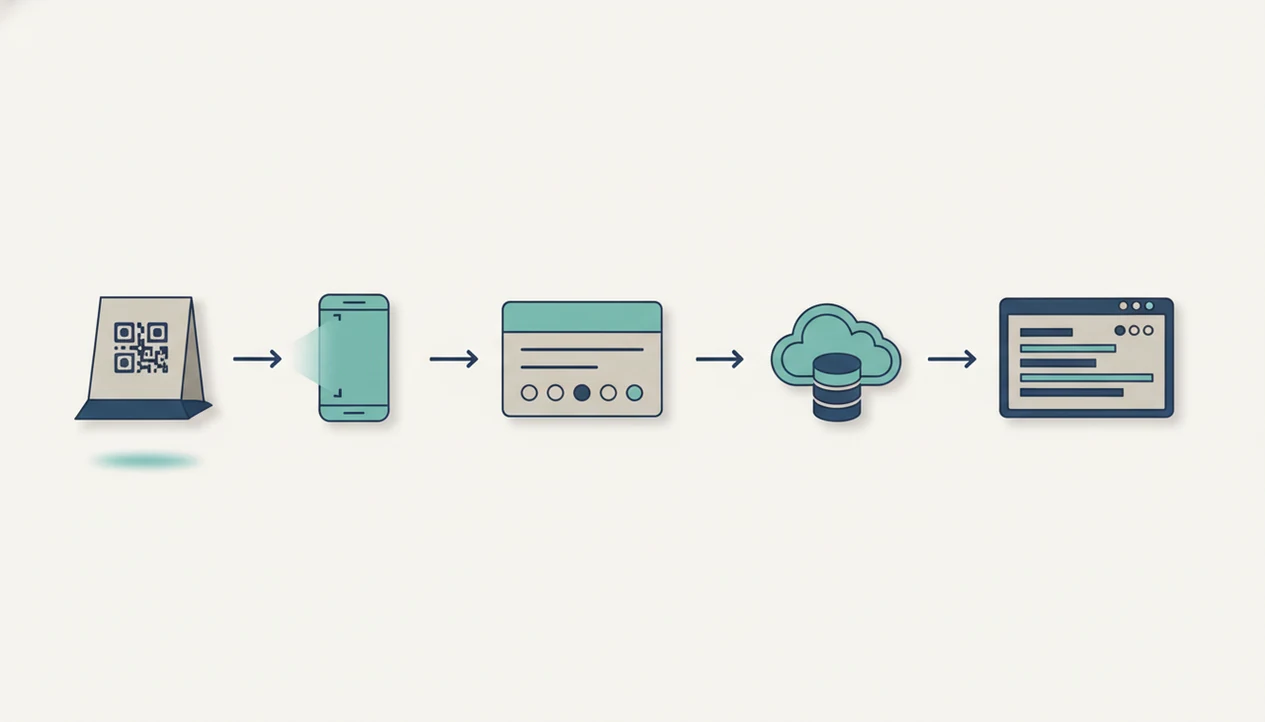
A QR code feedback survey works by encoding a survey URL inside a scannable pattern. The phone camera decodes that pattern, opens the mobile survey in a browser, and avoids any separate app install.
The useful technical terms are URL encoding and response tagging. In plain language, the code stores the web address, and the survey system can label responses by store, table, receipt batch, campaign, or sign location. That is how one cracked product lid from an e-commerce pickup shelf can become a tagged issue instead of a vague complaint.
After submission, the server records the response in real time. A dashboard then aggregates scores, flags negative feedback, and exports reports for weekly review.
Customer Feedback Surveys uses this scan-to-dashboard path for post-purchase comments, so a manager can see NPS, CSAT, and text feedback without copying notes from paper slips. Fewer taps, no login, and automatic screen sizing reduce behavioral friction.
Small things count here.
How to Set Up a QR Code In-Store Survey App in 6 Steps
Use a QR code in-store survey app by keeping the form short, printing the code correctly, and reviewing responses on a set schedule. The setup should take minutes, but the operating habit matters more than the launch.
- Choose your app and create a 5–7 question survey. Start with the fewest questions needed for a real decision.
- Set question types. Use one NPS scale, one star or CSAT rating, and one open-ended field.
- Generate the QR code inside the app. Customer Feedback Surveys can produce a print-ready code for receipts, counters, and tables.
- Print at the right size. Use the 10:1 distance-to-size ratio and leave a quiet zone margin around the code.
- Place it where customers pause. Use tables, checkout counters, receipts, exit doors, and a fallback short URL beside the code.
- Review the dashboard weekly. Act on negative feedback within 48 hours and assign one follow-up.
For restaurants and shops testing phone workflows, the device-specific setup is covered in how to create QR feedback survey on iPhone.
Honest Drawbacks of Each QR Customer Feedback App
Every QR customer feedback app has tradeoffs. The right choice depends on the location, traffic level, and how much reporting the team will actually use.
- Customer Feedback Surveys: focused on small-business feedback, so it may not offer the enterprise integrations a Qualtrics-style program expects.
- SurveyMonkey: the free plan’s 25-response cap per survey can become impractical for a busy restaurant, salon, or retail counter.
- BlockSurvey: strong on anonymous feedback, but the template ecosystem is smaller than bigger form platforms.
- SurveySparrow: conversational flows are friendly, but pricing can jump after the free tier.
- Typeform: visually polished, but heavier forms can feel slow on older phones or weak in-store Wi-Fi.
Retail owners trying to capture quick fitting-room comments may prefer Customer Feedback Surveys because it turns a short QR scan into NPS, CSAT, and review follow-up instead of a general-purpose form queue.
Not every shop needs enterprise depth.
Limitations
QR-based feedback is useful, but it is not magic. The muddy footprints near the fitting room may explain a complaint better than any score alone.
- Rushed or distracted customers may not scan, even when the QR code is well placed.
- Free plans often impose response, question, export, or feature caps that hurt busy locations.
- QR codes cannot fix leading questions, confusing wording, or forms that ask too much.
- Reflective surfaces, tiny print, low contrast, and glare can block scans; always add a short URL.
- QR surveys capture quick impressions, but they are weak for deep qualitative research.
- Some customers are unfamiliar with QR scanning or use older devices, which creates accessibility gaps.
- Response bias is real. Very happy and very unhappy customers may be more likely to scan than quiet middle-ground customers.
Customer Feedback Surveys works best when a team closes the loop weekly: review the dashboard, tag one issue, assign one owner, and follow up fast. If anonymity is central, compare it with an app that collects anonymous feedback in store.