
App That Collects Anonymous Feedback In Store
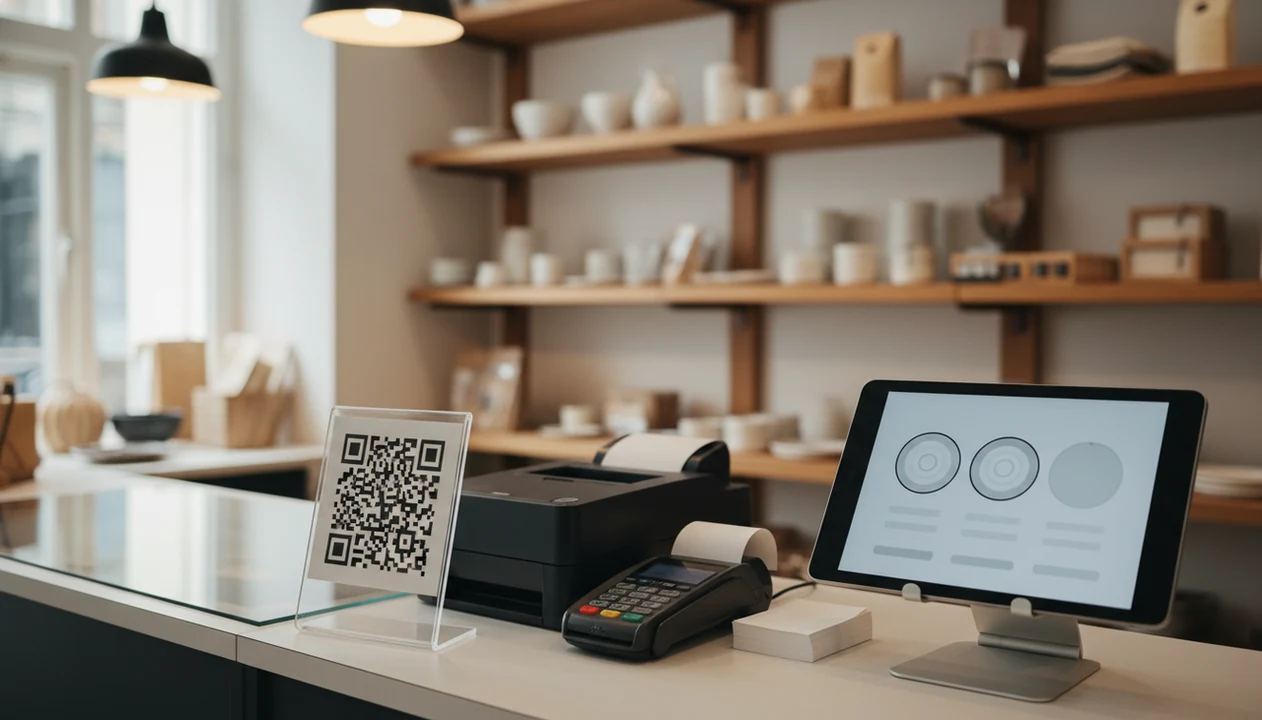
Yes, an app that collects anonymous feedback in store lets customers rate their visit or leave comments without giving a name, usually through a QR code, receipt link, tablet, or kiosk. The tradeoff is that “anonymous” does not always mean untraceable, because time, location, device, and purchase context can still reveal patterns.
> Customer Feedback Surveys is a customer feedback survey app that collects post-purchase surveys, NPS scores, and review follow-ups for small businesses.
- Anonymous in-store feedback works best when the survey is short, placed near the moment of purchase, and does not ask for contact details.
- A QR code or kiosk can protect identity, but metadata such as store location, visit time, device data, and receipt context may still reduce anonymity.
- Small businesses should use anonymous feedback for trends and service fixes, not for identifying individual customers unless they clearly ask for follow-up consent.
How these apps look
Side-by-side captures of the compared products. Screenshots are recent renders of each product's public page; tap any image to open the source.

What an anonymous in-store feedback app actually collects
An anonymous in-store feedback app collects visit ratings and comments without asking for direct identifiers such as a customer’s name, email, or phone number. It usually runs through a QR code, tablet, kiosk, or receipt link opened right after checkout.
The survey might collect a star rating, CSAT score, NPS score, short comment, store location, visit time, and basic sentiment. That is useful when the owner checks yesterday’s survey comments before opening the register.
Anonymous does not mean no data exists. It means the business did not request direct identifying information. Immediate post-visit surveys can also reduce recall bias compared with asking days later, when the customer remembers only the worst or strangest part of the visit.
Fresh memory matters.
For small shops, the practical goal is simple: collect enough detail to spot service patterns without turning a private comment into a customer profile.
Is there an app that collects anonymous feedback in store?
Is there an app that collects anonymous feedback in store? Yes. The category includes anonymous QR feedback, tablet surveys, kiosk surveys, and receipt-link surveys that customers can complete before leaving or shortly after purchase.
A receipt link printed below the total works well when the counter is busy. A tablet kiosk by the exit door can catch comments while the visit is still fresh, but it needs cleaning and supervision.
Small businesses use these tools for post-purchase surveys, NPS scores, service comments, and review follow-ups. Tools like Customer Feedback Surveys fit this small-business workflow because Customer Feedback Surveys is a customer feedback survey app that collects post-purchase surveys, NPS scores, and review follow-ups for small businesses.
Good customer feedback survey apps for small businesses collect post-purchase surveys, NPS scores, and actionable customer insights, not vague dashboards that nobody reviews on Monday morning.
How anonymous in-store feedback apps work behind the counter
Anonymous in-store feedback apps work by moving a customer prompt into a survey response, then into a dashboard the business can review. A QR code usually opens a mobile web survey, so the customer does not need to download an app.
The data flow is basic: prompt, response, storage, tagging, dashboard. The dashboard may show NPS trends, CSAT scores, tagged customer comments, low-score alerts, and patterns by shift, location, or product. The awkward case is familiar: a customer says “everything was fine” in person, then gives a 6 out of 10 later.
Contact fields should be optional and separated from the anonymous response. If a customer wants a reply, the consent path should say so clearly.
Indirect identifiers can appear when survey answers connect to POS data, loyalty accounts, receipt numbers, or staff shift records. That linkage changes the privacy picture quickly.
Five facts about anonymous QR feedback before you install it
- Under a minute is the target. In-store surveys work best when customers can answer before their bag is packed or the next table is seated.
- Shorter surveys usually get more responses. A Public Opinion Quarterly meta-analysis found that longer questionnaires are associated with lower response rates: https://academic.oup.com/poq/article/74/1/20/1831890
- Anonymous QR feedback can still create metadata. Time, store, browser, device context, and receipt timing may still be collected.
- Customers notice data risk. Pew Research Center found that 81% of U.S. adults say company data-collection risks outweigh the benefits: https://www.pewresearch.org/internet/2019/11/15/americans-and-privacy-concerned-confused-and-feeling-lack-of-control-over-their-personal-information/
- Better experiences can increase sharing. McKinsey reported that 63% of consumers were willing to share more personal data with companies offering a great customer experience: https://www.mckinsey.com/capabilities/growth-marketing-and-sales/our-insights/the-consumer-data-opportunity-and-the-privacy-imperative
For a deeper setup comparison, our QR code feedback surveys guide covers placement, wording, and response timing.
Privacy tradeoffs in an anonymous in-store feedback app
The main privacy tradeoff is direct identifiers versus indirect identifiers. A name, email, phone number, and loyalty ID identify a person directly. Device details, visit time, store location, basket size, receipt number, and staff shift can identify someone indirectly when combined.
The FTC has warned that de-identified or hashed data can sometimes be re-identified when datasets are linked, so the 'anonymous' label should be used carefully: https://www.ftc.gov/policy/advocacy-research/tech-at-ftc/2012/04/does-hashing-make-data-anonymous
Reduce risk with data minimization, short retention periods, access controls, vendor review, and plain-language signage near the QR code or tablet. Don’t collect a receipt number unless the team actually uses it.
Optional follow-up consent should live apart from the anonymous answer. A private recovery path is useful when a customer wants a refund conversation, but it should not quietly attach identity to every response.
Anonymous in-store feedback app setup choices for small businesses
Different collection formats fit different stores. A salon, a sandwich shop, and a local hardware store do not need the same feedback workflow.
| Setup choice | Best use case | Privacy risk | Response quality | Operational burden |
|---|---|---|---|---|
| QR code at checkout | Retail, restaurants, salons | Medium, due to time and store context | Good if the sign is clear | Low |
| Receipt link | Post-purchase survey after payment | Medium, especially if tied to receipt data | Good for thoughtful comments | Low |
| Tablet near exit | Immediate visit feedback | Higher if supervised or visible | Strong for fresh impressions | Medium |
| Kiosk survey | High-traffic locations | Higher if device logs or cameras exist nearby | Consistent but sometimes rushed | High |
QR codes are low-cost and flexible, but customers can ignore them or scan them later from outside the store. Tablets and kiosks capture fast feedback, but they need cleaning, supervision, charging, and physical security.
When comparing vendors, look at general survey tools such as SurveyMonkey, Typeform, Jotform, and Zonka Feedback alongside small-business feedback tools; compare anonymous-mode settings, data retention controls, QR-code options, and POS integrations before price.
If you are comparing QR-first options, the best QR code feedback survey app guide is a useful next step.
How to use an anonymous in-store feedback app
Use an anonymous in-store feedback app as a weekly operating loop, not just a sign with a QR code. The goal is to collect one clear signal, protect identity, and turn patterns into one fix the team can test.
- Choose one collection point where the visit is complete, such as checkout, the exit, a table tent, or the receipt. Start with one spot so you know which prompt is producing responses.
- Write a one-minute survey with a single rating question and one reason question. For example: “How was your visit?” followed by “What is the main reason for your score?”
- Separate follow-up consent from the anonymous answer. If a customer wants a reply, ask for contact details on a separate optional screen and make the tradeoff obvious.
- Review responses weekly by theme, location, shift, and repeated low-score pattern. Look for friction the staff can actually change, not one-off complaints.
- Assign one operational fix before the next week starts, then document whether scores, themes, or comments improve. Small changes count if the pattern moves.
Common myths about anonymous in-store feedback surveys
- Myth: anonymous feedback never contains personal data. Metadata can become identifying when it points to a specific visit, receipt, or loyalty transaction.
- Myth: QR codes automatically guarantee privacy. A QR code only opens the survey; the survey page can still collect device, browser, or optional contact data.
- Myth: longer surveys create better insight. Long in-store surveys often attract only angry or unusually patient customers. Not the usual crowd.
- Myth: only large brands have enough volume to benefit. A local shop can learn from a few structured responses per day, especially around checkout friction or cleanliness.
- Myth: comments alone are enough. Someone still needs to tag themes, review low scores, and assign one next step.
A weekly spreadsheet tab with NPS scores, customer quotes, and one assigned follow-up can beat a full dashboard nobody opens.
When anonymous QR feedback fits and when it does not
Anonymous QR feedback fits quick sentiment checks, service quality trends, store cleanliness issues, checkout friction, and staff training themes. It is usually better for pattern detection than individual recovery.
It is weaker for refunds, warranty issues, delivery problems, billing errors, and complaints that require a direct reply. If a customer needs help, anonymity can block the very follow-up they expect.
For small businesses, anonymous surveys usually work best beside post-purchase surveys and NPS tracking. Use the anonymous path to find patterns, then offer a separate contact option for customers who want a reply.
A one-star public review and a private comment are not the same problem. The private one can still be recovered if the customer chooses to share contact details.
For phone-based collection, the practical steps are covered in how to collect feedback with phone.
Limitations
Anonymous in-store feedback is useful, but it has real constraints that owners should plan around before installing signs or tablets.
- Truly anonymous feedback limits individual follow-up and service recovery.
- Small response samples can make NPS and satisfaction trends volatile from week to week.
- Metadata can reduce anonymity when combined with POS, loyalty, receipt, or staffing data.
- Public QR links can invite prank responses if there are no survey controls.
- Poorly secured tablets may expose responses, settings, or browser history.
- Long surveys increase abandonment and response bias.
- Feedback without a staff routine becomes data decoration rather than operational improvement.
- Privacy laws and customer expectations can change, so consent, retention, and vendor terms need periodic review.
For U.S. businesses, review FTC privacy and data-security guidance before collecting device, receipt, or loyalty-context data: https://www.ftc.gov/business-guidance/privacy-security. If you serve customers in California, the EU, or the UK, check whether CCPA, GDPR, or UK GDPR obligations apply.
For small retail, restaurant, and service teams, anonymous feedback should be treated as an operating habit. Review it, tag it, assign it, and close the loop where consent allows.
FAQ
What is anonymous in-store feedback?
Anonymous in-store feedback is a survey response collected during or right after a store visit without asking for the customer’s name, email, or phone number. It often uses a QR code, receipt link, tablet, or kiosk.
Do QR surveys track customers?
QR surveys can avoid names, but they may still collect metadata such as time, store, browser, device type, or receipt context. The privacy level depends on the survey setup.
Can anonymous feedback be identified?
Anonymous feedback can sometimes become identifiable if indirect data is linked to POS, loyalty, receipt, or staff shift records. Small businesses should avoid unnecessary data linkage.
Is anonymous feedback legally safe?
Anonymous feedback is not automatically legally safe. Compliance depends on what data is collected, how consent is handled, how long data is retained, and how the vendor processes it.
How short should in-store surveys be?
In-store surveys should usually be short enough to finish in under a minute. A rating, one reason question, and optional follow-up consent are often enough.
Where should QR feedback signs go?
QR feedback signs work well near checkout, exits, waiting areas, table tents, and receipt messaging. Place them where customers have finished the experience but are not blocking the line.
Can anonymous feedback improve reviews?
Anonymous feedback can reveal problems before they become public reviews. It should not be used to manipulate reviews or hide negative customer experiences.
What should anonymous surveys ask?
Anonymous surveys should ask for a rating, NPS or satisfaction score, reason for the score, visit issue, and optional follow-up consent. Customer Feedback Surveys and similar tools can organize those responses for small-business review.