
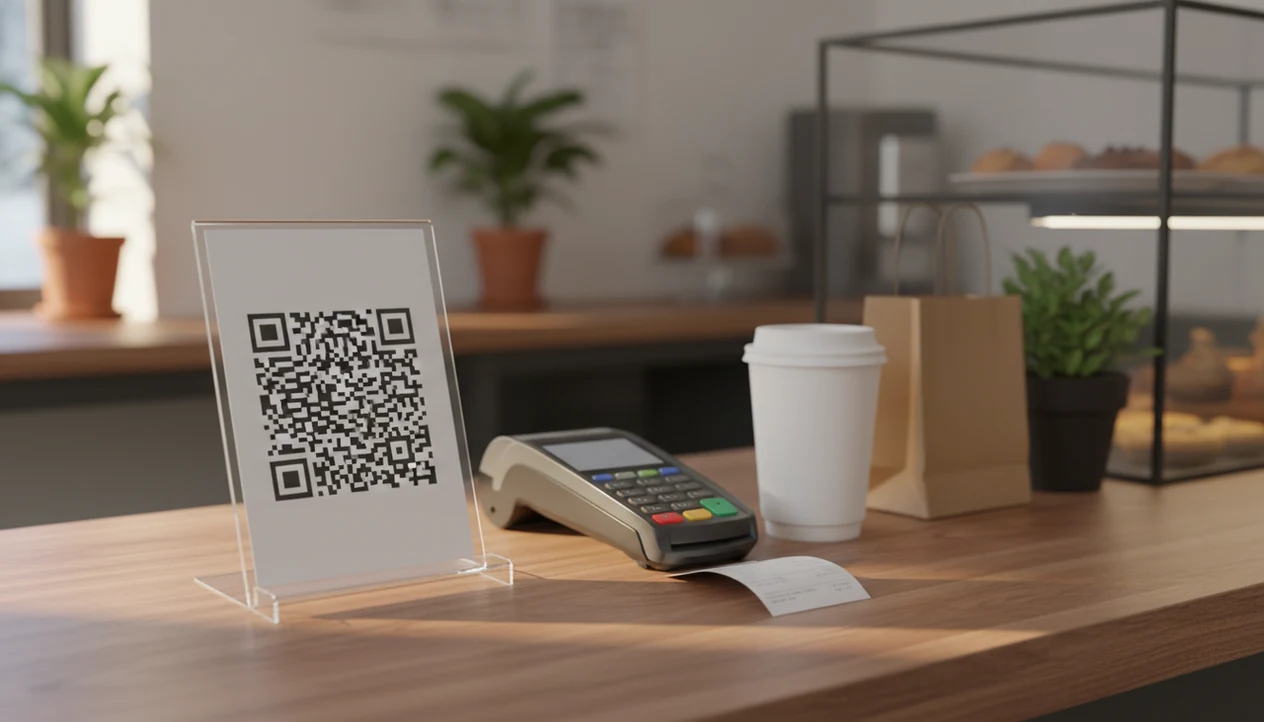

> Definition: A QR code feedback survey is a short, mobile-optimized customer feedback form accessed by scanning a printed QR code, designed to capture ratings, NPS scores, and comments at the point of purchase or visit.
QR Code Feedback Surveys at a Glance
QR code feedback surveys are quick customer surveys opened by scanning a code with a phone camera. They work well when the customer is still near the experience, not three days later in an inbox.
- QR feedback replaces paper cards: Customers scan a table tent, counter sign, receipt, package insert, or exit poster instead of writing on a comment card.
- Smartphone access is now broad: Pew Research Center reports that 89% of U.S. adults own a smartphone, which makes QR scanning a realistic default for many stores: https://www.pewresearch.org/internet/fact-sheet/mobile/.
- Digital feedback fits current habits: A phone-first survey feels natural after a card payment, pickup notification, or delivery scan; add a current consumer-research URL before claiming a specific preference percentage.
- Use cases are physical and specific: A patio table waiting for wiped menus needs a different QR placement than a thank-you card inside a shipping box.
- Timing changes the answer: Email surveys arrive after the moment has cooled; QR customer survey links catch the “everything was fine” customer who later gives a 6 out of 10.
Good feedback systems collect ratings, comments, and follow-up signals, not vague praise for a dashboard nobody opens.
How QR Code Feedback Surveys Work
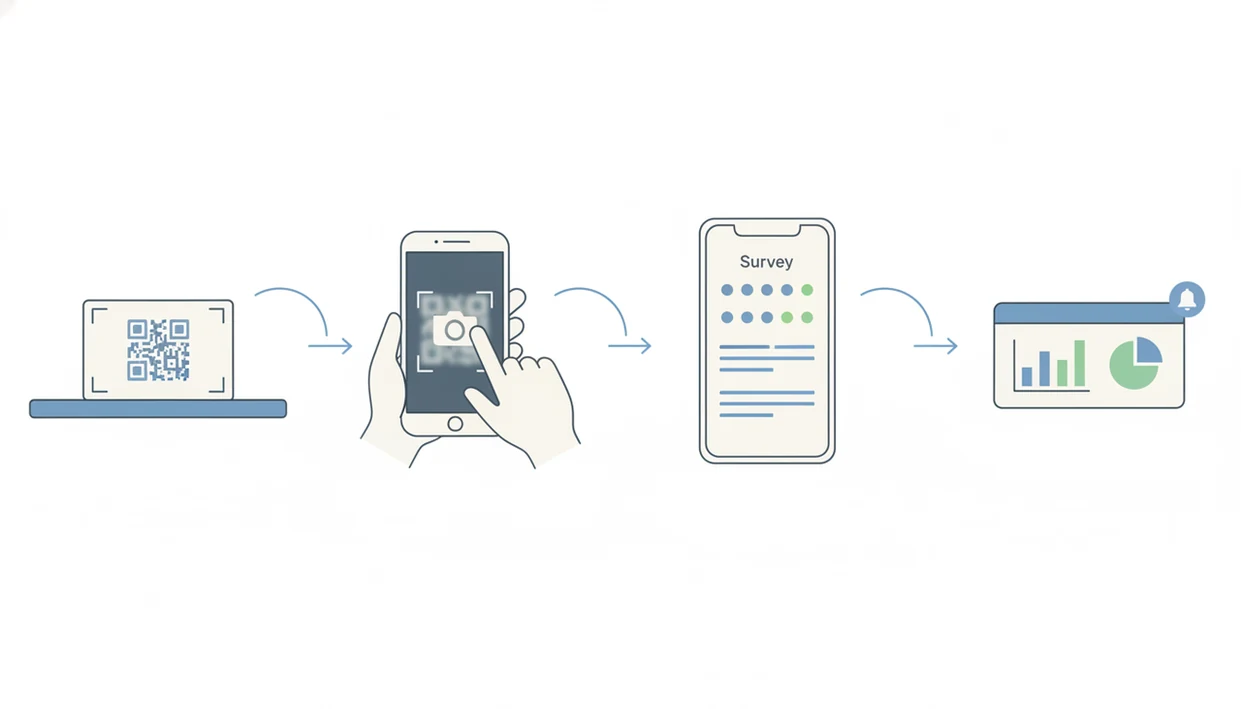
QR code feedback surveys work by turning a printed square code into a mobile survey link. The customer points a smartphone camera at the code, taps the prompt, and lands on a short survey page without downloading an app or creating an account.
Behind the scenes, the QR code resolves to a survey URL. A static code points to one fixed URL. A dynamic code points through a redirect layer, which lets the business change the destination later. That is the useful part when the counter survey needs new questions but the laminated sign is still clean.
Static vs. Dynamic QR Codes for Surveys
Static QR codes are simple, but they lock the printed code to one destination. Dynamic QR codes are better for business feedback because they allow survey changes, campaign routing, and placement tracking without reprinting.
Customer Feedback Surveys uses QR scans as part of a feedback workflow because responses can flow into a dashboard with timestamps, location tags, and score type. If a low CSAT score comes from the pickup counter at 4:42 p.m., a manager can get a real-time alert and close the loop before the customer leaves angry.
The pocket scan is quick. The follow-up is the work.
How to Set Up a QR Customer Survey
A QR customer survey should start with the response moment, then work backward to the questions, code, sign, and alert workflow. The setup is simple, but every step affects completion.
- Create a short mobile survey with 5–7 questions, using an NPS or CSAT scale plus one open comment field.
- Generate a dynamic QR code linked to the survey URL so you can update the form later without reprinting.
- Design a print-ready sign or insert with a clear CTA such as “Scan to give feedback” or “Tell us about today’s visit.”
- Place codes where customers have dwell time, including tables, checkout, waiting areas, pickup shelves, and packaging.
- Test the full scan-to-completion flow on iPhone, Android, and at least one older phone before printing in bulk.
- Monitor scan and completion rates in the dashboard, then set real-time alerts for low scores and urgent comments.
Customer Feedback Surveys fits small teams that want a printed QR code to feed directly into NPS, CSAT, and open-comment reporting because the same dashboard can show scans, completions, and follow-up tasks. For phone-specific setup notes, use the guide on how to create QR feedback survey on iPhone.
When to Use Scan-to-Give-Feedback Surveys
Scan-to-give-feedback surveys work best when customers have a spare moment and the experience is still clear. About 45% of U.S. internet users aged 18–64 have used a QR code recently, so the behavior is familiar enough for everyday service settings.
- Restaurant tables: Table tents catch feedback during the meal or right after payment, while the server, food, and wait time are still memorable.
- Counters and checkout: A small sign near the card reader can capture a price mismatch or rushed apology before it becomes a public review.
- Package inserts: E-commerce sellers can ask about delivery, fit, damage, or unboxing without waiting for a marketplace review.
- Waiting areas and exits: Salons, clinics, repair shops, and service counters can collect feedback during natural pause points.
- Receipts: A printed QR code below the total should include a short URL fallback for customers who do not want to scan.
QR Feedback Placement and Size Rules
Place the code where the customer can stop without blocking the line. For arm’s-length scanning, use high contrast and print the QR code at least 2 cm × 2 cm, then test it under the actual counter lighting.
QR Code Survey Builder in Customer Feedback Surveys
Customer Feedback Surveys creates QR code feedback surveys with branded mobile templates, placement-level tracking, and response alerts. A shop can use its logo, colors, and a plain CTA instead of sending customers to a generic form that feels disconnected from the visit.
Each placement can get a unique QR code. One code can sit at the register, another on a pickup order receipt, and another inside the shipping box. UTM-style tagging keeps those responses separate in the dashboard, so yesterday’s survey comments do not blur into one messy average before opening the register.
If the priority is recovering unhappy customers quickly, Customer Feedback Surveys handles QR feedback better than a plain form link because low ratings can trigger a real-time negative-feedback alert and assign the follow-up. The dashboard can also show scan rates, completion rates, and NPS trends by location.
Questions can change behind a dynamic code. No reprinting the table tents because one CSAT question needed better wording.
QR Code Feedback Surveys vs. Email and Paper Alternatives
QR surveys, email surveys, and paper comment cards each fit a different feedback job. Use QR surveys for point-of-experience comments, email for longer follow-up, and paper as a backup when smartphone access, connectivity, or accessibility is uncertain.
| Method | Works best for | Main advantage | Main trade-off |
|---|---|---|---|
| QR code survey | In-store visits, counters, tables, packaging | Captures feedback at the point of experience | Requires a smartphone and connection |
| Email survey | Follow-up depth after purchase or service | Allows longer questions and customer history | Arrives after the moment has passed |
| Paper comment card | Low-tech settings or backup access | Familiar and visible | Needs manual entry and has no real-time alerts |
| Generic forms, such as Google Forms or Jotform | Simple one-off collection | Easy to launch | Limited routing, branding, and recovery workflows |
| Enterprise platforms, such as Qualtrics or SurveyMonkey | Larger research programs | Broad research features | Often more than a small team needs |
For small businesses, QR code surveys are often better than email for quick in-store metrics because the customer is still near the experience. Email fits deeper follow-up after the first signal. The broader comparison is covered in our best QR code feedback survey app guide.
Best Practices for Higher QR Customer Survey Response Rates
Higher QR customer survey response rates usually come from clear placement, short forms, and a believable ask. The code does not do the job by itself.
Keep the survey to 5–7 questions or under 90 seconds. Use one rating scale, one reason question, and one optional contact field if service recovery matters. A feature complaint under a ten-point scale is easier to route than a long paragraph nobody sees until Friday.
Use a direct CTA: “Scan to give feedback” or “Tell us about today’s visit.” Print a short URL fallback beside the code for accessibility and trust. Make the code high contrast, at least 2 cm × 2 cm for arm’s-length scanning, and test the sign from the customer’s side of the counter.
Audit public QR placements. Sticker overlays and quishing attacks can send customers to a fake link, especially on unattended signs.
If your priority is collecting both praise and complaints before they turn into reviews, Customer Feedback Surveys fits because prominent QR placements can feed private comments, NPS scores, and low-score alerts into one workflow. For anonymous in-store use cases, the related app that collects anonymous feedback in store explains the privacy trade-offs.
Related Customer Feedback Surveys Features
QR feedback is strongest when it connects to the rest of the customer feedback workflow. Customer Feedback Surveys also supports post-purchase email surveys for deeper follow-up after the first scan signal.
Small teams can pair QR survey responses with an NPS score tracking dashboard, review follow-up workflows, and multi-location feedback routing. That matters when a one-star public review and a private comment need different handling. One needs reputation response. The other may still be recoverable.
Store owners trying to turn happy QR responses into public reputation signals can connect the flow to a customer feedback app with review follow-up.
Limitations of QR Code Feedback Surveys
QR code feedback surveys are useful for point-of-experience feedback, but they do not solve every research or customer recovery problem. The limits are practical, not theoretical.
- They exclude customers without smartphones, with limited data plans, or with phones that struggle to scan damaged codes.
- Screen-reader support, font sizing, and form accessibility are not guaranteed unless you test the actual survey flow.
- Response bias remains. Less rushed customers and more emotionally engaged customers are still more likely to answer.
- Long QR surveys cause abandonment. Deep qualitative research needs interviews, email follow-ups, or longer study methods.
- Public QR codes can be tampered with through sticker overlays or quishing links if staff do not inspect them.
- QR surveys are strong for point-of-experience NPS and CSAT, but they are not a replacement for longitudinal churn analysis.
- Dynamic QR codes depend on the survey platform staying active and the redirect link remaining available.
- Competitor tools such as typeform.com or google.com/forms may be enough for a single event, but routing and recovery are usually thinner.
For most small businesses, QR feedback works best as a front-line signal, not the whole voice-of-customer program.