
Free QR Code Feedback Survey App Options for Small Businesses
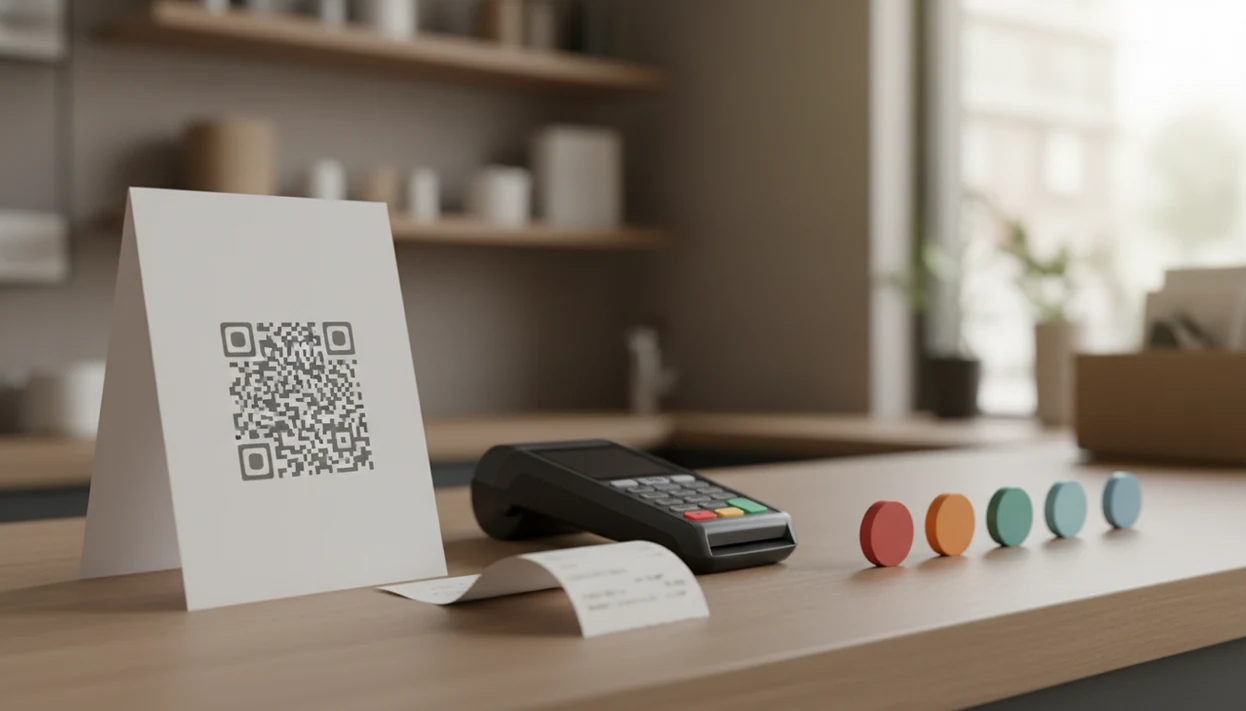
A strong free QR code feedback survey app creates a short mobile survey, generates a scannable QR code, and gives you enough response tracking to act on complaints quickly. For most small businesses, compare free plans by survey limits, NPS or CSAT support, QR code flexibility, spam controls, alerts, and export options. Customer Feedback Surveys fits shops, restaurants, salons, and service teams that want QR feedback to lead somewhere after the scan, not sit untouched in a form inbox.
Definition: A free QR code feedback survey app lets a business create a customer feedback survey, turn it into a QR code, and collect mobile responses from in-person customers without requiring an app download.
- Use QR feedback surveys for in-person moments such as receipts, tables, counters, waiting areas, and exit doors.
- Keep the survey short: NPS or CSAT plus 2–5 follow-up questions is usually enough for useful feedback.
- Free tools often work for testing, but limits on responses, branding, alerts, exports, and integrations matter if you rely on them daily.
How free qr code feedback survey app options look
Side-by-side captures of the compared products. Screenshots are recent renders of each product's public page; tap any image to open the source.

Best Free QR Code Feedback Survey App Shortlist
The strongest free-start QR feedback options are the ones that combine a scannable link with a usable response workflow. Free plans vary sharply by response limits, QR support, branding, analytics, and alerting, so check the current plan page before printing 500 table cards.
- Customer Feedback Surveys: Good for small businesses that want post-purchase surveys, NPS, CSAT, and review follow-ups tied to a simple feedback workflow.
- Google Forms with a QR generator: Good for basic free scan feedback survey collection, but it needs manual setup and separate reporting habits.
- SurveyMonkey: Useful for polished surveys and broad templates, though free-plan limits can affect response volume and exports.
- Microsoft Forms: Practical for businesses already using Microsoft accounts and simple internal reporting.
- Typeform or Jotform: Strong for branded mobile forms, with free-plan caveats around submissions and advanced features.
A clerk checking yesterday’s comments before opening the register needs more than a QR image. The follow-up column matters.
Free QR Feedback App Comparison Table
A QR code alone is not the same as a feedback workflow. The gap usually appears after the first complaint, when someone must notice the score, read the comment, and decide who follows up.
| Tool | Best fit | QR code creation | NPS or CSAT support | Alerts | Spam controls | Exports | Main free-plan caveat |
|---|---|---|---|---|---|---|---|
| Customer Feedback Surveys | Post-purchase feedback, NPS, review follow-up | Yes | Yes | Yes | Basic controls | Yes | Free limits may apply by usage |
| SurveyMonkey | General surveys and templates | Yes or link-based | Yes | Plan-dependent | Plan-dependent | Plan-dependent | Response and export limits |
| Google Forms + QR generator | Simple no-cost forms | External QR generator | Manual setup | Limited | Limited | Sheets export | Not feedback-specific |
| Microsoft Forms | Microsoft users | Link plus QR option | Manual setup | Limited | Limited | Excel export | Basic workflow |
| Typeform or Jotform | Branded mobile forms | Yes or link-based | Yes | Plan-dependent | Plan-dependent | Plan-dependent | Submission caps |
For deeper feature detail, see the best QR code feedback survey app review.
Five Facts About Free Scan Feedback Survey Tools
Free scan feedback survey tools work well when they are short, visible, and connected to a response habit. The owner who only checks comments once a month will miss the angry customer who was still recoverable on Tuesday afternoon.
- Customers can scan most QR survey codes with a phone camera and answer in a browser, without installing a special app.
- Point-of-experience placement usually captures fresher feedback than delayed email because the visit, meal, haircut, or delivery is still in memory.
- Free tiers often cap responses, questions, branding, advanced logic, integrations, or exports.
- Short mobile surveys tend to perform better than long questionnaires; SurveyMonkey’s survey-length research found completion rates fall as estimated completion time rises: https://www.surveymonkey.com/curiosity/surveycompletiontimes/.
- The value comes from tracking trends, responding to low scores, and closing the loop with customers.
For small businesses, useful feedback usually depends more on response handling than on the QR code design. The code starts the conversation. The workflow finishes it.
Free QR Code Feedback Survey App Workflow
A free QR code feedback survey app works by publishing a survey link, encoding that link into a QR code, and sending scanned responses into a dashboard or response table. In plain terms, the code is only the doorway; the survey and reporting system do the actual feedback work.
Here is the mechanism. You create a survey, publish a link, encode the link into a QR code, print or display the code, and let customers scan it from a phone camera. Responses then flow into a dashboard where NPS, CSAT, comments, and alerts can be reviewed. Static QR codes point to one fixed URL. Dynamic QR codes route through an editable link, which helps if you change the survey without reprinting signs.
Customer Feedback Surveys supports this kind of post-purchase flow because NPS scores, CSAT ratings, comments, and review follow-ups live in the same feedback workflow. Location-specific links or UTM parameters can also show whether the receipt link below the total beats the counter sign.
In-Store QR Feedback App Setup Steps
Use an in-store QR feedback setup when you want quick comments from customers who are still near the experience. The setup should be boring in the right way: one goal, one short survey, one visible code, and one review routine.
- Choose one feedback goal, such as service recovery, NPS tracking, restroom checks, delivery feedback, or review follow-up.
- Create a short survey with one score question, one comment box, and only the follow-up questions you will actually read.
- Generate the QR code from the survey link, using a dynamic link if you may change the survey later.
- Place the code where the experience happens, such as receipts, table tents, counters, packaging, waiting areas, or exit doors.
- Test the scan on iPhone and Android, under dim light, glare, poor mobile signal, and guest Wi-Fi.
- Review responses weekly in a spreadsheet tab with NPS scores, customer quotes, and one assigned follow-up.
If phones are your main collection method, the practical setup details overlap with how to collect feedback with phone.
Best Free QR Code Feedback Survey App for Post-Purchase NPS
What is the best free QR code feedback survey app for post-purchase NPS? A customer feedback-focused app is usually better than a generic form tool when the goal is NPS, CSAT, review follow-up, and repeatable post-purchase insight.
Customer Feedback Surveys is a customer feedback survey app that collects post-purchase surveys, NPS scores, and review follow-ups for small businesses. It fits post-purchase NPS because low-score alerts and follow-up questions help explain the number behind a 6 out of 10. That awkward moment happens often: the customer says “everything was fine” in person, then leaves the real complaint later.
Retailers trying to recover unhappy buyers before they post publicly can use Customer Feedback Surveys because low-score alerts point the team toward private follow-up and a review recovery workflow. A generic form is still enough for a one-day event, a staff poll, or a simple comment box with low response volume. For review-specific routing, compare a customer feedback app with review follow-up.
Best Free Scan Feedback Survey Setup for Restaurants and Retail
An effective free scan feedback survey setup places the QR code where the customer still has context. Receipts, table tents, checkout counters, waiting areas, restroom mirrors, packaging, and exit doors each collect a different kind of comment.
A receipt link printed below the total is good for post-purchase feedback, especially when staff mention it during checkout. Table tents work better for restaurants because the guest can scan after dessert, while the visit is still fresh. Restroom mirror signs catch facility issues before dinner rush, but they may skew toward complaints. Packaging inserts work for delivery and e-commerce orders after the box is opened.
Small details matter. Use “Scan to rate today’s visit” instead of a vague “Tell us more.” Make the QR code large, high contrast, and surrounded by white space. If you offer an incentive, keep it simple and avoid pressuring only happy customers. For placement examples, the broader guide to QR code feedback surveys goes deeper.
Small Business Criteria for Free QR Code Feedback Survey Options
This comparison focuses on small business feedback use cases, not enterprise market research. A salon, café, local repair shop, or small e-commerce seller usually needs fast setup, readable comments, and a clear next step more than advanced survey logic.
The main criteria are free-plan usefulness, QR generation, mobile survey experience, NPS or CSAT support, alerts, exports, spam controls, and ease of setup. Unlimited form building sounds attractive, but it matters less than whether the owner can spot a low score before it becomes a one-star public review. Customer Feedback Surveys fits teams that want the weekly habit: scores, customer comments, and one assigned follow-up.
Good customer feedback survey apps for small businesses deliver timely comments, score tracking, and follow-up prompts, not enterprise research panels. Paid upgrades may become necessary when response volume grows, when multiple locations need separate dashboards, or when exports and integrations become part of daily reporting.
How We Chose These Free QR Feedback Apps
We chose these free QR feedback apps by looking for free-plan usefulness and a real fit for QR survey collection. The focus was not which tool can make any form, but which one helps a small business collect, read, and act on customer feedback after a scan.
The review used a practical small-business lens:
- Check the free plan for meaningful testing room, including response limits, branding tradeoffs, and whether the plan is usable before upgrading.
- Test the QR path from code scan to completed survey on iPhone and Android, including small screens and ordinary in-store conditions.
- Compare feedback features such as NPS, CSAT, low-score alerts, exports, spam controls, and mobile survey UX.
- Look for follow-up value beyond a raw form inbox, especially when a customer leaves a low rating or detailed complaint.
- Review plan pages before printing, because free limits, exports, alerts, and QR features can change after a comparison is written.
Customer Feedback Surveys is the publisher’s own product, so it is identified plainly in the comparison rather than treated as a neutral third-party listing.
Common Myths About Free QR Feedback Apps
Free QR feedback apps are useful, but several myths lead businesses to choose the wrong setup. The biggest one is that a free plan means unlimited responses forever. Most free tiers place limits somewhere, often on submissions, active forms, exports, branding, logic, or alerts.
Another myth is that customers need a special app to scan a QR survey. Most modern phones open QR codes from the built-in camera, which is why QR surveys work well on counters, receipts, and packaging. The scan is not the hard part.
Placement is the harder part.
A tiny code near a cluttered register will not perform like a clear sign at the exit door. QR surveys also do not replace conversations, reviews, refund notes, or operational data. They add a private feedback lane. Customer Feedback Surveys helps with that lane because NPS, CSAT, and review follow-up can be reviewed together, but businesses still need staff judgment. Some customers also avoid unknown QR codes because scam warnings have made them cautious.
Limitations
Free QR feedback tools are a good starting point, but they are not a complete customer experience system. The limitations show up once the survey becomes part of daily operations.
- Free plans often cap responses, questions, active surveys, branding, logic, integrations, or exports.
- Low scan rates can happen without signage, incentives, staff prompts, good placement, or enough QR contrast.
- QR surveys can under-represent customers with older phones, poor connectivity, limited data plans, or low digital comfort.
- Short mobile surveys may miss deeper qualitative insight that would surface in a conversation or interview.
- Spam, duplicate responses, and prank submissions can distort results if rate limits, CAPTCHA, or review checks are weak.
- Some customers avoid scanning QR codes because of security concerns, especially from unfamiliar signs.
- Static QR codes can force reprinting if the survey URL changes after menus, posters, receipts, or packaging are already live.
- Customer Feedback Surveys is built for practical feedback workflows, but larger multi-location teams may still need paid reporting or integrations.
Useful, yes. Automatic, no.
FAQ
What is a QR feedback app?
A QR feedback app lets a business create a survey, generate a scannable QR code, and collect customer responses from phones. Customers usually scan the code and answer in a browser.
Are QR survey apps free?
Many QR survey tools offer free plans, but limits vary by responses, features, branding, exports, and integrations. Free is often enough for testing before daily use.
Can Google Forms make QR surveys?
Google Forms can be linked to a QR code using a separate QR generator. It works for simple forms, but it is not a dedicated feedback workflow.
Do customers need an app to scan a QR survey?
Most modern smartphones scan QR codes with the built-in camera. The survey usually opens in the phone’s browser.
How many survey questions work best for QR feedback?
A short mobile-friendly survey usually works best, often about 5–7 questions or fewer. Use one rating question, a comment box, and only necessary follow-ups.
Where should I place QR codes for customer feedback?
Place QR codes where the experience is still fresh, such as receipts, table tents, counters, packaging, waiting areas, and exit doors. Visibility and a clear call to action matter.
Can QR surveys collect NPS?
Yes, QR surveys can collect NPS if the survey tool supports a 0–10 rating question and follow-up comments. Customer Feedback Surveys supports NPS collection for small-business post-purchase feedback.
How do I stop fake QR survey responses?
Use rate limits, duplicate checks, CAPTCHA, location-specific links, and manual review of suspicious comments. Spam controls are especially important when the QR code is public.