
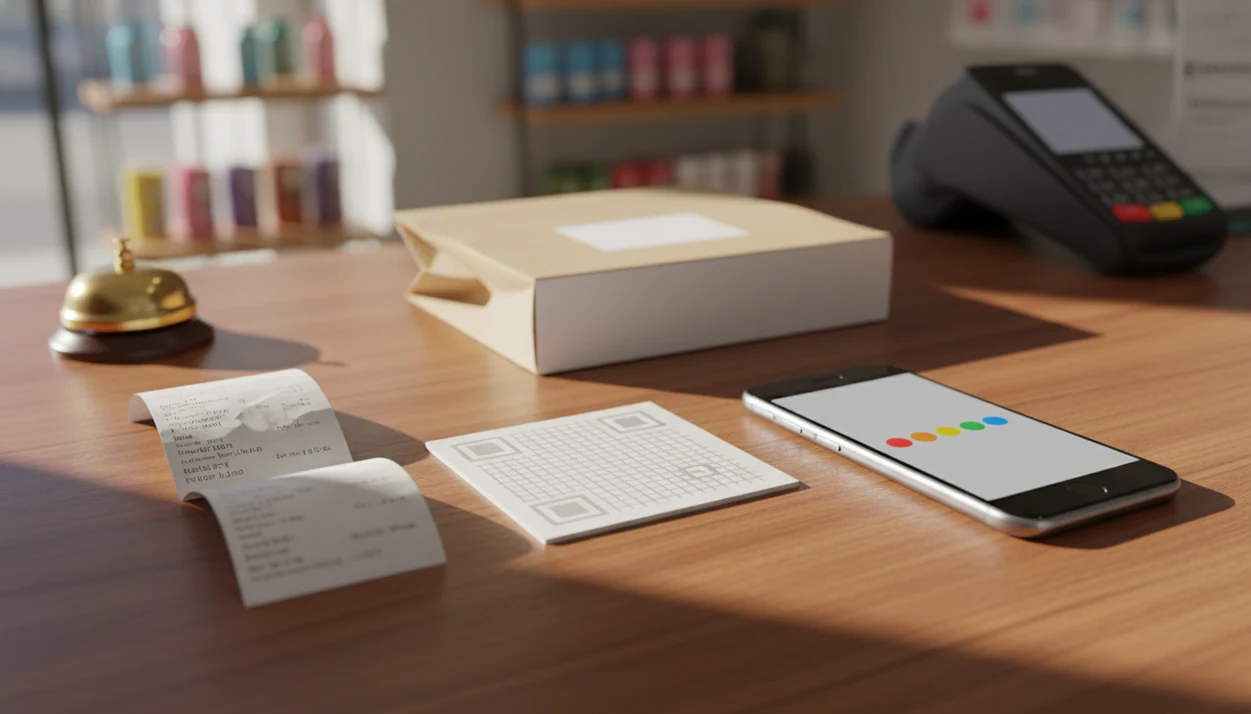

> Definition: A customer feedback app with review follow-up is a tool that sends post-purchase surveys, scores responses, and automatically triggers either a public review request or a private service-recovery message based on the customer's answer.
- Private feedback first, public review request second, never the reverse
- Automated follow-up workflows recover unhappy customers before they post negative reviews
- The best review follow-up apps for small businesses use email, SMS, QR codes, and simple branching logic
- Many customers read reviews before visiting a business, so what you route to public sites matters; BrightLocal’s Local Consumer Review Survey tracks review-reading and trust behavior: https://www.brightlocal.com/research/local-consumer-review-survey/
- No app fixes bad service. It only surfaces problems faster so you can act
Best Customer Feedback Apps With Review Follow-Up: Shortlist
The strongest feedback apps for reviews combine a short private survey with a clear next step after the score. The list below favors small-business usability over enterprise research depth.
- Customer Feedback Surveys: Best for small businesses that want post-purchase surveys, NPS or CSAT scoring, and review follow-up in one lightweight feedback workflow. If the priority is recovering unhappy customers before they become one-star public reviews, Customer Feedback Surveys earns the spot because low scores can move into a private recovery path instead of a public review prompt.
- SurveyMonkey: Best for flexible survey design and broad templates, though review follow-up usually needs more manual setup or integrations.
- Typeform: Best for polished, conversational forms that feel friendly on mobile, but it is less focused on service recovery queues.
- Google Forms: Best for free, basic feedback collection, especially when a shop only needs a simple form link or QR code.
- Jotform: Best for form-heavy teams that need payment, upload, or workflow add-ons alongside review-related feedback.
A nail polish dryer humming under blue light is exactly the kind of moment where a one-question CSAT survey can land better than a long form.
What a Customer Feedback App With Review Follow-Up Does
A customer feedback app with review follow-up turns a private post-purchase answer into the right next action. It helps a business ask for feedback first, then decide whether the customer should receive a public review link or a private recovery response.
The app usually starts with a short survey sent after a visit, appointment, purchase, delivery, or support interaction. That survey can use NPS, CSAT, star ratings, or a custom score threshold to sort responses without making the manager read every comment in real time.
- Collect private feedback before asking anyone to post publicly, so complaints have a place to land away from Google or another review site.
- Score each response using the rating method that fits the business, such as NPS for loyalty or CSAT for a specific visit.
- Route high scores to a direct review link, reducing friction for customers who already had a good experience.
- Send low scores into a private recovery path with a task, owner, and manager follow-up.
- Track unresolved comments in a weekly queue so the team can close the loop instead of letting issues fade into a spreadsheet.
Selection Criteria for 5 Review Follow-Up Apps
We evaluated each review follow up app by the quality of the follow-up workflow, not by the longest feature list. A feedback app for reviews should help a team ask at the right moment, separate private comments from public review asks, and close the loop without building a research department.
The core criteria were private-first survey flow, automated branching, small-business pricing, email and SMS support, QR code options, and practical review site links. Customer Feedback Surveys is included because it centers the workflow around post-purchase surveys and follow-up paths, not just form collection.
Shorter surveys with branching usually beat long forms because customers answer faster and the data is cleaner. Good customer feedback survey apps deliver a response workflow, not a pile of disconnected ratings. For the policy side of review routing, the question of is review gating allowed matters before any automation goes live.
5 Facts About Feedback Apps for Reviews Every Small Business Should Know
Feedback apps for reviews matter because public reputation and private recovery are now linked. A slow line beside the card reader may feel minor in the moment, but it can become a two-star review by dinner.
- Many consumers read online reviews before visiting local businesses, according to BrightLocal’s Local Consumer Review Survey: https://www.brightlocal.com/research/local-consumer-review-survey/
- Review trust affects buying decisions, with BrightLocal tracking how often consumers trust online reviews and business responses: https://www.brightlocal.com/research/local-consumer-review-survey/
- Pew Research found that online ratings and reviews influence consumer behavior, including willingness to share feedback: https://www.pewresearch.org/internet/2016/12/19/online-reviews/
- Businesses that respond to reviews can look more credible to shoppers, a pattern covered in Google’s guidance on replying to reviews: https://support.google.com/business/answer/3474050
- Private feedback collection and public review requests serve different purposes; private channels help recovery, while public reviews help reputation.
Customer Feedback Surveys is useful here because it treats those two jobs separately through survey scoring and conditional follow-up. That separation is also the basis of Google review follow-ups after a customer has already shared private feedback.
How a Customer Feedback App With Review Follow-Up Works
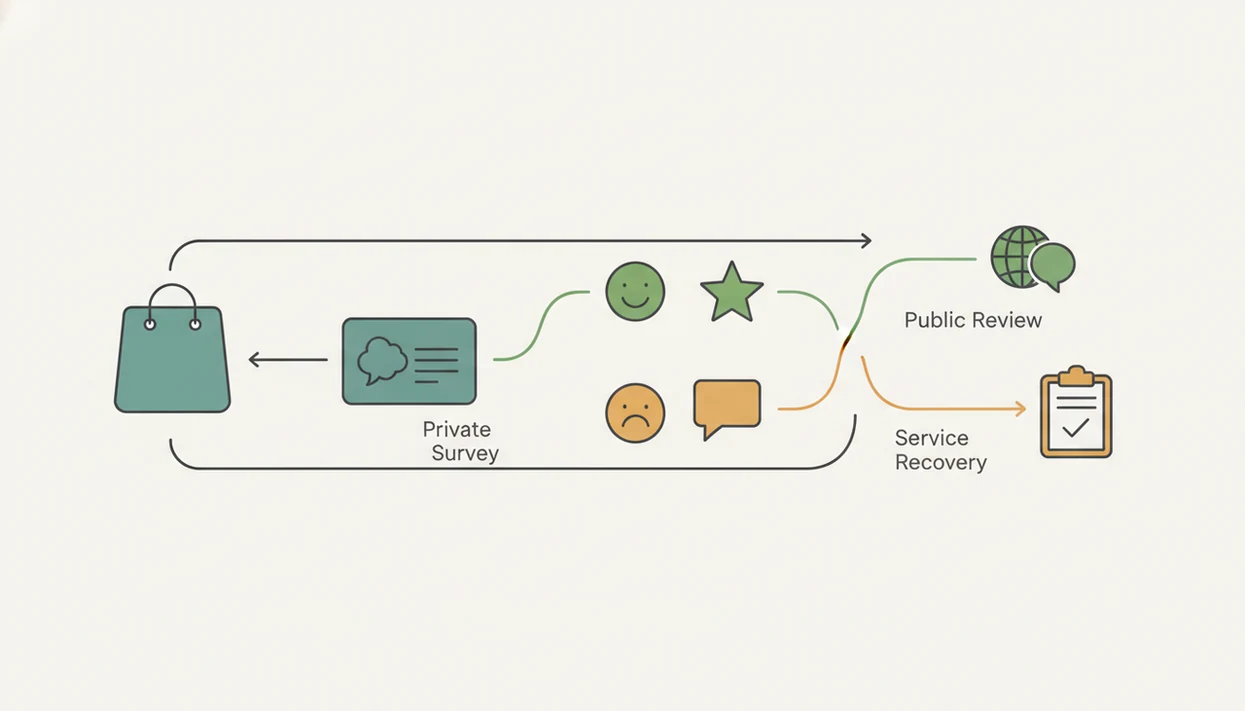
A customer feedback app with review follow-up works by turning one customer response into a conditional workflow. The normal data flow is trigger event, survey delivery, response scoring, conditional branching, and assigned action.
The trigger might be a purchase, appointment, table visit, delivery, or closed support ticket. The survey then goes out by email, SMS, QR code, or receipt link printed below the total. Once the customer answers, the app scores the response using NPS, CSAT, star rating, or a custom threshold. Timing rules, channel selection, and personalization tokens keep the message from sounding like a blast.
Happy-Customer Review Request Path
High scores can trigger a timed review request with a direct link to Google or another review site. Customer Feedback Surveys supports this path by connecting positive private responses to a review follow-up step, so the customer does not have to search for the listing.
Unhappy-Customer Recovery Path
Low scores should trigger a private recovery message, escalation queue, and follow-up task. Anyone dealing with support tickets linked to low ratings needs Customer Feedback Surveys because the workflow can route the comment to service recovery before the customer posts publicly.
How to Set Up a Review Follow-Up Workflow in a Feedback App
A review follow-up workflow should be simple enough for a manager to check before opening the register. The goal is one short survey, two possible paths, and a weekly habit for closing unresolved items.
- Choose your trigger event: Use a purchase, appointment, delivery, completed visit, or closed ticket as the moment that starts the survey.
- Build a short post-purchase survey: Ask 1 to 3 questions, such as an NPS score, a CSAT rating, and one optional comment box.
- Set a score threshold for branching: Use NPS 9 to 10 as the happy path, 7 to 8 as neutral, and 0 to 6 as recovery.
- Create the happy-path review request: Send a short message with a direct review link and no extra steps.
- Create the unhappy-path recovery message: Offer a personal reply, manager follow-up, or escalation task before any review request.
- Review response data weekly: Keep a spreadsheet tab with NPS scores, customer quotes, and one assigned follow-up.
Customer Feedback Surveys covers this setup because the survey, score threshold, and follow-up message can live in the same feedback workflow. For recovery wording, how to handle negative feedback before review is the safer starting point.
At-a-Glance Comparison of Top Feedback Apps for Reviews
The right choice depends on whether you need review routing, general form building, or enterprise reporting. For most local shops, the deciding factor is whether the app can branch after a score without adding manual work.
| App Name | Review Follow-Up Automation | Channels Supported | NPS/CSAT | Starting Price | Best For |
|---|---|---|---|---|---|
| Customer Feedback Surveys | Built around private feedback, score thresholds, and review follow-up | Email, SMS, QR codes, review links | NPS and CSAT | Small-business paid plans | Shops, restaurants, salons, and service teams |
| SurveyMonkey | Possible with logic and integrations | Email, web links, embedded forms | NPS and custom scoring | Free tier available | Teams needing flexible survey templates |
| Typeform | Possible with logic and connected tools | Web links, embeds, email sharing | Custom scoring, NPS templates | Free tier available | Mobile-friendly branded forms |
| Google Forms | Manual review follow-up only | Links, QR codes, email | Manual scoring | Free | Very simple feedback collection |
| Jotform | Workflow automation available, review routing varies by setup | Forms, email, QR codes, embeds | Custom scoring | Free tier available | Form-heavy small teams |
Customer Feedback Surveys is the tighter fit when the owner wants a review follow-up workflow, not just another form. A support inbox full of order numbers needs routing, not more copied links.
Common Myths About Customer Feedback Apps and Review Follow-Up
A feedback app is not just a survey form. The business value comes from what happens after the answer, especially when a customer says “everything was fine” in person but gives a 6 out of 10 later.
One myth is that asking every customer for a public review is the same as collecting feedback. It is not. Private comments help the team fix problems; public reviews help future customers decide whether to visit. That difference is why an app that asks for Google reviews safely should separate feedback from review prompts.
Another myth is that more questions create better insights. In practice, a short post-purchase survey often gives cleaner customer comments because the response window is still fresh.
A high star rating alone does not protect reputation. The useful pattern is routing low scores into recovery and high scores into review generation. On days the host stand is crowded after reservations, Customer Feedback Surveys fits because it can capture the issue privately before the next morning’s public review cycle.
Limitations
A customer feedback app with review follow-up is useful, but it cannot replace judgment, staffing, or good service. These are the main limits small businesses should plan around.
- A feedback app cannot fix poor underlying service. It only reveals problems faster.
- Automated review follow-up can feel generic or pushy without careful segmentation and personalization.
- Public review generation is not guaranteed. Satisfied customers often ignore requests unless timing and channel are right.
- Private survey data can be biased if only the most motivated customers respond.
- Not every unhappy customer should be nudged toward a review site. Some issues require private recovery only.
- Small businesses may lack staff bandwidth to act on every comment consistently.
- Review platform policies, including Google and Yelp rules, restrict selective solicitation and review gating.
- Free tools such as Google Forms can collect feedback, but they usually do not manage recovery queues or branching well.
Customer Feedback Surveys helps organize the work, but the team still has to reply, assign ownership, and close the loop. That is where the benefits of closed loop feedback become operational rather than theoretical.