
QR Code vs Email Feedback for Customer Surveys
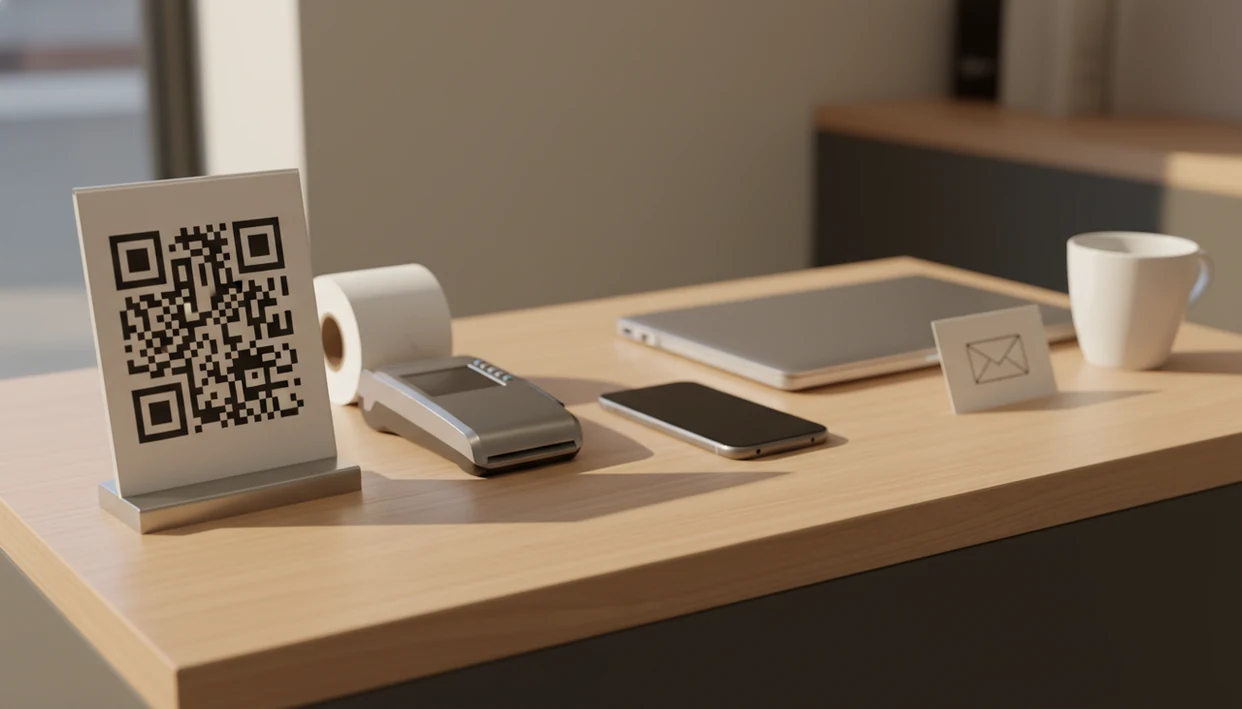
QR code vs email feedback comes down to timing: use QR codes for short, in-the-moment surveys at the point of experience, and use email for follow-up surveys that need more context, identity, or detail. Most small businesses should use both channels, with QR codes capturing immediate CSAT or NPS and email handling later follow-up through Customer Feedback Surveys.
> Customer Feedback Surveys is a customer feedback survey app that collects post-purchase surveys, NPS scores, and review follow-ups for small businesses.
- QR code surveys work best on receipts, signs, table tents, packaging, counters, and other in-person moments where the customer can scan immediately.
- Email surveys work best after the visit or purchase when you need a longer survey, a personalized link, or a follow-up conversation.
- The strongest feedback system for small businesses usually combines QR surveys for real-time service recovery with email surveys for trend analysis and relationship feedback.
QR code vs email feedback, side by side
Side-by-side captures of the compared products. Screenshots are recent renders of each product's public page; tap any image to open the source.

QR Code vs Email Feedback at a Glance
QR codes win for immediacy, low friction, and on-location feedback. Email wins for follow-up, personalization, longer surveys, and customers who are no longer on-site.
| Comparison point | QR code feedback | Email feedback |
|---|---|---|
| Timing | During or right after the experience | After a visit, purchase, or lifecycle event |
| Best use case | Checkout, tables, counters, receipts, packaging | Post-purchase, onboarding, churn, relationship NPS |
| Response friction | Scan and answer on phone | Open inbox, notice message, click link |
| Survey length | Usually 1 to 3 questions | Often 4 to 8 questions |
| Data quality | Fresh emotion, less context | More detail, more reflection |
| Follow-up ability | Depends on tagging or optional contact fields | Stronger customer identity and reply thread |
| Operational speed | Fast alerts for staff | Better for weekly reporting |
In this customer survey channel comparison, access matters. Pew reported that 81% of U.S. adults owned a smartphone in 2022 source, and Adobe reported that 82% of U.S. workers checked work email outside normal work hours in a 2018 consumer email survey source.
The choice isn't abstract. It shows up at the register.
How QR Survey or Email Survey Collection Works
A QR survey turns a physical touchpoint into a mobile web survey by embedding a survey URL inside a scannable code. An email survey sends a tracked survey link after a transaction, visit, appointment, delivery, or customer lifecycle event.
That data flow is simple when it is set up well: customer action, survey response, tagging by location or campaign, dashboard reporting, then follow-up routing. Customer Feedback Surveys supports both paths, because it can tag responses by channel and keep NPS, CSAT, and open comments in one feedback workflow.
The behavioral difference is the real issue. QR captures fresh memory and emotion, like the customer still standing near a slow line beside the card reader. Email captures more reflective feedback, but it competes with inbox overload and delayed memory.
Shorter questionnaires tend to increase completion rates, according to survey-methods research source. That is why QR surveys should feel quick, not like a full research form squeezed onto a phone.
Where QR Code Feedback Wins for Customer Surveys
QR code feedback wins when the customer is physically present, still paying attention, and can answer before the moment fades. It is strongest for checkout, table service, appointment exit, pickup counters, events, packaging, and printed receipts.
- QR surveys remove common friction: no inbox, no account login, no typed URL, and no need to remember later.
- A receipt link printed below the total can ask for a CSAT score before the customer reaches the parking lot.
- Short QR formats work well: one CSAT question, one NPS question, a rating scale, and one optional comment box.
- Low CSAT scores or negative open-text comments can trigger same-day service recovery before a one-star public review appears.
- QR codes still need strong placement, plain calls to action, and reliable cellular or Wi-Fi access.
Retailers, restaurants, salons, and clinics trying to collect in-store feedback without adding another staff script can use Customer Feedback Surveys because it connects QR scans to CSAT alerts and location tags. For a deeper setup, the QR code feedback surveys guide covers placement and wording.
Where Email Feedback Wins for Customer Surveys
Email feedback wins when the customer has left, needs time to evaluate the experience, or should be identified for follow-up. It is often better for post-purchase follow-up, onboarding, repeat-customer check-ins, churn feedback, service recovery follow-up, and relationship NPS.
- Email supports longer questionnaires, personalization, segmentation, and customer identity.
- A delayed email works well when product quality, delivery, or service outcome cannot be judged instantly.
- Email threads make follow-up easier when a customer explains a billing issue, missed delivery, or unresolved repair.
- Visibility is limited by open rates, spam filters, inbox fatigue, and message timing.
- Average email marketing open rates often sit in the low-20% range across industries, so email visibility is not the same as survey response source.
For small SaaS teams, home services, and local ecommerce sellers who need customer identity, Customer Feedback Surveys fits because it can send timed post-purchase surveys and keep follow-up tied to the original response. Email tends to work best when feedback needs context, while QR fits people who can answer right now.
QR Code vs Email Feedback by Customer Journey Moment
The right channel depends on the customer’s attention state. QR should ask fewer questions during active moments, while email can ask more detailed diagnostic questions after the customer has time to think.
| Journey moment | Better channel | Why it fits |
|---|---|---|
| Payment | QR | Customer is present and the receipt is visible |
| Waiting | QR | Idle time can become a short rating moment |
| Dining | QR | Table tents catch feedback before guests leave |
| Appointment exit | QR | Service memory is still fresh |
| Delivery confirmation | Customer may need to inspect the item | |
| Unboxing | QR | Packaging can prompt immediate product feedback |
| Post-purchase day one | More time for first-use impressions | |
| Repeat purchase | Customer identity supports relationship NPS | |
| Churn | The topic needs context and a reply path |
In-person feedback moments
Restaurants, salons, clinics, repair counters, and retail shops should lean QR-first when the customer is already engaged. A sticky menu at table seven can do more work than a message sent three hours later.
Follow-up feedback moments
Delivery, onboarding, repeat purchase, and churn moments usually need email. Customer Feedback Surveys can separate these channels in reporting, so yesterday’s survey comments do not blur with next month’s NPS trend.
How to Use QR Survey or Email Survey Channels Together
Use QR and email together by assigning each channel a job, not by sending the same survey twice. Good customer feedback survey apps deliver timely questions, alerts, and follow-up records, not a pile of disconnected form responses.
- Choose the feedback moment before choosing the channel, such as checkout, appointment exit, delivery, onboarding, or churn.
- Set a short QR survey with one rating question and one optional comment box for in-person moments.
- Send a timed email follow-up when the customer needs more context, such as after delivery or first product use.
- Tag responses by channel, location, campaign, receipt, or customer segment so reports stay readable.
- Route urgent feedback to the right owner when a low CSAT score or negative comment appears.
- Review trends weekly and avoid sending overlapping requests to the same customer.
A store owner checking yesterday’s survey comments before opening the register needs one next step, not three dashboards. Customer Feedback Surveys can collect post-purchase surveys, NPS scores, and review follow-ups in that kind of small-business routine.
Survey Length and Question Type for QR Code vs Email Feedback
Survey length should change by channel because customer attention changes by moment. QR surveys usually need 1 to 3 questions, while email surveys can support 4 to 8 questions when the customer has more time.
- QR works well for CSAT, NPS, star ratings, thumbs up/down, and one optional open-text question.
- QR questions should be readable on a phone with one thumb, especially near counters, tables, and pickup areas.
- Email works better for diagnostic questions, issue follow-up, product usage, repeat-customer feedback, and review requests.
- Long surveys reduce completion, especially on mobile, and vague questions reduce useful answers in any channel.
- Question clarity matters more than channel choice; “What should we fix first?” beats “Tell us about your experience.”
If your priority is faster recovery from unhappy visits, Customer Feedback Surveys earns the spot because low scores can trigger a private follow-up before the issue becomes public. The awkward pattern is familiar: a customer says “everything was fine” in person, then gives a 6 out of 10 later.
Evidence Behind QR Code vs Email Feedback
The evidence favors QR codes for immediate access and email for identifiable follow-up, but neither channel guarantees completed surveys. Reach, visibility, completion, and data quality are separate steps.
Smartphone ownership sets the practical ceiling for QR survey reach: if most customers can scan, the channel is viable at the counter, table, receipt, or package. Email has a different ceiling. Open-rate benchmarks describe whether people notice and open messages; survey response expectations are lower because customers still have to click, read, and finish the form.
Use benchmarks this way:
- Separate access from action, because a visible QR code or opened email is only the start.
- Keep mobile surveys short, since smaller screens, distractions, and one-thumb answering make long forms easier to abandon.
- Compare completion by channel, not just scans or opens, so the report reflects actual feedback collected.
- Watch answer quality, because rushed QR comments and delayed email memories can both distort the story.
- Adjust expectations by industry, list quality, placement, timing, and the strength of the call to action.
Who Should Pick QR Code vs Email Feedback
Pick QR-first when feedback must happen now, pick email-first when feedback needs context, and use both when feedback drives action. QR code vs email feedback is not a one-channel loyalty test; it is a timing decision.
Pick QR-first when feedback must happen now
Restaurants, salons, clinics, events, repair counters, retail shops, and packaging-heavy brands should choose QR-first when foot traffic or appointment flow creates a natural response window. For owners comparing setup options, the best QR code feedback survey app guide focuses on in-store use.
Pick email-first when feedback needs context
Local ecommerce, home services, B2B services, and repair businesses should choose email-first when customer identity, delivery timing, or a follow-up thread matters. A warehouse shelf with mislabeled bins may not create feedback until the customer opens the box.
Pick both when feedback drives action
Anyone dealing with immediate complaints and longer-term trends should use both channels. Customer Feedback Surveys handles this by pairing fast QR CSAT collection with email NPS and review follow-up workflows.
Limitations
QR and email surveys are useful, but neither channel fixes a weak feedback workflow by itself. Tools like surveymonkey.com, typeform.com, qualtrics.com, google.com/forms, and jotform.com may also fit teams that need broader form design or enterprise research features. SurveyMonkey and Typeform are usually stronger when a team needs flexible standalone forms. Qualtrics is the more natural fit for enterprise research programs with advanced sampling, governance, and statistical workflows.
- QR codes can fail when placement is poor, calls to action are weak, or connectivity is unreliable.
- Email surveys suffer from spam filters, inbox overload, low open rates, and survey fatigue.
- Both channels can create biased data when incentives, leading questions, or staff pressure distort responses.
- QR surveys may underperform for less tech-comfortable audiences and may need SMS or paper backup.
- Anonymous QR feedback can be harder to follow up on unless the survey asks for optional contact details.
- Email can over-survey loyal customers if every purchase, delivery, and support case triggers another request.
- Neither channel creates actionable insight without tagging, routing, ownership, and follow-up.
Customer Feedback Surveys is built for small-business feedback routines, but it is not a replacement for a full market research panel or complex statistical analysis.
FAQ
Are QR surveys better than email?
QR surveys are better for immediate on-site feedback because customers can scan and answer while the experience is fresh. Email is better for later, more detailed, or identity-based feedback.
Do email surveys still work?
Email surveys still work when they are targeted, well-timed, and short enough to respect the customer’s inbox. They perform worse when sent too often or buried in generic marketing messages.
Which gets more survey responses?
QR surveys often get more immediate responses because they remove inbox friction and appear at the point of experience. Email response depends more on open rates, list quality, timing, and customer relationship strength.
When should I use QR feedback?
Use QR feedback at checkout, on receipts, table tents, appointment exits, events, packaging, and pickup counters. It fits moments when the customer is present and can answer in under a minute.
When should I use email feedback?
Use email feedback for post-purchase follow-up, onboarding, churn feedback, repeat-customer NPS, and service recovery. It fits moments when the customer needs time, context, or a reply thread.
How long should QR surveys be?
QR surveys should usually be one to three questions. A rating question plus one optional comment field is enough for most small-business feedback moments.
Can I use both channels?
Yes, QR and email can work together when each channel has a separate purpose. Use QR for immediate feedback and email for later follow-up, while avoiding duplicate requests to the same customer.
Are QR surveys anonymous?
QR surveys can be anonymous or tagged by location, campaign, receipt, or table depending on setup. Customer identity usually requires an optional contact field, receipt match, or authenticated survey link.