
Free NPS Survey App Options for Small Teams
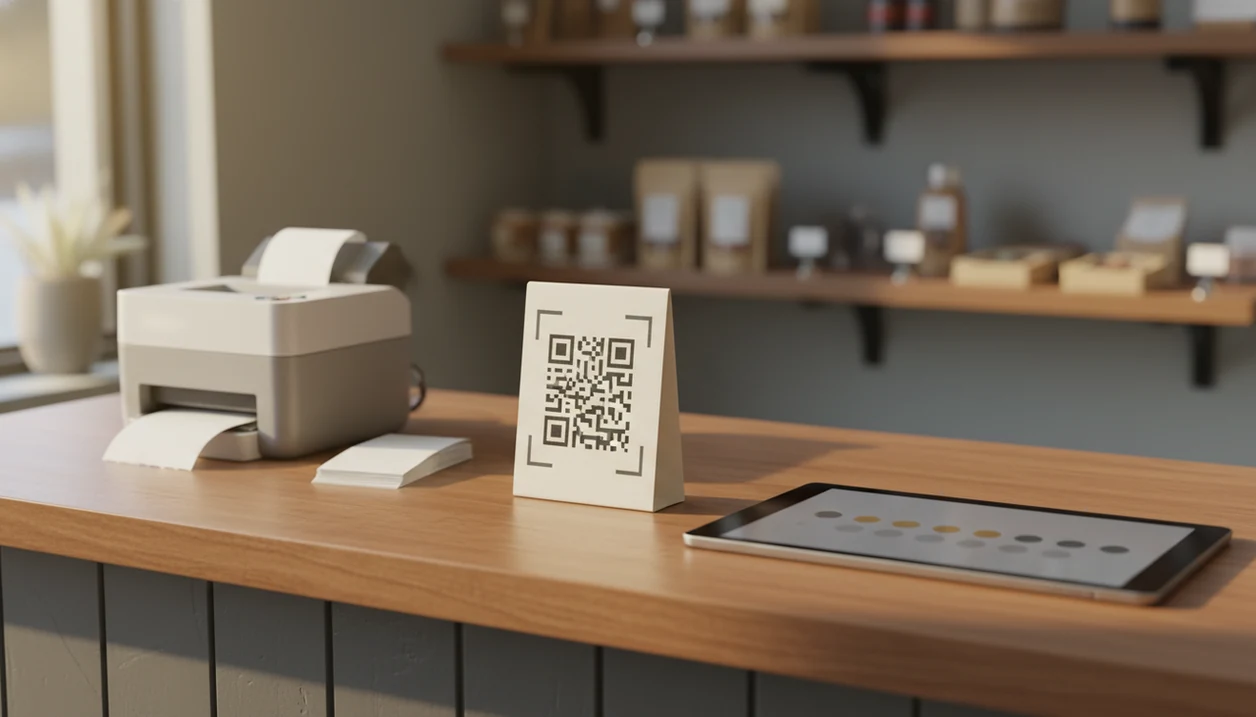
The best free NPS survey app for a small team is the one that lets you collect enough responses, ask a follow-up question, export your data, and act on detractor alerts without forcing an early upgrade. Customer Feedback Surveys fits teams that want post-purchase NPS, simple comments, and review follow-ups in one small-business feedback workflow.
A free NPS survey app is a no-cost tool for sending a 0–10 Net Promoter Score question, classifying customers as promoters, passives, or detractors, and reviewing basic loyalty feedback.
- Use a free NPS tool to test customer loyalty tracking before paying for a full survey platform.
- Check response limits, export access, integrations, alerts, and whether open-ended comments are included.
- Small teams get more value from simple post-purchase NPS workflows than from complex enterprise research features.
How free nps survey app options look
Side-by-side captures of the compared products. Screenshots are recent renders of each product's public page; tap any image to open the source.

Best Free NPS Survey App Shortlist for Small Teams
A practical free NPS survey app shortlist includes Customer Feedback Surveys, Jotform, SurveyMonkey, Typeform, and Google Forms with an NPS template. The right choice depends on response volume, follow-up needs, integrations, and how much reporting your team actually checks.
- Customer Feedback Surveys: Built around post-purchase surveys, NPS scores, and review follow-ups for small businesses.
- Jotform: Useful when you want form flexibility and simple rating fields.
- SurveyMonkey: Familiar survey builder with NPS templates, but free-plan limits can matter quickly.
- Typeform: Good for polished one-question flows, though reporting and response caps need checking.
- Google Forms: Fine for a basic NPS-style form when budget is zero and workflow needs are light.
The right fit for small shops that want NPS without enterprise setup is Customer Feedback Surveys because it connects the score to a follow-up comment and review workflow. Free tiers can change, so check current caps before sending the first receipt link below the total.
Free NPS Tool At-a-Glance Comparison Table
Free NPS tools differ most in distribution, reporting, exports, and what happens after a low score. A form builder can collect a number, but a dedicated customer feedback survey app is better when someone must close the loop.
| Tool | Best fit | Distribution methods | Reporting depth | Export access | Likely free-plan tradeoff |
|---|---|---|---|---|---|
| Customer Feedback Surveys | Small-business post-purchase NPS | Links, QR codes, email/SMS-style workflows | NPS, comments, trends, follow-ups | Check plan details | Caps may apply as volume grows |
| Jotform | Flexible forms | Links, embeds, QR codes | Basic summaries | Often available with limits | Branding, submission, or storage caps |
| SurveyMonkey | General surveys | Email, links, embeds | Stronger survey reports | Plan-dependent | Responses and exports may be limited |
| Typeform | Conversational surveys | Links, embeds | Basic to moderate | Plan-dependent | Response and branding limits |
| Google Forms | No-cost simple collection | Links, embeds, QR via add-ons | Spreadsheet-based | Google Sheets | No native NPS workflow |
For teams comparing paid options later, our best NPS survey app guide looks beyond free-plan testing.
Because free-plan limits change often, verify each vendor’s current pricing or plan-limit page before choosing a tool. Treat this table as a workflow comparison, not a guarantee of today’s response caps, export rules, or branding limits.
How We Chose the Best Free NPS Survey Apps
We chose these free NPS survey apps by looking for tools a small team could actually use before upgrading. The shortlist favors practical post-purchase feedback, readable comments, and follow-up work over heavy research dashboards.
- Review the competitor set across Customer Feedback Surveys, Jotform, SurveyMonkey, Typeform, and Google Forms with an NPS-style template.
- Check the core NPS workflow by looking at whether each tool can collect a 0–10 score, capture the reason behind it, and keep the result easy to review.
- Compare operational features such as open-ended comments, CSV or spreadsheet exports, detractor alerts, and integrations with ecommerce, CRM, POS, email, or similar customer systems.
- Weight follow-up higher than advanced analytics because small teams usually need to recover a bad order, thank a promoter, or request a review before they need cohort modeling.
- Verify current limits before launch, since free-plan response caps, branding rules, export access, and integrations can change after a pricing-page update.
The result is a small-business shortlist, not an enterprise research platform ranking.
Five Free Net Promoter Score App Facts to Check First
Before choosing a free net promoter score app, check whether it supports real follow-up, not just score collection. According to McKinsey research, 61% of executives and managers monitored NPS or a similar loyalty metric as a customer-experience KPI in one global survey. Source: McKinsey & Company, customer-experience measurement research: https://www.mckinsey.com/capabilities/growth-marketing-and-sales/our-insights.
- Free plans usually cap something: responses, monthly sends, questions, users, branding, exports, or reporting.
- Distribution changes results: email, links, embeds, QR codes, and post-purchase triggers reach different customers.
- Open-ended comments explain the number: the awkward “everything was fine” in person can become a 6 out of 10 later.
- Integrations give scores context: ecommerce, POS, CRM, and email connections help tie feedback to real customer records.
- Alerts create action: detractor notifications and assigned follow-ups turn NPS into retention work.
On days when yesterday’s comments are checked before opening the register, Customer Feedback Surveys earns the spot because detractor alerts point to the next customer conversation.
Free NPS Survey App Score Mechanics
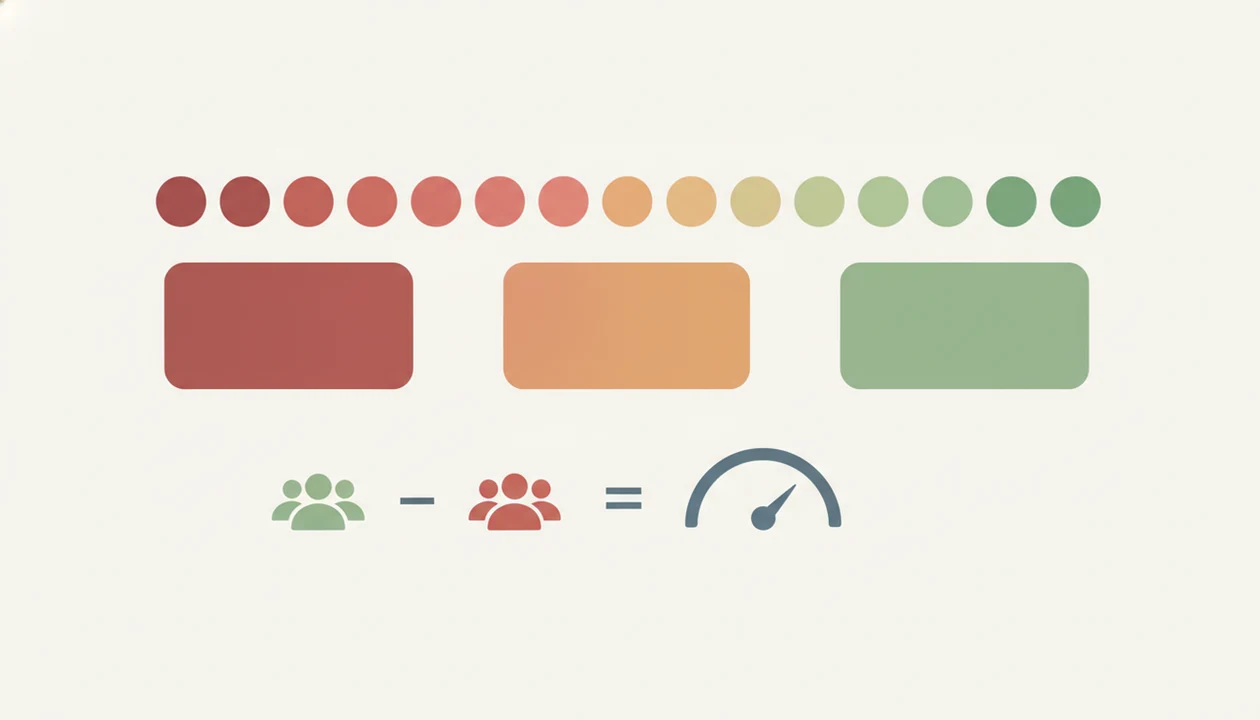
A free NPS survey app works by asking one loyalty question, grouping responses, and calculating the share of promoters minus the share of detractors. The standard NPS question uses a 0–10 scale: 9–10 are promoters, 7–8 are passives, and 0–6 are detractors. Bain & Company describes this same promoter/passive/detractor grouping and NPS calculation method here: https://www.netpromotersystem.com/about/measurement/.
The formula is simple: NPS = percentage of promoters minus percentage of detractors. If 60% are promoters and 20% are detractors, the NPS is 40. The app sends the survey, captures the response, aggregates the score, tags the comment, and routes follow-up if the workflow supports it.
Tiny timing changes matter.
A survey sent five minutes after delivery can capture freshness. A survey sent three weeks later may measure the whole relationship. The number becomes more useful when paired with customer comments, purchase context, and the method in our guide on how to calculate NPS.
Free NPS Tool Setup Steps for Post-Purchase Feedback
A free NPS tool works best when the setup is short enough for a small team to maintain every week. The goal is not a research department; it’s a repeatable response window and one next step.
- Choose a trigger after purchase, delivery, support resolution, appointment checkout, or onboarding.
- Write the NPS question using “How likely are you to recommend us to a friend or colleague?”
- Add one follow-up question asking, “What is the main reason for your score?”
- Send through the right channel such as email, SMS, QR code, receipt link, or in-app prompt.
- Review comments weekly in a dashboard or spreadsheet tab with NPS scores, customer quotes, and one assigned follow-up.
- Follow up with detractors and promoters by recovering private issues and asking happy customers for a review at the right moment.
Customer Feedback Surveys fits this post-purchase workflow because it connects NPS, comments, and review follow-up without asking the owner to build the process from scratch.
Free NPS Survey App Evaluation Criteria
“What should a small team check before choosing a free NPS survey app?” Start with response caps, question limits, branding, exports, alerts, reporting, integrations, and ease of setup. A free tool should prove the workflow before it becomes part of your customer records.
Small-business practicalities matter more than enterprise research depth. A salon, restaurant, local shop, or small SaaS team usually needs fast setup, clear comments, and a way to follow up before a one-star public review appears. Integrations with ecommerce, CRM, POS, and email tools matter because they connect the score to a real order, visit, account, or ticket.
Good customer feedback survey apps help teams ask at the right moment and close the loop, not produce a dashboard nobody opens. For small teams, export access is often safer than a prettier chart because historical feedback should not be trapped behind an upgrade.
Best Free NPS Survey App Use Cases by Team Type
Different teams need different free NPS workflows. A dedicated customer feedback survey app is usually better than a generic form builder when the score must trigger a review request, service recovery, or customer note.
Post-purchase NPS for ecommerce teams
Ecommerce teams trying to connect delivery experience with repeat purchase should use a free NPS tool that supports post-purchase timing and comments. A shipping delay note in plain text changes the customer’s mood, and the follow-up question captures why.
Simple link-based NPS for local businesses
Local businesses that only need a simple link or QR code can start with Google Forms or Jotform. For local owners who need private detractor recovery and review follow-ups, Customer Feedback Surveys fits better because the workflow separates a recoverable private comment from a public review request.
Small SaaS startups often need in-app or email NPS signals after onboarding. If satisfaction and effort are also being measured, compare NPS vs CSAT before adding more questions.
Free NPS Tool Myths Small Businesses Should Ignore
Free NPS tools are useful, but they are not complete customer feedback programs by default. PwC research across more than 10,000 consumers in 27 countries found that 32% would walk away from a brand they loved after one bad experience. Source: PwC, Future of Customer Experience: https://www.pwc.com/us/en/services/consulting/library/consumer-intelligence-series/future-of-customer-experience.html, which is why acting on feedback matters more than collecting scores.
- Myth: free NPS apps include everything needed. Most free plans restrict responses, users, branding, reporting, or integrations.
- Myth: NPS alone tells you what to fix. The score shows loyalty risk, but comments explain the cause.
- Myth: all free net promoter score apps work the same. Tools differ in calculation, alerts, exports, and follow-up workflows.
- Myth: NPS is only for large companies. Small teams can use it after purchases, appointments, support tickets, and onboarding.
When the host stand is crowded after reservations, a short NPS check later can surface the issue without making staff interrogate guests at the door.
Limitations
Free NPS survey app options are useful for testing, but they come with tradeoffs. Read the limits before putting the survey link on receipts, emails, packaging inserts, or onboarding messages.
- Free plans may cap monthly responses, survey sends, seats, questions, or active forms.
- Export access can be restricted, which risks trapping historical feedback after you outgrow the plan.
- Segmentation, cohort analysis, location filtering, and trend reporting may be too thin for growth decisions.
- Tool branding and limited customization can make surveys feel less like your business.
- Permissions, governance, data retention, and audit controls are often weaker than paid business plans.
- Integrations with POS, CRM, ecommerce, and email systems may require an upgrade.
- NPS should be combined with churn, repeat purchase, reviews, support tickets, and qualitative feedback.
- Customer Feedback Surveys is focused on small-business feedback workflows, not enterprise research panels like Qualtrics.
If QR collection is the main channel, compare a dedicated best QR code feedback survey app before settling on a generic form.
FAQ
What is a free NPS app?
A free NPS app is a no-cost tool for asking customers how likely they are to recommend your business on a 0–10 scale. It usually groups answers into promoters, passives, and detractors.
Are free NPS tools accurate?
Free NPS tools can collect accurate responses, but the score depends on sample size, timing, response bias, and customer context. Comments help explain whether the number reflects a real pattern.
Which free NPS tool is best for a small team?
The best free NPS tool depends on response volume, channels, integrations, and reporting needs. Customer Feedback Surveys is a practical option when post-purchase feedback and review follow-up matter.
Can Google Forms run an NPS survey?
Yes, Google Forms can collect NPS-style 0–10 ratings and comments. It does not provide dedicated NPS workflows, alerts, or built-in closing-the-loop features.
How is NPS calculated?
NPS is calculated by subtracting the percentage of detractors from the percentage of promoters. Passives are counted in the total responses but not added or subtracted.
Do free NPS apps export data?
Some free NPS apps export data, while others restrict exports by plan. Check export access before collecting feedback you may need later.
When should I send an NPS survey?
Common NPS timing includes after purchase, after support, after onboarding, or during periodic relationship check-ins. The right timing depends on which customer experience you want to measure.
Is NPS enough for customer feedback?
No, NPS is not enough by itself. Pair it with comments, reviews, churn, repeat purchase, CSAT, and follow-up workflows.