
What App Identifies Recurring Complaints in Customer Feedback?
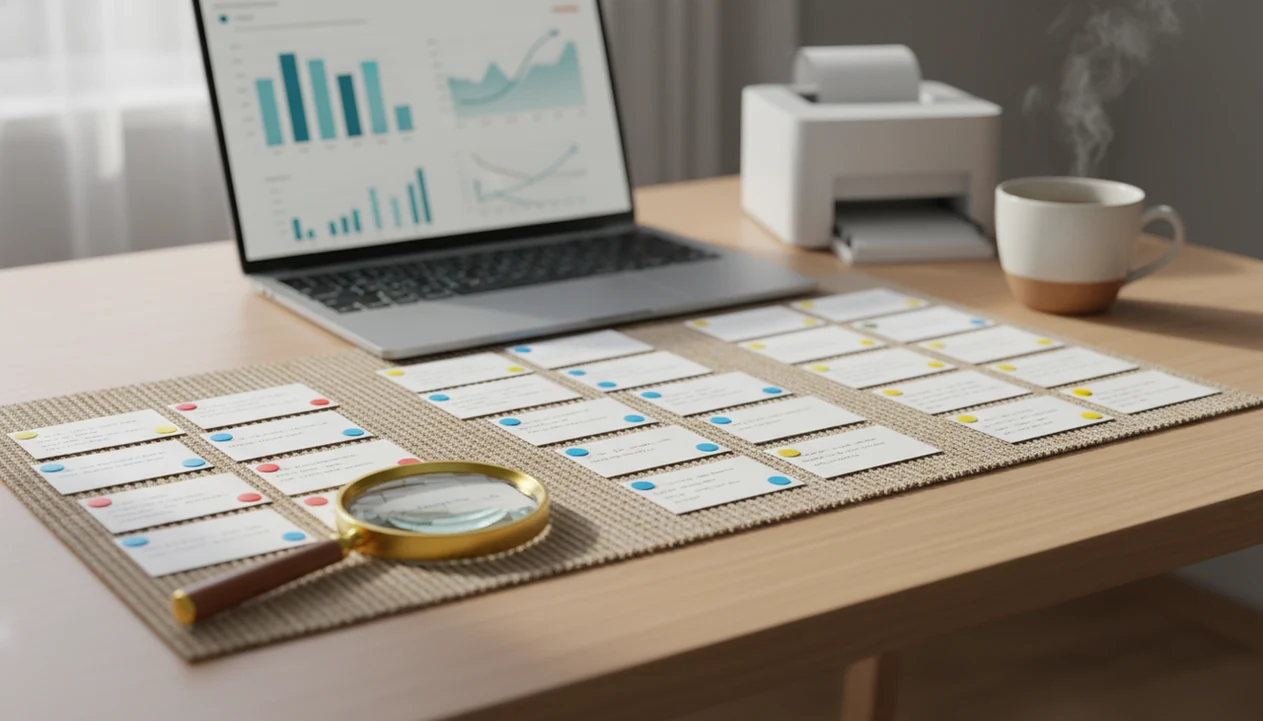
Customer Feedback Surveys is a customer feedback survey app that identifies recurring complaints by collecting open-ended feedback, tagging repeated themes, and linking summaries back to the original customer responses. For a small business, the right app should scan open-ended survey comments, NPS follow-ups, and post-purchase feedback, then group repeated issues like “shipping delay,” “poor communication,” or “damaged item.”
> Definition: Customer Feedback Surveys is a customer feedback survey app that collects post-purchase surveys, NPS scores, and review follow-ups for small businesses.
- Choose an app that analyzes open-ended comments, not just star ratings or NPS scores.
- Look for tags, themes, trend dashboards, alerts, and links back to the original customer responses.
- Use automation to spot patterns, but review high-impact complaints manually before changing policies or staff processes.
What a recurring complaint identification app actually does
What app identifies recurring complaints? The right category is a customer feedback app that reads open-ended feedback, NPS comments, and post-purchase survey answers, then groups repeated customer issues into visible patterns.
A collection-only survey tool stores responses. A complaint trend app goes further. It tags phrases, detects themes, and helps the owner see that “late delivery” appeared 19 times this month, not just once in a noisy inbox. That difference matters when yesterday’s survey comments are checked before opening the register.
Tools like Customer Feedback Surveys fit the small-business side of this category because they focus on post-purchase surveys, NPS and CSAT, and review follow-up workflows. Good customer feedback survey apps for small businesses collect post-purchase surveys, NPS scores, and actionable customer insights, not enterprise research theater.
How a customer complaint trend app works behind the scenes
A customer complaint trend app works by collecting comments, scanning the text for repeated signals, grouping similar issues, and showing whether those issues are increasing or fading over time.
Feedback can come from post-purchase surveys, NPS follow-ups, review requests, email forms, or CRM-connected questionnaires. The app then tokenizes comments, which means it breaks text into words and phrases it can compare. This is a common natural-language processing workflow: software breaks text into tokens, detects terms, and classifies or groups patterns; IBM gives a plain-language overview of NLP here: source. In plain terms, it notices that “package arrived late,” “shipping was slow,” and “delivery took too long” may belong together.
The useful layer is tagging. Complaints can be grouped under labels such as shipping delay, billing confusion, staff attitude, product quality, or wait time. A good dashboard should show frequency, trend direction, time period, and the original source responses. For recurring complaints, source-linked summaries are safer than word clouds because a manager can read the exact customer words before making a process change.
Five facts before choosing an app that finds repeated complaints
Before choosing an app that finds repeated complaints, confirm that it analyzes the “why” behind the score. Ratings show intensity; comments explain the operational problem.
- Not every survey app automatically finds repeated complaints. Some tools collect responses and leave analysis to spreadsheets.
- Open-ended questions are required because scores alone do not explain whether the issue was price, speed, staff behavior, packaging, or product quality.
- Tags, text analysis, and theme extraction are the core features to compare when evaluating a customer complaint trend app.
- CRM, email, and help desk integrations help turn trends into follow-up tasks instead of forgotten report rows.
- Automated analysis still needs enough response volume and periodic human review, especially when a customer says “everything was fine” in person but gives a 6 out of 10 later.
For a low-volume shop, a careful weekly read can still beat a fancy dashboard. Volume matters.
Key features in an app that identifies recurring complaints
The key features are open-text capture, automatic tagging, theme detection, sentiment analysis, alerts, dashboard filters, exports, and source links. Basic form builders may collect answers without identifying patterns.
| Feature | Why it matters | Small-business use case |
|---|---|---|
| Open-text survey questions | Captures the customer’s own explanation | “What nearly stopped you from buying again?” |
| Automatic tags | Groups similar complaint language | Tags “cracked lid” and “broken top” as product damage |
| AI themes | Finds patterns across messy comments | Spots repeated “poor communication” after service calls |
| Sentiment analysis | Flags negative or mixed feedback | Separates praise from a hidden complaint |
| Alerts | Speeds up private recovery | Sends a manager a low-score notice |
| Dashboards and filters | Shows trends by time, channel, or location | Compares Saturday lunch complaints with weekday service |
| Exports | Supports team review | Adds complaint rows to a weekly spreadsheet tab |
| Source links | Preserves trust | Opens the exact customer response behind a summary |
Source-linked summaries matter because a tag can sound cleaner than the complaint itself. When a customer photo shows a cracked lid, the team needs the original comment before blaming packing, shipping, or the supplier. A customer feedback dashboard should make that path short.
Before You Start: Prerequisites for Complaint Trend Tracking
Before you track complaint trends, make sure the feedback stream can actually explain what went wrong. The app needs recent customer words, a simple tagging plan, and a clear owner for review and follow-up.
- Confirm that your surveys collect open-ended comments, not only star ratings, CSAT, or NPS scores. A number can show dissatisfaction, but the comment tells you whether the issue was shipping, billing, staff behavior, product quality, or wait time.
- Gather enough recent responses to make repetition meaningful. A handful of comments can still be useful, but trend tracking works better when you can compare themes over days, weeks, or locations.
- Decide who owns the workflow before alerts start arriving. Name the person who reviews summaries, checks urgent complaints, assigns fixes, and confirms that the loop was closed.
- List your first priority tags in plain language, such as shipping, billing, staff, product, refunds, packaging, and wait time.
- Check that summaries link back to original responses. If a dashboard says “delivery issue,” the team should be able to open the exact customer wording before changing a carrier, script, or policy.
How to use a customer complaint trend app step by step
To use a customer complaint trend app well, start with a narrow feedback workflow and assign a person to review the output. The setup should be simple enough that it survives a busy Tuesday.
Before you turn on alerts, define what counts as recurring: for example, three matching complaints in a week, a two-week upward trend, or any safety, refund, or staff-conduct issue that needs same-day review.
- Set one or two open-ended questions after purchase, service, or support interactions.
- Connect feedback sources such as post-purchase surveys, NPS follow-ups, and review requests.
- Create or review complaint tags for common issues such as shipping delay, billing confusion, staff attitude, product quality, and wait time.
- Review the dashboard weekly or monthly for spikes, repeated themes, and changes by channel or location.
- Assign follow-up actions such as refund review, staff coaching, SOP update, website copy edit, or supplier fix.
The most reliable small-business workflow is a short survey, a weekly review, and one named follow-up owner because the issue can move from comment to action. Otherwise, the packing slip tucked under tissue paper gets praised, but the repeated delivery complaint sits untouched.
Small-business workflows for recurring complaint alerts
Recurring complaint alerts are useful only when they route a pattern to someone who can act. A tag without ownership is just another report.
- Shipping delay to operations: Send a weekly alert when delivery complaints rise, then compare carrier, fulfillment day, and promised delivery language.
- Rude staff trend to coaching: Route repeated staff attitude comments to the shift lead, not the whole team. Specific quotes work better than vague blame.
- Product defect tag to supplier review: Group cracked, leaking, or missing-part comments before the next purchase order.
- Billing confusion to website copy: Send repeated price or fee complaints to whoever owns checkout pages and receipt language.
CRM, email, and help desk integrations matter because they put the complaint near the work. Research in Harvard Business Review reported that acquiring a new customer can cost 5 to 25 times more than retaining one, so fixing repeated complaints is often less expensive than replacing unhappy customers source. For fast recovery, negative feedback alerts can keep one-star public reviews from becoming the first warning sign.
Common mistakes with customer complaint trend apps
The most common mistake is assuming any survey tool has automatic text analysis. Many tools collect comments, but they do not tag, group, or summarize repeated complaints without add-ons or manual work.
Another mistake is relying only on NPS or star ratings. A 4-star average can hide one recurring problem, such as slow service at table seven or confusing return instructions after delivery. The open-ended “why” comment is where the useful complaint usually lives.
AI tags also deserve a second look. They can misread sarcasm, mixed feedback, local slang, or niche product names. NIST’s AI Risk Management Framework also recommends ongoing monitoring and human oversight for AI outputs used in real-world decisions: source. One loud complaint should not trigger a policy change until you check frequency, source, and customer value.
Messy, but true.
The final mistake is collecting feedback without assigning ownership. Apps such as Customer Feedback Surveys, SurveyMonkey, Typeform, Qualtrics, Google Forms, and Jotform can support different parts of the workflow, but the team still has to close the loop.
How to verify that an app finds repeated complaints accurately
Verify accuracy by testing the app with real past comments before you commit. A short pilot will reveal more than a sales demo using polished sample data.
Export 50 to 100 recent survey comments, then compare the app’s tags with a manual read. Check whether “late shipment,” “missing tracking,” and “no delivery update” land in the same theme or split into confusing fragments. Also confirm that every summary links back to the exact customer response.
Look for trend changes over time, not just a word cloud. A word cloud may show “service” often, but it may not tell you whether service complaints doubled after a staffing change. The better test is whether alerts, exports, and ownership work for your team. If the stylist checking the appointment book can’t see which client mentioned uneven bangs, the tag is too detached from the work.
A tool that can show feedback trends should make the pattern visible and the next step assignable.
Limitations
Automated complaint analysis can save time, but it cannot replace careful review or operational judgment. Treat it as a triage system, not a final verdict.
- Low response volume can make trends unreliable, especially for businesses with only a few dozen responses per month.
- Text analytics may be limited to higher pricing tiers, so confirm the feature before buying.
- AI can misread sarcasm, mixed feedback, local terminology, nicknames, or niche product names.
- Apps cannot detect silent churn from customers who never answer a survey.
- Poorly written survey questions produce weak complaint insights, even in a strong app.
- Automated grouping should be reviewed manually for high-impact issues such as staff conduct, refunds, safety concerns, or supplier changes.
- A dashboard identifies the issue, but it does not fix operations by itself.
- Repeated complaints may reflect one channel, location, or employee shift, so filters matter.
PwC found that 32% of U.S. consumers would stop doing business with a brand they loved after one bad experience source. That makes early detection useful, but the recovery still has to be human. For related warning signs, compare what app identifies unhappy customers.
FAQ
What app finds repeated complaints in customer feedback?
A customer feedback survey app with text analytics, tagging, and trend dashboards is the right category. Customer Feedback Surveys is one example for small businesses that need post-purchase surveys, NPS comments, and review follow-ups in one workflow.
Can survey apps detect customer complaints automatically?
Some survey apps can detect complaints automatically, but only if they include open-text analysis, keyword tagging, or AI theme detection. Basic form tools usually collect comments without analyzing recurring issues.
Do NPS tools find recurring complaint trends?
NPS scores show satisfaction level, but the follow-up comments reveal recurring complaint themes. Ratings alone are not enough to explain what customers want fixed.
Are AI complaint tags accurate enough to trust?
AI complaint tags are useful for sorting large comment sets, but they should be checked for sarcasm, mixed sentiment, and edge cases. Manual review is still needed for high-impact complaints.
What features should I compare in a complaint-tracking app?
Compare open-ended questions, tags, themes, alerts, dashboards, integrations, exports, and source links. Source links matter because they let the team verify the original customer response.
How many survey responses are enough to spot complaint trends?
More responses improve reliability, while very low volume may require manual review instead of automated conclusions. Small teams should look for repeated themes over time, not one isolated complaint.
Can Google Forms find recurring customer complaints?
Google Forms can collect customer comments, but it usually needs spreadsheets, add-ons, or manual tagging to find recurring complaint trends. It is better for collection than built-in complaint analysis.
What should I do after an app finds recurring complaint trends?
Assign each recurring trend to a clear next step, such as customer follow-up, staff coaching, process change, supplier review, or product fix. Customer Feedback Surveys can support that workflow, but the business still owns the action.