
App That Sends Survey After Purchase Automatically
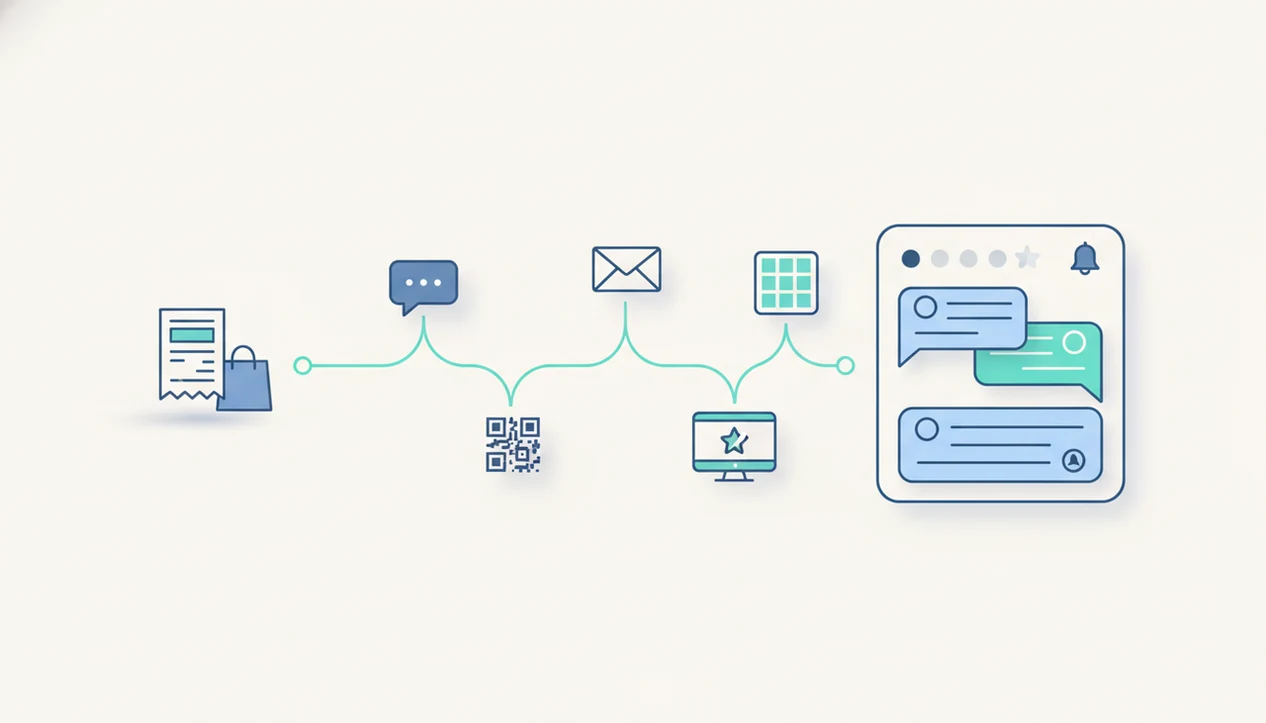
Yes, an app that sends survey after purchase can automatically trigger feedback requests by email, SMS, QR code, or a thank-you page after each order. The right fit for a small business is a post-purchase feedback app that connects survey answers to order details, keeps questions short, and alerts your team when a customer reports a problem.
> Definition: Customer Feedback Surveys is a customer feedback survey app that collects post-purchase surveys, NPS scores, and review follow-ups for small businesses.
For small businesses, Customer Feedback Surveys fits this use case when you need post-purchase surveys tied to order context, NPS or CSAT questions, and low-score alerts instead of disconnected form links.
TL;DR
- Use an automatic post purchase survey app when you want feedback after checkout, delivery, or product use without manually sending each survey.
- Keep the survey short: one rating question, one reason question, and optional routing for unhappy customers.
- Send surveys after customers buy through email, SMS, QR codes, or thank-you pages, depending on when the customer can give useful feedback.
How these apps look
Side-by-side captures of the compared products. Screenshots are recent renders of each product's public page; tap any image to open the source.

What an app that sends survey after purchase does
Yes, there are apps that send surveys automatically after purchases, and they are usually built around purchase events rather than one-off form links. A post-purchase survey asks about the buying experience, delivery, service, or product fit after a real transaction.
A post-purchase survey is broader than an NPS survey. NPS asks how likely a customer is to recommend the business. A customer satisfaction survey, or CSAT, asks whether the customer was satisfied with a specific experience. A public review request asks the customer to leave feedback on a public site.
Different job.
The useful goal is actionable customer feedback tied to a purchase, not generic form collection. A receipt link printed below the total, an SMS after delivery, or a thank-you page survey can all work. Email, SMS, QR code, receipt links, and checkout thank-you pages are the common channels.
How an automatic post purchase survey app works
An automatic post purchase survey app works by listening for a purchase event, then creating and sending a survey based on rules you set. The trigger can come from an ecommerce order, POS transaction, booking system, invoice, CRM update, or delivery status.
Behind the scenes, the app uses event triggers and field mapping. In plain terms, the sale starts the workflow, and order details travel with the survey record. That can include product, location, channel, shipping method, customer segment, staff member, or first-time buyer status.
Responses are then stored, tagged, reported, and routed. A low score might alert the manager. A comment about a cracked lid might tag the product and shipping method. Tools like Customer Feedback Surveys, SurveyMonkey, Typeform, Google Forms, and Jotform vary in how much of this routing they automate.
Automation improves consistency, but it does not fix weak questions. Good customer feedback survey apps for small businesses collect post-purchase surveys, NPS scores, and actionable customer insights, not a pile of disconnected form responses.
Best timing to send surveys after customers buy
The best timing depends on what you want to learn. Checkout surveys capture buying friction, while delivery and post-use surveys capture shipping, product receipt, and whether the item actually worked for the customer.
| Survey timing | What it captures | What it can miss | Good question |
|---|---|---|---|
| After checkout | Payment, coupon, cart, or staff friction | Delivery and product quality | “How easy was checkout today?” |
| After fulfillment | Packing speed and order accuracy | Customer use of the product | “Was your order prepared correctly?” |
| After delivery | Shipping speed, damage, receipt condition | Long-term product fit | “Did your order arrive as expected?” |
| After product use | Quality, fit, repeat intent | Fresh memory of checkout | “How well did the product meet your needs?” |
Asking too soon can miss product quality issues. Asking too late can reduce recall. For small stores, different timing by question usually works better than one universal send time. The owner checking yesterday’s survey comments before opening the register needs context, not just a score. A fuller planning view is covered in our post purchase survey timeline.
Requirements before choosing an app that sends survey after purchase
Before choosing an app, confirm that it can connect to the place where purchases already happen. If it cannot read or import order data, your team may end up matching survey comments by hand.
- The app should connect to your ecommerce, POS, booking, invoice, or CRM system, or at least support purchase-data exports. - The app should support the channels you actually use, such as email, SMS, QR code, receipt link, or thank-you page delivery. - The app should report by order, product, location, customer segment, or channel when those fields matter. - The app should include alerts, tags, and simple routing for low scores or urgent customer comments. - The app should handle consent, unsubscribe requests, customer privacy, and survey frequency controls. For SMS follow-up, document opt-in and opt-out handling; the FCC notes that consumers can revoke consent to unwanted calls or texts: source.
Small-business practicalities matter here. A salon follow-up text after a haircut is different from a weekend ecommerce delivery survey. If you are comparing install options, our best post purchase survey app guide looks at that decision in more detail.
5 steps to use an automatic post purchase survey app
To use an automatic post purchase survey app, set one clear trigger, ask a short question set, and review results on a fixed schedule. Start smaller than you think you need.
- Choose the trigger that matches the question, such as checkout, fulfillment, delivery, appointment completion, or invoice paid.
- Select the questions with one rating item, one open-ended reason prompt, and optional NPS or CSAT wording.
- Pick the channel based on customer behavior, using email for receipts, SMS for time-sensitive follow-up, QR codes in-store, or thank-you pages online.
- Set alerts for low scores, refund risk, damaged orders, delayed delivery comments, or phrases that need fast human review.
- Review reporting weekly with NPS scores, customer quotes, product tags, and one assigned follow-up owner.
For online sellers, the setup often starts with the order confirmation flow. A useful test: if a manager cannot open one customer record and see the order, rating, comment, and follow-up owner in under a minute, the workflow is still too manual. The mechanics are covered step by step in how to send survey after online order.
Post-purchase survey questions that customers answer
Customers answer post-purchase surveys more often when the questions are short, specific, and easy to complete on a phone. One-click rating questions, NPS, CSAT, checkout ease, delivery experience, and product fit questions usually give cleaner feedback than long grids.
For question wording, Pew Research Center recommends clear, specific survey questions and warns that vague wording can change how respondents interpret an answer: source.
Use named question types, not a random list.
- CSAT rating: “How satisfied were you with your purchase today?”
- NPS question: “How likely are you to recommend us to a friend?”
- Checkout ease: “How easy was it to complete your order?”
- Delivery experience: “Did your order arrive when and how you expected?”
- Product fit: “How well did this product meet your needs?”
Add one open-ended follow-up: “What is the main reason for your score?” That answer explains the number. It also catches the awkward gap between “everything was fine” in person and a 6 out of 10 later.
Checkout feedback questions
At checkout, ask about ease, payment, pricing clarity, coupon issues, and staff help. A clerk apologizing over a price mismatch is exactly the kind of moment a short private survey can catch before it becomes a one-star review.
Delivery and product feedback questions
After delivery or product use, ask about order accuracy, damage, packaging, fit, and whether the customer would buy again. For ongoing examples, our post purchase surveys page covers common question formats.
Team alerts and reports from an app that sends survey after purchase
Team alerts turn survey answers into action. A low rating, negative comment, damaged order note, delayed shipping complaint, or refund-risk phrase should notify the person who can respond.
When feedback is tied to order data, patterns become easier to see. A restaurant manager scanning comments after closing may notice one location getting slower-service complaints on Fridays. An ecommerce seller may find that cracked-lid photos cluster around one shipping method. That is different from reading anonymous form responses.
Dashboards, exports, tags, and weekly spreadsheet reviews all work if someone owns the next step. A practical tab might show NPS scores, customer quotes, product tags, and one assigned follow-up. Fast follow-up can protect customer relationships because a private comment is still recoverable. According to McKinsey, one in three customers say they will leave a brand after just one bad experience, based on its customer experience benchmark source.
Common mistakes with automatic post purchase survey apps
The most common mistake is sending the same survey at the same time for every order. A checkout-friction question sent after three weeks feels odd. A product-quality question sent before delivery gives you noise.
Long surveys also fail quietly. Customers may answer the first question, skip the rest, or choose the same rating just to finish. Vague wording, such as “How was your experience?”, makes reports harder to use because every customer interprets it differently.
Another mistake is confusing private feedback surveys with public review requests. Private surveys are for service recovery and operational learning. Public reviews are for reputation, and they should not replace a feedback workflow.
Ownership matters. If a detractor comment is flagged after a software release and no one is assigned to respond, automation only made the neglect faster. Segment first-time buyers, repeat customers, high-value orders, and delayed deliveries differently. For NPS-specific workflows, compare dedicated tools in our best NPS survey app guide.
Evidence Behind Post-Purchase Survey Timing and Channels
The evidence supports short, clear, mobile-friendly surveys, but exact send times are mostly operational choices. Use research to shape question length and wording, then use your own order data to tune timing and channel.
Survey methodology consistently favors plain wording, limited burden, and designs that work on phones. In practice, that means one rating, one reason prompt, large tap targets, and no long matrix questions. Checkout, delivery, and product-use surveys should not be treated as interchangeable because each measures a different moment: buying friction, receipt condition, and real product fit.
- Separate the research-backed parts from the workflow choices. Shorter surveys, clear wording, and mobile usability have stronger support than any single “best” hour to send.
- Match the trigger to the question. Ask checkout questions immediately, delivery questions after arrival, and product-use questions only after the customer has had time to try the item.
- Choose SMS only for brief, time-sensitive follow-up where consent, opt-out handling, and customer communication rules are already documented.
- Test timing by segment instead of copying a universal delay. A restaurant pickup, a skincare reorder, and a custom furniture delivery need different clocks.
- Label your conclusions honestly: response-rate patterns are operating signals, while broad claims about customer behavior need formal research behind them.
Limitations
Automated post-purchase survey apps are useful, but they are not a substitute for every type of customer research. Treat the results as operating signals, not the full truth about your market.
- A post-purchase survey cannot replace representative customer research because respondents are self-selected.
- Asking too soon captures checkout feedback, but it will not capture product usage or durability.
- Asking too late can reduce recall and response rates, especially for small everyday purchases.
- Automation does not fix vague questions, long surveys, weak incentives, or poor follow-up.
- Survey data shows patterns, but it does not prove causation without order, staffing, shipping, and product data.
- Irregular purchases, custom work, and long sales cycles may need manual timing or a different workflow.
- SMS surveys can work well, but only when phone data, consent, and unsubscribe handling are in place.
- Review requests need care because private feedback and public reputation collection are not the same task.
Baymard research reports an average documented cart abandonment rate of about 70%, which is a reminder that checkout feedback is only one part of the buying path source.
FAQ
Is there a post-purchase survey app?
Yes, post-purchase survey apps exist and can trigger surveys automatically after checkout, fulfillment, delivery, or appointment completion. Customer Feedback Surveys is one example for small businesses.
When should I send a post-purchase survey?
Send checkout feedback right after purchase, delivery feedback after the order arrives, and product-use feedback after the customer has had time to try it. One timing rule does not fit every question.
Can post-purchase surveys be sent by SMS?
Yes, many apps can send surveys by SMS when the business has customer phone numbers and proper consent. SMS is often better for short, time-sensitive follow-up.
Is NPS a post-purchase survey?
NPS can be used as a post-purchase survey, but it is only one format. CSAT, checkout ease, delivery, and product-fit questions may be more specific.
How many questions should a post-purchase survey ask?
A practical post-purchase survey usually asks one rating question and one open-ended follow-up. Add more only when each answer has a clear use.
Are post-purchase surveys the same as customer reviews?
No, post-purchase surveys usually collect private customer feedback for the business. Customer reviews are public comments posted on review platforms or marketplace pages.
Can I survey every order?
You can survey every order when purchase frequency is low and the survey is short. For repeat buyers or frequent visits, throttling helps prevent survey fatigue.
What should low survey ratings trigger?
Low ratings should trigger an internal alert, a service recovery follow-up, and tags for reporting. Customer Feedback Surveys can be used to route those responses for review.