
Post Purchase Survey Timeline From Checkout To Review
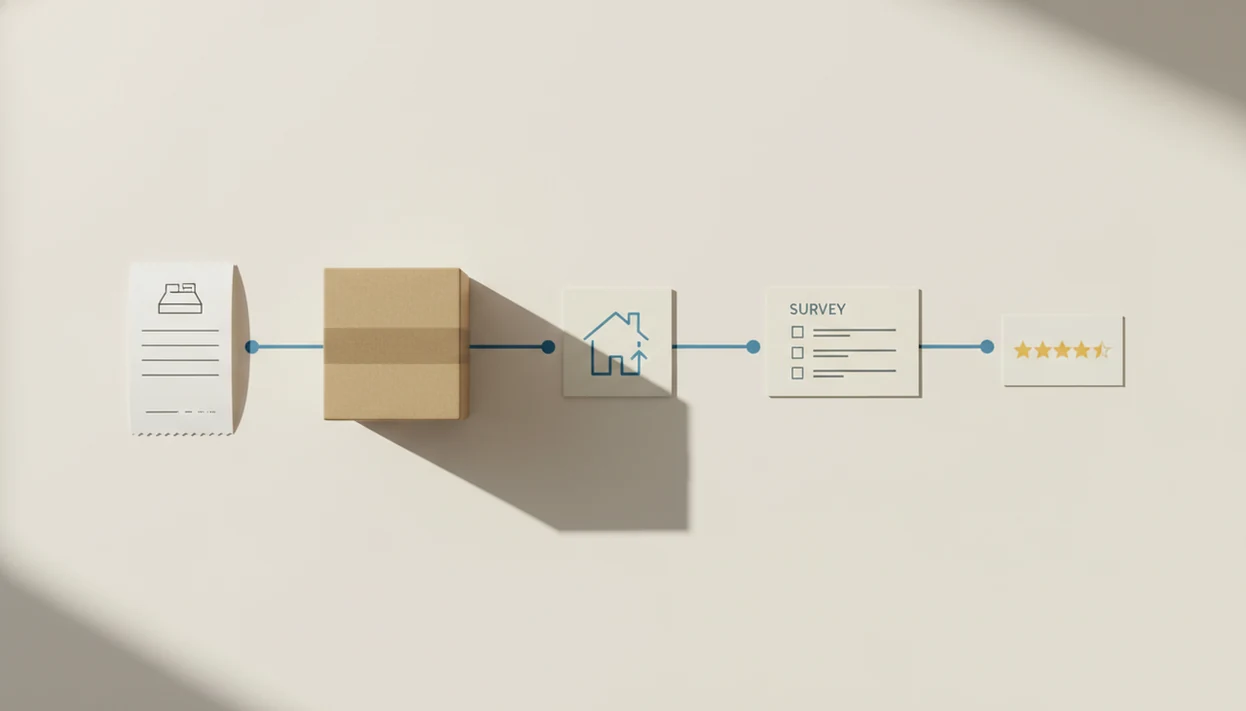
The best post purchase survey timeline matches the question you want answered: ask checkout questions immediately, shipping and delivery questions after fulfillment, and product satisfaction questions after the customer has had time to use the item. For physical products, delivery confirmation is usually a stronger trigger than order date; for digital products, an immediate thank-you-page or email survey is often enough.
> Definition: A post purchase survey timeline is the planned sequence for asking customers for feedback after checkout, pickup, shipping, delivery, product use, and repeat purchase.
- Ask checkout-experience questions immediately after purchase while the transaction is fresh.
- Ask physical-product and shipping questions after delivery confirmation, not simply after the order date.
- Keep each survey short, focused, and tied to a follow-up workflow so feedback turns into action.
Post Purchase Survey Timeline Definition For Small Stores
A post purchase survey timeline is the operating plan for when each customer feedback request should go out after a sale. Timing depends on what the store wants to learn: checkout ease, pickup handoff, shipping accuracy, delivery condition, product satisfaction, or repeat-purchase intent.
Ask too early, and the customer may only remember the payment screen. Ask too late, and the detail gets fuzzy. That’s the awkward gap where someone says “everything was fine” in person, then gives a 6 out of 10 later because the box arrived dented.
Customer Feedback Surveys is a customer feedback survey app that collects post-purchase surveys, NPS scores, and review follow-ups for small businesses. Tools help, but the timing logic still needs to match the customer moment.
At-A-Glance Post Purchase Survey Timeline By Customer Moment
Use this table when deciding when to send post purchase survey requests by customer moment. Confirmation-page surveys can appear immediately after checkout, according to KnoCommerce’s explanation of post-purchase survey placement on order confirmation pages source.
| Customer moment | Ideal send time | Best channel | What to ask |
|---|---|---|---|
| Checkout | Immediately | Thank-you page or email | Was checkout easy? |
| Pickup | After pickup or same day | SMS, QR, email | Was the order ready? |
| Shipping update | After shipment notice | Was communication clear? | |
| Delivery confirmation | Same day or next day | Email or SMS | Did it arrive correctly? |
| Product-use window | 3 to 14 days later | Does the product meet expectations? | |
| Repeat purchase | After second order | Why did you return? | |
| Review follow-up | After positive feedback | Email or SMS | Would you share a review? |
The receipt link printed below the total works well for in-store checkout, but it should ask about the visit, not long-term product quality.
How Post Purchase Survey Timelines Work
Post purchase survey timelines work by connecting each survey to a customer event, not by guessing a random number of days after checkout. The trigger is the signal that the customer is ready to answer a specific question.
An order-date trigger is useful for checkout questions because the payment, discount, and buying path just happened. Delivery-confirmation triggers are better for shipping, packaging, and arrival condition because the customer has the item in hand. First-use triggers come later, after the customer has opened the file, tried the skincare, assembled the shelf, or made the first cup of coffee. That timing changes answer quality: too early produces guesses, while too late loses small details. A practical flow is:
- Trigger checkout questions from the completed order.
- Wait for delivery confirmation before asking about condition or packaging.
- Delay product-use questions until the item has had a fair trial.
- Route low scores to support and happy responses to review follow-up.
- Test each rule by product type instead of using one storewide delay.
Five Facts About When To Send Post Purchase Survey Requests
- Checkout feedback belongs immediately after purchase because the payment, discount, and site-navigation details are still fresh.
- Physical product feedback should usually wait for delivery confirmation, since the customer cannot judge packaging or condition before receiving the item.
- Digital product feedback can often be sent immediately after purchase, especially when the question is about buying or access.
- Surveys sent too early tend to produce shallow answers, while surveys sent too late lose small but useful details.
- Short surveys and fast support routing matter as much as timing, especially when a low score needs same-day recovery.
A good customer feedback survey app for small businesses should collect post-purchase surveys, NPS scores, and actionable customer insights, not bury owners in research dashboards they will never open.
Post Purchase Survey Timing Triggers Behind The Scenes
Post purchase survey timing works through triggers: order completion, pickup confirmation, shipment status, delivery confirmation, elapsed days, and repeat purchase. In plain terms, the survey waits for the event that proves the customer is ready to answer.
Physical goods need fulfillment or carrier events because the order date may not match the real experience. Digital goods can use checkout events or first-access events because delivery is often instant. A download link either worked or it didn’t.
Behind the scenes, negative feedback should route to support, while positive feedback can lead to a review follow-up. Customer Feedback Surveys can support the small-store workflow in one place; Google Forms and Typeform can collect responses, but stores should verify whether they support delivery-triggered sends, low-score alerts, and review follow-up routing before relying on them. Automated workflows reduce the weekly spreadsheet chase with NPS scores, customer quotes, and one assigned follow-up.
Five Steps To Use A Post Purchase Survey Timeline In Your Store
Here is how to use a post purchase survey timeline without turning it into a research project. SurveyVista recommends practical post-purchase surveys of about 2 to 3 minutes and 3 to 5 focused questions source.
- Set the feedback goal before choosing timing: checkout, delivery, product use, loyalty, or review follow-up.
- Match the trigger to the customer moment, such as delivery confirmation for a shipped item.
- Write 3 to 5 focused questions that a customer can answer quickly on a phone.
- Route negative responses to support quickly, ideally before frustration becomes a public review.
- Review response quality each week and adjust one timing rule at a time.
For small stores, a timeline usually works better than one blast because each question arrives when the customer can answer it.
Checkout Survey Timing Immediately After Purchase
When to send post purchase survey after checkout? Send it on the thank-you page, confirmation page, or in an immediate email when you want feedback on the buying experience.
This is the right moment to ask about checkout friction, discount confusion, payment problems, or how the customer found the store. It is not the right moment to judge a physical product that is still sitting in the warehouse. The customer photo of a cracked lid comes later, after delivery.
Good checkout questions include: “Was checkout easy?”, “Did any discount code confuse you?”, “Did payment work as expected?”, and “How did you hear about us?” For a broader setup path, the workflow in how to send survey after online order covers trigger and channel choices.
Survey Timing After Delivery For Physical Products
For physical products, survey timing after delivery should usually start with delivery confirmation. That trigger is better for shipping, packaging, product condition, and initial satisfaction questions because the customer has the item in hand.
Order-date delays are unreliable. A two-day delivery and a seven-day delivery create very different survey moments, even if both customers bought on Monday. Delivery confirmation keeps the question tied to the actual experience.
Some items need a short pause. Furniture, electronics, skincare, and hobby supplies may need setup or trial before the customer can answer honestly. In those cases, send a delivery check first, then a product-use survey later. The most useful post-delivery survey asks about arrival condition first, then waits for product-use feedback when the product needs time.
Set the pause by product type, not by a single storewide rule. A snack order may only need a next-day check, while a skincare product, appliance, or hobby kit may need several uses before the answer is reliable.
Pickup, Digital Product, And Repeat Purchase Survey Timeline
Pickup, digital, and repeat-purchase surveys need their own timing rules because no shipping event may exist.
- Pickup orders: Send after pickup confirmation or a short same-day delay. A local shop might ask whether the order was ready, especially if a regular shopper mentioned the parking lot.
- Digital products: Send immediately after purchase for access questions, or after first use for product questions. A template download can ask, “Were you able to open the file?”
- Subscriptions: Send after the first usage cycle or renewal. The question is whether the product earned another month.
- Consumables: Send near the expected replenishment window. A supplement, candle, or coffee subscription may need days or weeks.
- NPS: Send after enough experience to judge recommendation intent, not right after payment.
For loyalty surveys, best NPS survey app comparisons can help separate NPS timing from basic CSAT timing.
Common Post Purchase Survey Timeline Mistakes
The most common mistake is using one universal send time for every survey. Checkout, delivery, product use, and review follow-up answer different questions, so they need different triggers.
Another mistake is asking product-quality questions before delivery. That creates guesses, not feedback. Long surveys also hurt response quality; a customer waiting for nail polish to dry under blue light is not going to answer 18 questions on a phone.
The tougher mistake is collecting negative feedback without a support process. A one-star public review is harder to recover than a private comment sent to the team within hours. Email-only workflows can also miss customers who respond better to SMS, QR codes, or in-store receipt links. A practical post purchase surveys workflow ties timing, channel, and follow-up together.
Post Purchase Survey Timeline Verification Checklist
Verify the timeline after launch by checking whether the responses are useful, not just whether surveys were sent. A dashboard opened before standup should show where action is needed, not only a pile of scores.
Use this checklist:
- Response rate: Are customers answering at each moment?
- Response quality: Are comments specific enough to act on?
- Support escalations: Are low scores reaching the right person quickly?
- Review generation: Are happy customers moving to review follow-up at the right time?
- Timing complaints: Are customers saying the survey came too soon or too late?
Low response rates may point to timing problems, survey length problems, weak channel fit, or unclear questions. Review results by order type: shipped, pickup, digital, subscription, and repeat customer. Change one timing rule at a time, or you won’t know what worked.
Track the trigger beside each response, such as checkout, delivery, first use, or repeat order. Without that label, a store cannot tell whether low scores came from the product experience or from asking at the wrong moment.
Limitations
A post purchase survey timeline is a starting hypothesis, not a permanent rule. Small-business practicalities vary by product, staffing, channel, and customer habits.
- There is no universal perfect timing for every product or store. - Immediate surveys cannot measure physical-product quality before delivery. - Delivery-based triggers may require shipping or fulfillment integration. - Short timing windows can miss durability, repeat-use, and long-term satisfaction opinions. - Timing alone will not fix a survey that is too long, generic, or poorly personalized. - Some customers may ignore every channel regardless of timing. - Review follow-up must be handled carefully, especially when platforms restrict review gating. The FTC warns marketers not to suppress negative reviews or misrepresent how reviews are collected source. - Stores with low order volume may need more time before patterns are visible.
If you need an app workflow rather than a spreadsheet, an app that sends survey after purchase can reduce manual sending, but it still needs clear timing rules.
FAQ
When should I send a post-purchase survey?
Send a post-purchase survey based on what you want to measure: immediately for checkout, after delivery for shipping or product condition, and later for product use or loyalty.
Should a post-purchase survey wait until delivery?
Yes, physical-product satisfaction and shipping surveys should usually wait until delivery confirmation. Customers cannot judge packaging, condition, or arrival accuracy before the item arrives.
Can I send a survey right after checkout?
Yes, immediate checkout surveys are useful for transaction questions. Ask about payment, discount codes, checkout ease, and purchase source.
When should pickup customers receive a survey?
Pickup customers should receive a survey after pickup confirmation or shortly after leaving the store. Same-day timing usually keeps the handoff experience fresh.
When should digital product buyers be surveyed?
Digital buyers can often be surveyed immediately after purchase for access or checkout questions. Product-use feedback should wait until after first access or a short usage period.
How long should a post-purchase survey be?
A post-purchase survey should usually be a few focused questions that take only minutes. Many small stores use 3 to 5 questions.
When should I send an NPS survey after purchase?
Send an NPS survey after the customer has enough experience to judge whether they would recommend the product or service. For many products, that means after use, not immediately after checkout.
When should I send a review request after a survey?
Send a review request after a positive delivery or product experience. The review request should follow the survey response, not replace the feedback step.