
How To Send a Survey After Online Order Delivery
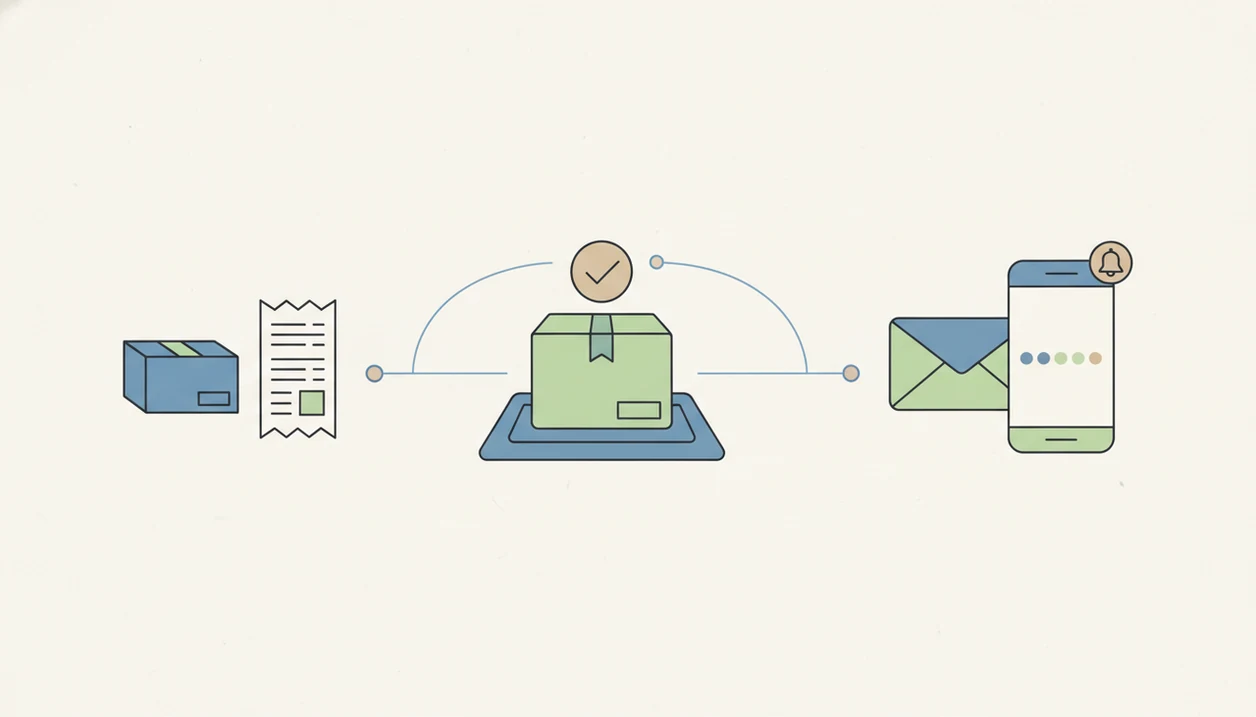
To send a survey after an online order, connect your ecommerce order or delivery event to an automated email, SMS, or thank-you page survey and ask 1–3 focused questions at the right moment. This guide shows how to send survey after online order delivery without over-surveying customers or collecting feedback too early.
> Customer Feedback Surveys is a customer feedback survey app that collects post-purchase surveys, NPS scores, and review follow-ups for small businesses.
- Use the thank-you page for checkout feedback, order emails for immediate purchase feedback, and post-delivery email or SMS for product experience feedback.
- Keep the online order feedback survey to 1–3 questions, usually one rating or NPS question plus one open-ended follow-up.
- Automate low-rating alerts so support can recover unhappy customers before the issue becomes a return, chargeback, or negative review.
What an Online Order Feedback Survey Means
An online order feedback survey is an automated post-purchase request sent after checkout, order confirmation, delivery, or product use. It helps a store ask at the right moment instead of guessing what the customer thought later.
The usual channels are the thank-you page, order confirmation email, post-delivery email, and SMS. Each one fits a different job. Checkout feedback asks whether buying was easy. Product-use feedback asks whether the item matched expectations after the customer actually opened it.
A customer photo of a cracked lid tells you more after delivery than it would five seconds after checkout.
Small stores do not need enterprise market research tools for this workflow. A basic ecommerce trigger, a short form, and a weekly review habit can be enough. A good customer feedback survey app for small businesses should collect post-purchase surveys, NPS scores, and actionable customer insights, not bury owners in research dashboards.
Five Facts Before You Send Survey After Purchase
- Channel changes the answer. Thank-you pages capture checkout impressions, email captures considered responses, and SMS can catch quick delivery reactions.
- Automation starts with an event. Most workflows begin when an order is created, fulfilled, delivered, or a set number of days old.
- Short surveys get finished more often. Survey methodology research found shorter questionnaires can produce completion rates up to 20 percentage points higher than longer ones, largely because they reduce respondent burden source.
- Use one score plus one explanation. A rating or NPS question gives a trend; the open comment explains what happened.
- Timing and mobile layout matter. A receipt email opened at the counter needs a different ask than a post-delivery message read on a phone.
For small ecommerce stores, 1–3 questions are often better than a long form because customers can answer before the moment passes.
Before You Start: What You Need To Send a Post-Purchase Survey
Before you build the survey, make sure the trigger, permissions, ownership, scoring, and suppression rules are already clear. These choices keep the workflow useful once real order volume and repeat customers are involved.
- Confirm the ecommerce event. Decide whether the survey should send after checkout, fulfillment, confirmed delivery, or a set number of days after delivery. This event controls what the customer can answer honestly.
- Check consent for the channel. Make sure email marketing rules, SMS opt-ins, and opt-out handling match how you plan to contact customers.
- Assign follow-up ownership. Name the person or inbox responsible for reading low scores, replying to customers, and logging fixes.
- Choose one rating scale. Pick a stable CSAT, star, or NPS scale before collecting trend data, then avoid changing the main question every week.
- Set suppression rules. Exclude customers who bought very recently, answered another survey, or place frequent orders so the system does not turn feedback into noise.
How Post-Purchase Survey Automation Works
Post-purchase survey automation works by connecting an ecommerce event to a message, then storing the response beside the order details. The trigger can be a new order, fulfilled order, delivered order, or elapsed time after delivery.
The system sends a survey link or embedded first question by email or SMS. Some stores also place a first question on the thank-you page. Behind the scenes, response mapping ties answers to metadata such as product, customer, date, location, order number, and rating.
That context matters. A shipping delay note in plain text reads differently when the order was already four days late.
Low scores can create an alert for the owner, support inbox, or store manager. Tools like Customer Feedback Surveys, Google Forms, Typeform, and Jotform can support parts of this flow, depending on how much automation and reporting the store needs. The broader setup is similar to other post purchase surveys.
For a small store using Customer Feedback Surveys, the practical version is simple: choose the order event, send the survey link, attach the response to the order, and alert the owner when the score crosses a low-rating threshold.
How To Set Up a Survey After Online Order Delivery
Use this setup when the goal is product or delivery feedback, not just checkout feedback.
- Choose the feedback goal. Decide whether you need product satisfaction, delivery experience, NPS, checkout feedback, or review follow-up.
- Pick the send trigger. Use delivered order, fulfilled order, or 7–14 days after delivery for product-use feedback.
- Build a short mobile-friendly survey. Ask one rating question and one open-ended follow-up, with an optional product-specific question.
- Write the email or SMS message. State why you’re asking, how long it takes, and which order it refers to.
- Add alerts and reminders. Route low scores to support, and send no more than one polite reminder.
- Review results and improve the workflow. Check trends weekly, then assign one follow-up or operational fix.
A weekly spreadsheet tab with NPS scores, customer quotes, and one assigned follow-up beats a folder full of unread exports. If you want the tool layer, an app that sends survey after purchase covers common options.
Best Timing for an Online Order Feedback Survey
The best timing depends on what you want to learn. Ask checkout questions immediately, but wait until delivery or product use before asking whether the product met expectations.
| Survey timing | Use it for | Avoid using it for |
|---|---|---|
| Thank-you page | Attribution, checkout ease, discount-code experience | Product quality or delivery satisfaction |
| Order confirmation email | Purchase confidence, shipping expectations, missing information | Final satisfaction before anything ships |
| Delivery day email or SMS | Packaging, delivery condition, first impression | Long-term product durability |
| 7–14 days after delivery | Product quality, fit, usefulness, NPS | Fresh checkout memory |
Sending too early creates guesses. Sending too late creates foggy answers.
For product-quality feedback, 7–14 days after delivery is often a useful window because the customer has had time to inspect or use the item. A detailed post purchase survey timeline can help separate checkout, delivery, and product-use moments.
Survey Questions To Send After Purchase
A post-purchase survey should usually ask 1–3 total questions. Start with something easy to answer on mobile, then ask for a short explanation.
- CSAT rating: “How satisfied are you with your order?” Use a 1–5 scale so the customer can answer with one tap.
- NPS-style question: “How likely are you to recommend us to a friend?” Use a 0–10 scale when you want loyalty tracking.
- Open-ended follow-up: “What is the main reason for your score?” This turns the number into something the team can act on.
- Specific variants: Ask “Did the item arrive in good condition?” for delivery, “Was checkout easy?” for checkout, or “Did the product match the description?” for product experience.
The first question should feel effortless on a small screen. The awkward moment is familiar: a customer says “everything was fine” in person, then gives a 6 out of 10 later.
Email and SMS Copy for Post-Purchase Surveys
A good survey invitation is short, specific, and clear about the time required. Personalize it with first name, product name, or order number when the data is reliable.
Email subject: “How was your order, Maya?”
Email body: “Thanks for ordering the linen storage bins. Could you answer two quick questions about order #1842? It takes under one minute, and your feedback helps us fix product and delivery issues faster.”
SMS: “Hi Maya, how was your order from Northline Home? 2 quick questions: [survey link]. Reply STOP to opt out.”
One reminder is usually enough. Research on survey contact strategy has found that advance letters and reminders can increase response rates, although the lift varies by audience and mode source.
Keep the reason plain. “We read every response before Friday’s shipping review” sounds more believable than a polished slogan. The owner checking yesterday’s survey comments before opening the register is the point.
Recovery Alerts for Low Online Order Feedback Scores
Recovery alerts turn poor survey scores into fast follow-up tasks. Set a clear threshold, such as 1–2 stars, CSAT below 3, or an NPS detractor score from 0–6.
Route the alert to the person who can act: owner, support inbox, store manager, or ecommerce lead. Include the score, order number, product, delivery date, customer contact, and open-ended comment. A private comment is often still recoverable. A one-star public review is harder.
A simple recovery workflow works well: apologize, ask for details, offer a fix, and log the root cause. If several comments mention the same missing insert, fix the packing checklist.
McKinsey research has reported that companies systematically collecting and acting on feedback can reduce churn by 10–15% and improve win-back rates by 20–40% source. Small stores still need judgment, but speed helps. Customer Feedback Surveys can route low scores into a simple owner review flow.
Common Mistakes With Online Order Feedback Surveys
The most common mistake is asking the wrong question at the wrong time. Product quality questions before delivery mostly collect predictions, not experience.
Long surveys are another problem. A 20-question form after a simple purchase feels like homework, especially when the customer only bought a refill pack. Shorter forms also make trend review easier.
Mobile layout deserves attention. StatCounter reports that mobile devices account for a majority of U.S. web traffic, so small buttons and grid questions can quietly damage response quality source.
Consistency matters too. If you rewrite the main question every week, last Friday’s CSAT score cannot be compared with this Friday’s score. Finally, do not collect feedback without an owner. Someone needs to read low scores, assign follow-up, and close the loop. For tool comparison, a best post purchase survey app guide can help match workflow to store size.
Limitations
Automated order surveys are useful, but they do not show the whole customer experience. Treat them as an operating signal, not a complete truth.
- Customers with missing emails, invalid phone numbers, or SMS opt-outs may never receive the survey.
- Spam filters, inbox overload, and message deliverability can reduce response volume.
- Responses may overrepresent very happy customers and very unhappy customers.
- Changing timing, channels, or questions too often makes trends unreliable.
- Over-surveying every order can annoy loyal customers who buy often.
- Incentives can improve participation, but they may also attract rushed answers.
- Survey data only helps if someone has time to review it and act.
- Delivery carrier problems may appear as product complaints unless the question separates them.
The pocket check is real: an owner may only have ten minutes between packing labels and customer calls, so the survey system has to surface the two comments that need action today.
If the team cannot review comments weekly, send fewer surveys or only trigger them for key products, first orders, or problem categories.
FAQ
When should I send a survey after an online order?
Send checkout feedback immediately on the thank-you page or order email. Send product satisfaction feedback after delivery, often 7–14 days later.
Should I use email or SMS for a post-purchase survey?
Use email when you need more context, lower cost, or a branded message. Use SMS only when you have proper consent and the question is urgent or very short.
How many questions should I ask in an online order survey?
Ask 1–3 questions. Short surveys usually perform better because customers can answer quickly on mobile.
What questions should I include after a customer buys online?
Include one rating or NPS question and one open-ended follow-up. Add a product, delivery, or checkout question only if it supports a clear decision.
Can I send a survey before delivery?
Yes, but only for checkout experience, purchase confidence, or shipping expectations. Do not ask about product quality before the customer receives or uses the item.
Do incentives improve post-purchase survey response rates?
Small incentives can improve response rates in some cases. Keep them modest and clearly framed so customers do not feel pressured to give positive answers.
Should I send a reminder if the customer does not answer?
One polite reminder can help, especially for email surveys. Repeated reminders can create fatigue and lower trust.
How do I automate survey alerts for low ratings?
Set a low-score rule, such as CSAT below 3 or NPS 0–6. Customer Feedback Surveys can send alerts with customer, order, score, and comment details for follow-up.