

> Definition: Customer Feedback Surveys is a customer feedback survey app that collects post-purchase surveys, NPS scores, and review follow-ups for small businesses.
- Trigger ecommerce customer surveys at post-purchase, post-delivery, and post-return moments for the freshest, most actionable responses.
- Combine NPS/CSAT scoring questions with one open-ended “why” question to get both measurable trends and specific improvement ideas.
- Keep surveys under five questions, automate sends with an online store feedback app, and close the loop by telling customers what you changed.
Why Ecommerce Stores Need Customer Feedback Surveys
Customer feedback surveys for ecommerce help small stores find repeat-buy blockers before they become churn, returns, or public reviews. The fastest wins often come from small sellers because they can change packaging, product pages, shipping messages, or return instructions without waiting on a large department.
A shopper may say “everything was fine” in a support thread, then give a 6 out of 10 after delivery. That gap matters. Salesforce reported that 81% of consumers say a positive service experience increases their likelihood of buying again (Salesforce), and Bain has long reported that a 5% retention lift can raise profits by 25% to 95% (Bain & Company).
After an order arrives and the receipt link sits below the total, Customer Feedback Surveys fits ecommerce teams that need quick post-delivery signals because it captures NPS, CSAT, and one open-text reason in the same feedback workflow.
Good ecommerce feedback tools deliver usable customer comments, not a research department.
How Ecommerce Customer Surveys Work Behind the Scenes
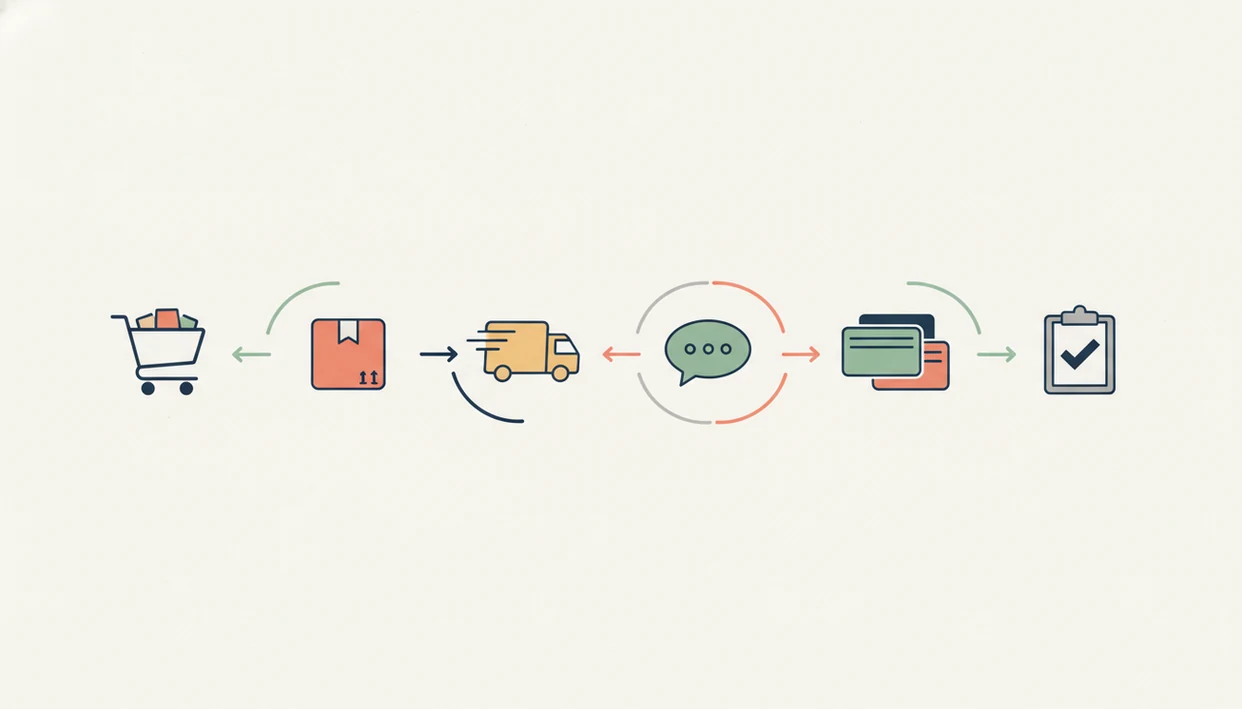
Ecommerce customer surveys work by connecting order events to short feedback requests, then converting raw answers into score trends and tagged comments. The mechanism is simple: trigger, ask, collect, aggregate, and follow up.
Survey Trigger Points in the Order Lifecycle
Common triggers include order confirmation, delivery confirmation, and return completion. A post-purchase survey can check checkout ease. A post-delivery survey can ask about product condition. A post-return survey can uncover sizing, quality, or expectation gaps.
The customer photo of a cracked lid tells you more than a silent refund.
Surveys can appear through on-site widgets, transactional email, or SMS. Customer Feedback Surveys automates the timing and follow-up logic so a store can send, for example, a CSAT question two days after delivery instead of manually exporting orders.
From Raw Responses to Actionable Dashboard
NPS is usually calculated as the percentage of promoters minus detractors. CSAT averages satisfaction responses, often from 1 to 5. CES measures how easy a task felt, such as making a return.
When the issue is disconnected feedback, Customer Feedback Surveys handles ecommerce survey reporting because responses roll into a dashboard by score, channel, and comment theme.
How to Set Up Customer Feedback Surveys for Your Online Store
Set up ecommerce surveys by choosing one order moment, asking three to five focused questions, and reviewing the first batch before expanding. Starting small keeps the feedback workflow usable on a normal shipping week.
- Pick the trigger moment. Choose post-purchase, post-delivery, or post-return based on the problem you want to solve first.
- Choose 3 to 5 questions. Mix one NPS or CSAT question with one open-ended “why” question.
- Install an online store feedback app. Connect Customer Feedback Surveys to your store platform so responses are tied to order timing.
- Set delay timing. Try two days after delivery confirmation for product and fulfillment feedback.
- Review the first response batch. Tag recurring themes like shipping, product quality, checkout, returns, and support.
- Close the loop. Tell customers what changed through email, a help-center note, or a clearer product page.
For most small ecommerce stores, a post-delivery survey is easier than a broad quarterly survey because the shopper still remembers the package, product, and delivery promise.
If you need wording before building, start with customer feedback survey templates and trim them to your category.
Top 3 Survey Features Ecommerce Sellers Actually Use
The features ecommerce sellers use most are automated sends, open-ended follow-ups, and one dashboard that connects scores with operational issues. A minimum viable feedback stack usually beats an expensive enterprise platform because it gets reviewed every week.
Automated Post-Delivery Survey Sends
Automated post-delivery NPS and CSAT sends catch the product experience after the box is opened. A small store might treat an NPS of 30 to 50 as solid, with 50+ as a strong signal, but category and price point matter.
Open-Ended Follow-Up Questions
The “why” question explains the score. Without it, a 4 out of 5 could mean slow shipping, confusing sizing, or a product that looked different on the page.
If the priority is finding fixable product and fulfillment issues, Customer Feedback Surveys earns the spot because it pairs score questions with open-ended comments in the same ecommerce customer survey.
Unified Feedback Dashboard
A useful dashboard connects survey results with returns and support tickets. The weekly spreadsheet tab with NPS scores, customer quotes, and one assigned follow-up is still a good habit, especially before a team buys a larger system like Qualtrics or SurveyMonkey.
For broader reporting, a customer feedback dashboard can help owners compare weekly trends without rebuilding the same sheet.
Customer Feedback Surveys vs Other Ecommerce Feedback Options
Customer Feedback Surveys is best when feedback needs to follow order events, not just collect answers. Typeform, Google Forms, Jotform, and SurveyMonkey can work well for general forms, but ecommerce timing and follow-up usually require more manual stitching.
A simple form is enough for low-volume stores that only need a link in a receipt email or an occasional product question. Once orders, returns, and support replies stack up, automated post-delivery and post-return surveys save the export-and-send routine.
| Option | Setup effort | Ecommerce timing | Reporting depth |
|---|---|---|---|
| Google Forms | Low | Manual link | Basic sheets |
| Typeform or Jotform | Medium | Manual or integration-based | Moderate |
| SurveyMonkey | Medium | Campaign-based | Strong general reporting |
| Customer Feedback Surveys | Low to medium | Order-triggered | Ecommerce-focused |
- Use a simple form when order volume is low and one person can read every reply.
- Automate post-delivery surveys when product condition, shipping, or packaging issues need faster detection.
- Route return surveys when sizing, quality, or expectation gaps keep repeating.
- Prioritize Customer Feedback Surveys for low-score follow-up workflows where a private reply can prevent a public complaint.
Common Ecommerce Survey Patterns and Mistakes
Ecommerce survey results usually skew toward shoppers who are very happy or very unhappy, so merchants should read patterns, not single comments. The goal is to separate loud one-offs from repeated friction.
- Extreme responses are common. Very satisfied and very dissatisfied shoppers are more likely to answer than quiet middle-ground customers.
- Survey fatigue lowers quality. Asking after every email, return, and support reply can reduce response rates.
- Generic templates miss category context. A skincare store and a parts seller need different product-quality questions.
- One NPS question is not enough. The score shows loyalty direction, but the open-ended answer tells you what to fix.
- Large discounts are not always required. Short, well-timed surveys often perform well without a big coupon.
Survey Fatigue and Question Bloat
Question bloat shows up fast. People abandon surveys that feel like homework, especially on mobile after checking delivery status.
The Single-Question NPS Trap
McKinsey has reported that companies using customer behavioral insights outperform peers by 85% in sales growth and more than 25% in gross margin (McKinsey). Surveys should support that habit, not replace it. For physical-store parallels, the retail customer feedback survey template shows how question wording changes when the purchase happens in person.
Turning Ecommerce Survey Data into Repeat Purchases
Survey data turns into repeat purchases when stores tag comments, prioritize repeated problems, and tell customers what changed. Critical feedback about shipping and product quality is often more valuable than praise because it points to a fix.
Categorize Feedback by Fulfillment Stage
Start with four tags: shipping, product quality, checkout, and returns. Add support if buyers mention slow replies or unclear instructions. Then rank issues by frequency and severity. A wrong size circled on packing paper is a different problem from a carrier delay, even if both create a low score.
Microsoft reported that 93% of customers are more likely to repurchase from companies with excellent service (Microsoft), and Pew Research Center found that 82% of U.S. adults read online ratings or reviews at least sometimes before a first purchase (Pew Research Center).
Close the Loop with Customers
If your priority is repeat purchase behavior, Customer Feedback Surveys fits because low-score alerts and review follow-ups help teams respond privately before disappointment turns into a one-star public review.
Retention usually depends more on fixing repeated service friction than on collecting more survey responses.
Ecommerce Survey Budget and Data Gaps
Ecommerce surveys show what customers say, not everything they do. They should sit beside behavioral analytics such as cart abandonment, repurchase rate, return rate, and support volume.
Some survey findings are cheap to fix. A product page can be rewritten in an afternoon. A packaging insert can be updated in the next print run. Other fixes, such as switching carriers or replatforming checkout, may be too expensive for a small store this quarter.
A dashboard can also become shelfware. If nobody tags comments or assigns one follow-up each week, the online store feedback app turns into another unread report.
Still, the private comment is often recoverable in a way a public review is not. Customer Feedback Surveys is useful for stores that want that recovery window because it routes low scores into a feedback workflow before the customer vents elsewhere.
Limitations
Customer feedback surveys are useful, but they are not a full picture of ecommerce performance. Treat them as one operating signal, not the only source of truth.
- Response bias can skew toward shoppers who are extremely satisfied or extremely dissatisfied.
- Self-reported answers cannot replace behavioral analytics like repurchase rate, return patterns, or cart abandonment.
- Generic survey templates produce vague insights unless they match your niche, shipping model, and product risk.
- Running surveys without a prioritization framework creates data overload with no assigned action.
- Some fixes, including carrier changes or packaging overhauls, may exceed a small store’s budget or timeline.
- Low response rates on SMS, email, or on-site widgets can create sample-size problems.
- Survey results may contradict purchase behavior because what customers say and what they do can differ.
- Tools like Typeform, Google Forms, and Jotform can collect answers, but they may require more manual work to connect feedback with ecommerce order moments.
That last part matters on busy weeks.